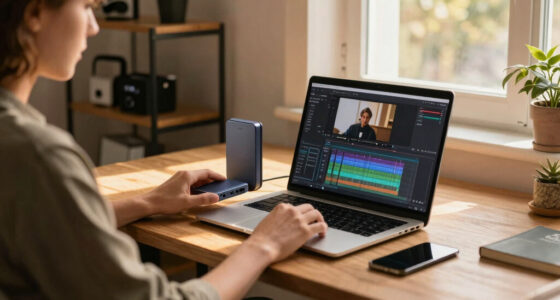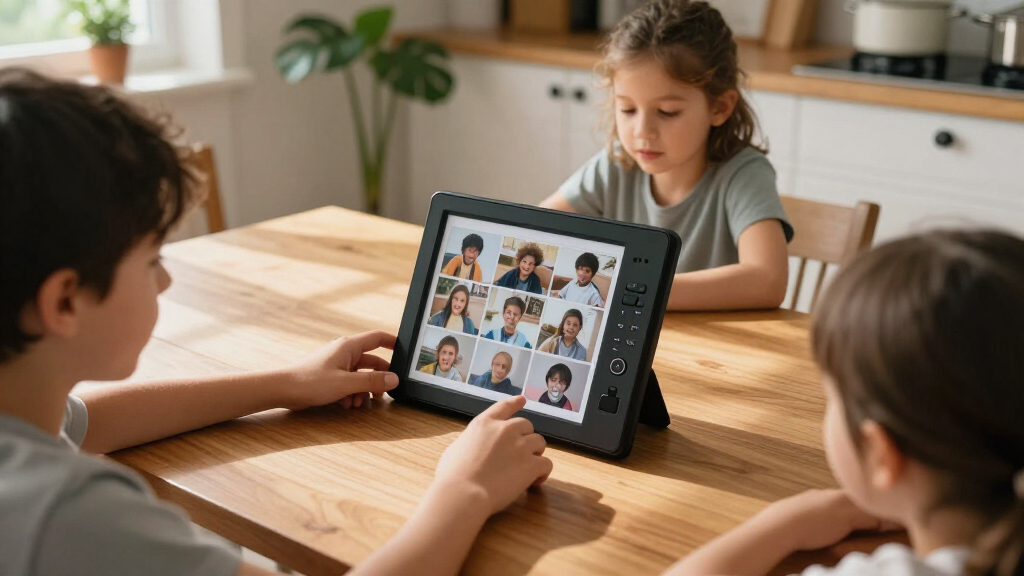
For most households, the Aura Carver 10.1-inch is the best overall digital photo frame in this lineup, while the Skylight 10-inch is a strong choice for people who want a simple, focused sharing experience. If photos need to be seen across a larger room, the 15.6-inch Frameo models offer a more visible alternative. The main tradeoffs are screen size versus space, app-based sharing versus simpler setup, and built-in storage versus the flexibility of a connected photo service. Smaller 10.1-inch frames suit desks and side tables, while larger models make more sense as shared family displays. Read on for how all 15 options compare and which one fits your needs.

Get the little things that make your day delivered free — and shop member deals
- Fast, free delivery on millions of items
- Access to Prime Big Deal Days deals on October 6–7
- Prime Video, Amazon Music and more included
Key Takeaways
- Aura Carver and Skylight stand apart from the Frameo-heavy group by offering distinct app-led sharing experiences, making brand ecosystem and setup preferences useful tie-breakers.
- Most listed models cluster around 10 or 10.1 inches, so they are better matched to desks, counters, and bedside tables than rooms where viewers stand far away.
- The 15.6-inch Frameo options prioritize visibility; their larger footprint is a practical tradeoff for households that want photos readable from across a room.
- Several listings repeat the same basic combination of Wi-Fi, Frameo, and 32GB storage, so buyers should compare exact model details and support rather than assume the shared specs make them interchangeable.
- Storage capacity alone does not settle the choice: how family members send photos, whether the frame needs to work simply for its recipient, and where it will sit matter just as much.
| 10.1-Inch Wi-Fi Digital Picture Frame with Touchscreen and 32GB Memory |  | Best for Flexible Local Storage | Display: 10.1-inch IPS touchscreen | Resolution: 1280 × 800 (WXGA) | Aspect ratio: 16:10 | VIEW LATEST PRICE | See Our Full Breakdown |
| BIGASUO Frameo 10.1-Inch Wi-Fi Digital Picture Frame, 32GB |  | Best for Straightforward Frameo Sharing | Display: 10.1-inch IPS touchscreen | Resolution: 1280 × 800 | Aspect ratio: 1.75:1 | VIEW LATEST PRICE | See Our Full Breakdown |
| Frameo 15.6″ Digital Picture Frame WiFi – Large Display |  | Best for a Large Shared Display | Display: 15.6-inch IPS touchscreen | Resolution: 1080p | Aspect ratio: 16:9 | VIEW LATEST PRICE | See Our Full Breakdown |
| Aura Carver Black Digital HD Picture Frame, 10.1-Inch |  | Best for No-Capacity-Limit Sharing | Model: AF900 | Display: 10.1-inch HD, WXGA | Aspect ratio: 16:9 | VIEW LATEST PRICE | See Our Full Breakdown |
| Akimart 10.1-Inch Wi-Fi Digital Photo Frame with 32GB Storage |  | Best for Calendar and Collage Features | Display: 10.1-inch IPS touchscreen | Resolution: 1280 × 800 | Internal storage: 32GB | VIEW LATEST PRICE | See Our Full Breakdown |
| Pastigio Frameo 15.6-Inch Wi-Fi Digital Picture Frame |  | Best for a Large Shared Display | Display: 15.6-inch IPS touchscreen | Resolution: 1920 × 1080 | Aspect ratio: 16:9 | VIEW LATEST PRICE | See Our Full Breakdown |
| AEEZO 10.1-Inch Digital Picture Frame with Wi-Fi and 32GB Storage |  | Best for Flexible Placement | Screen: 10.1-inch IPS touchscreen | Resolution: 1280 × 800 (WXGA) | Aspect ratio: 16:10 | VIEW LATEST PRICE | See Our Full Breakdown |
| Aura Carver HD Digital Picture Frame, 10.1-Inch, Cool White |  | Best for Low-Maintenance Sharing | Model: AF900 | Display: 10.1-inch calibrated WXGA touchscreen | Aspect ratio: 16:9 | VIEW LATEST PRICE | See Our Full Breakdown |
| Skylight 10-Inch Wi-Fi Digital Picture Frame, Black |  | Best for Simple Offline Viewing | Model: 916496 | Display: 10-inch touchscreen | Resolution: 1280 × 800 | VIEW LATEST PRICE | See Our Full Breakdown |
| Pastigio 10.1-Inch Wi-Fi Digital Picture Frame with Frameo |  | Best for Family Contributions and Placement Options | Screen: 10.1-inch IPS touchscreen | Resolution: 1280 × 800 | Aspect ratio: 16:10 | VIEW LATEST PRICE | See Our Full Breakdown |
| Frameo 10.1-Inch Wi-Fi Digital Picture Frame, 32 GB |  | Best for Private Family Sharing | Screen: 10.1-inch IPS HD touchscreen | Resolution: 1280 × 800 | Aspect ratio: 16:10 | VIEW LATEST PRICE | See Our Full Breakdown |
| 15.6-Inch Frameo Wi-Fi Digital Picture Frame, 64GB |  | Best for a Large Full HD Display | Display: 15.6-inch IPS touchscreen | Resolution: 1920 × 1080 | Aspect ratio: 16:9 | VIEW LATEST PRICE | See Our Full Breakdown |
| Pastigio Frameo 10.1-Inch Wi-Fi Digital Picture Frame, 32GB |  | Best for Offline Transfer Flexibility | Screen: 10.1-inch touchscreen | Resolution: 1280 × 800 | Aspect ratio: 16:10 | VIEW LATEST PRICE | See Our Full Breakdown |
| 10.1-Inch Wi-Fi Digital Picture Frame with 32GB Storage |  | Best for Simple Automatic Adjustments | Screen: 10.1-inch IPS touchscreen | Resolution: 1280 × 800 | Aspect ratio: 16:10 | VIEW LATEST PRICE | See Our Full Breakdown |
| Frameo 15.6-Inch Wi-Fi Digital Picture Frame, 64GB |  | Best for Flexible Large-Frame Placement | Display: 15.6-inch IPS touchscreen | Resolution: 1920 × 1080 Full HD | Aspect ratio: 16:9 | VIEW LATEST PRICE | See Our Full Breakdown |
| digital photo frame | Aspect ratio | Resolution | Connectivity | Display |
|---|---|---|---|---|
| 10.1-Inch Wi-Fi Digital Pictur | 16:10 | 1280 × 800 (WXGA) | Wi-Fi | 10.1-inch IPS touchscreen |
| BIGASUO Frameo 10.1-Inch Wi-Fi | 1.75:1 | 1280 × 800 | Wi-Fi | 10.1-inch IPS touchscreen |
| Frameo 15.6" Digital Picture F | 16:9 | 1080p | 2.4GHz Wi-Fi | 15.6-inch IPS touchscreen |
| Aura Carver Black Digital HD P | 16:9 | — | Wi-Fi | 10.1-inch HD, WXGA |
| Akimart 10.1-Inch Wi-Fi Digita | — | 1280 × 800 | — | 10.1-inch IPS touchscreen |
| Pastigio Frameo 15.6-Inch Wi-F | 16:9 | 1920 × 1080 | Wi-Fi | 15.6-inch IPS touchscreen |
| AEEZO 10.1-Inch Digital Pictur | 16:10 | 1280 × 800 (WXGA) | Wi-Fi | — |
| Aura Carver HD Digital Picture | 16:9 | — | Wi-Fi | 10.1-inch calibrated WXGA touchscreen |
| Skylight 10-Inch Wi-Fi Digital | 16:9 | 1280 × 800 | Wi-Fi | 10-inch touchscreen |
| Pastigio 10.1-Inch Wi-Fi Digit | 16:10 | 1280 × 800 | Wi-Fi | — |
| Frameo 10.1-Inch Wi-Fi Digital | 16:10 | 1280 × 800 | Wi-Fi | — |
| 15.6-Inch Frameo Wi-Fi Digital | 16:9 | 1920 × 1080 | — | 15.6-inch IPS touchscreen |
| Pastigio Frameo 10.1-Inch Wi-F | 16:10 | 1280 × 800 | — | — |
| 10.1-Inch Wi-Fi Digital Pictur | 16:10 | 1280 × 800 | — | — |
| Frameo 15.6-Inch Wi-Fi Digital | 16:9 | 1920 × 1080 Full HD | Wi-Fi; Frameo app for Android and iOS | 15.6-inch IPS touchscreen |
More Details on Our Top Picks
10.1-Inch Wi-Fi Digital Picture Frame with Touchscreen and 32GB Memory
This frame suits buyers who want app-based sharing without giving up control over where their photos are stored. Its 32GB of built-in memory is joined by microSD expansion, giving it more clearly specified local capacity than the BIGASUO Frameo 10.1-Inch, whose card limit is not listed. Wi-Fi sharing through the AiMOR app handles new photos, while auto-rotation and automatic brightness adjustment reduce routine fiddling after setup. The 10.1-inch IPS touchscreen also makes on-frame browsing practical for a desk or side table. The tradeoff is short-form video support: clips must be no longer than 15 seconds. And microSD files need importing before they can play, so this is less convenient for anyone expecting a card to act as live, removable playback storage.
Pros:- 32GB internal storage plus support for microSD cards up to 64GB
- Wi-Fi photo and video sharing through the AiMOR app
- Automatic rotation supports portrait and landscape photos
- Automatic brightness and customizable slideshow settings
Cons:- Video clips are limited to 15 seconds
- MicroSD files must be imported into the frame before playback
- Requires corded power
Best for: Households that want app sharing, substantial built-in storage, and a defined microSD expansion limit
Not ideal for: People who want to play longer videos or view files directly from a microSD card without importing them
- Display:10.1-inch IPS touchscreen
- Resolution:1280 × 800 (WXGA)
- Aspect ratio:16:10
- Internal storage:32GB
- Expandable storage:MicroSD card up to 64GB
- Connectivity:Wi-Fi
- Video support:MP4 clips up to 15 seconds
- Power:Corded electric
Our verdict“Choose this model if defined local storage and app sharing matter more than longer video playback or direct microSD viewing.”
BIGASUO Frameo 10.1-Inch Wi-Fi Digital Picture Frame, 32GB
The BIGASUO is a good fit for families who want relatives to send photos through a familiar sharing app rather than manage files by hand. Frameo app support works with iOS and Android, and its touchscreen controls, auto-rotation, brightness adjustment, and sleep mode cover the basics without adding a long feature list to learn. Compared with the Akimart 10.1-Inch frame, this model keeps the experience more focused on everyday sharing; Akimart adds calendar sync and collage tools for buyers who want those extras. The BIGASUO also has 32GB of internal storage and microSD support, though the supported card capacity is unspecified. That makes storage expansion less predictable than the 64GB limit stated for the 10.1-Inch Wi-Fi Digital Picture Frame with Touchscreen and 32GB Memory. It also needs a power cord and Wi-Fi for remote contributions.
Pros:- Remote photo and video sharing through the Frameo app for iOS and Android
- Touchscreen interface designed for straightforward setup and control
- 32GB internal storage with microSD expansion support
- Includes auto-rotation, brightness adjustment, slideshow, and sleep mode
Cons:- Requires corded power
- No supported microSD card capacity is specified
- Frameo sharing depends on Wi-Fi connectivity
Best for: Families who want a simple Frameo-based way for iPhone and Android users to send photos to a shared display
Not ideal for: Buyers who need a documented microSD capacity limit, cord-free placement, or added organization tools such as calendar sync
- Display:10.1-inch IPS touchscreen
- Resolution:1280 × 800
- Aspect ratio:1.75:1
- Storage:32GB internal; microSD expansion supported
- Connectivity:Wi-Fi
- App:Frameo for iOS and Android
- Dimensions:7.2 × 10.5 inches
- Power:Corded electric
Our verdict“Pick the BIGASUO for uncomplicated Frameo sharing, but choose the Akimart if calendar and collage features matter more.”
Frameo 15.6″ Digital Picture Frame WiFi – Large Display
At 15.6 inches, this Frameo model is made for a room where people view photos from several feet away—not for a crowded shelf. Its 1080p IPS touchscreen gives the larger display more detail than the 10.1-inch options in this roundup, including the Aura Carver Black, while the Frameo app lets multiple people contribute. Offline playback from SD card or USB is another practical distinction: the smaller Aura relies on Wi-Fi for its connected sharing features. The frame has 32GB built in, with support for external storage, but cards and drives are not included. There are setup tradeoffs, too: the listed Wi-Fi support is limited to 2.4GHz, which can complicate connection in some homes, and the larger screen takes more space. I’d favor it for a shared living area, not a compact bedside table.
Pros:- Large 15.6-inch 1080p IPS touchscreen
- 32GB internal storage with support for external SD cards and USB drives
- Frameo app supports Wi-Fi sharing and multi-user contributions
- Can play media offline from a memory card or USB drive
Cons:- Wi-Fi support is limited to 2.4GHz
- External storage is not included
- Larger footprint and setup may be less convenient for small spaces or non-technical users
Best for: Families who want a large, viewable-from-across-the-room display and the option to play media offline from USB or SD
Not ideal for: Small-space buyers or people who need straightforward setup on a network that does not support 2.4GHz Wi-Fi
- Display:15.6-inch IPS touchscreen
- Resolution:1080p
- Aspect ratio:16:9
- Internal storage:32GB
- Connectivity:2.4GHz Wi-Fi
- External media:Full-size SD card and USB; external storage up to 32GB
- Control:App and touchscreen
- Dimensions:10 × 16 inches
Our verdict“Choose this Frameo when screen size and offline playback outweigh the simpler placement and setup of a 10.1-inch frame such as the Aura Carver Black.”
Aura Carver Black Digital HD Picture Frame, 10.1-Inch
The Aura Carver Black is the strongest match here for people who expect a steady stream of family photos and do not want to manage a storage card. Its unlimited photo and video storage at no subscription fee separates it from the 32GB Frameo and AiMOR models, while the Aura app lets invited friends and relatives contribute. Setup is described as taking about a minute, making it a more approachable shared gift than the larger 15.6-inch Frameo, whose setup can be more involved. The display adjusts brightness to room lighting and supports videos up to 30 seconds with sound, twice the stated clip limit of the Akimart. The compromise is reliance on Wi-Fi for connected sharing; it is not the pick for offline-first playback. Its 10.1-inch screen also suits a table or shelf better than a room-wide display.
Pros:- Unlimited photo and video storage with no subscription fee
- Aura app supports sharing and contributions from invited family and friends
- Automatic brightness adjustment responds to room lighting
- Supports live photos and videos up to 30 seconds with sound
Cons:- Connected sharing features require Wi-Fi
- 10.1-inch display is smaller than the 15.6-inch Frameo option
- Software update support date is unspecified
Best for: Families or gift buyers who want invited contributors, simple setup, and ongoing photo sharing without managing storage capacity
Not ideal for: People who need offline playback, removable local storage, or a large screen visible across a room
- Model:AF900
- Display:10.1-inch HD, WXGA
- Aspect ratio:16:9
- Storage:Unlimited, free
- Connectivity:Wi-Fi
- Video support:Up to 30 seconds with sound
- Dimensions:10.1 × 12.7 inches
- Warranty:1 year
Our verdict“Choose the Aura Carver Black for easy, ongoing family sharing without storage limits, and skip it if offline playback is a priority.”
Akimart 10.1-Inch Wi-Fi Digital Photo Frame with 32GB Storage
The Akimart earns its place for buyers who want a frame to do more than cycle through photos. Alongside Frameo app sharing and 32GB of internal storage, it offers collage mode for up to six images, albums, and calendar syncing with iCloud, Google, Outlook, and Yahoo. Those tools give it a more organizational role than the BIGASUO Frameo 10.1-Inch, which focuses on basic sharing and display controls. Its 10.1-inch IPS touchscreen supports portrait and landscape viewing, so photos from different phones can fit naturally. The tradeoffs are familiar for a connected frame: remote sharing needs Wi-Fi, and video clips stop at 15 seconds. The Aura Carver Black handles longer clips and unlimited storage, but lacks the specific calendar and collage functions listed here.
Pros:- Frameo app supports remote photo and short-video sharing on iOS and Android
- 32GB internal storage with microSD expansion support
- Collage mode can display up to six photos
- Calendar sync supports iCloud, Google, Outlook, and Yahoo
Cons:- Video clips are limited to 15 seconds
- Remote sharing requires Wi-Fi
- MicroSD card capacity is not specified
Best for: Households that want a shared photo display with calendar syncing, album organization, and multi-photo collages
Not ideal for: People who prioritize longer video playback, offline-first use, or a frame that does not rely on Wi-Fi for remote sharing
- Display:10.1-inch IPS touchscreen
- Resolution:1280 × 800
- Internal storage:32GB
- Expandable storage:MicroSD card
- App:Frameo for iOS and Android
- Video support:MP4 clips up to 15 seconds
- Collage mode:Displays up to 6 photos
- Calendar sync:iCloud, Google, Outlook, and Yahoo
Our verdict“Choose the Akimart over the basic BIGASUO if calendar syncing and collages are useful parts of your photo-display routine.”
Pastigio Frameo 15.6-Inch Wi-Fi Digital Picture Frame
The Pastigio’s main advantage is screen size: its 15.6-inch Full HD display gives photos more presence across a room than the 10.1-inch AEEZO or Aura Carver HD. That makes it a stronger fit for a kitchen counter, shared office, or living room where viewers may stand farther away. Family members can send pictures and short videos through the Frameo app, while 32GB of built-in storage and SD, USB, and Windows-computer transfers offer alternatives when Wi-Fi sharing is not the right route. The tradeoff is physical scale: it needs more space and a corded outlet, and its video clips stop at 15 seconds. USB drives must be FAT32, and computer transfers are limited to Windows, so the AEEZO is simpler for buyers who mainly want a compact app-connected frame.
Pros:- Large 15.6-inch 1920 × 1080 IPS touchscreen
- Frameo app supports remote photo and video sharing
- 32GB internal storage plus SD card, USB drive, and Windows transfer options
- Can receive files without relying only on Wi-Fi
Cons:- Video clips are limited to 15 seconds
- USB drives must be formatted as FAT32
- Computer transfers support Windows only
Best for: Households that want a large, easy-to-see frame for shared spaces and value several ways to load photos.
Not ideal for: Buyers with limited shelf space, or households that want longer video playback or straightforward Mac computer transfers.
- Display:15.6-inch IPS touchscreen
- Resolution:1920 × 1080
- Aspect ratio:16:9
- Connectivity:Wi-Fi
- Built-in storage:32GB
- External storage:Supports up to 32GB
- Transfer methods:Frameo app, SD card, USB drive, or Windows computer
- Video support:MP4, up to 15 seconds
- Power:Corded electric
Our verdict“Choose this Pastigio if a large Full HD display matters more than compact size or flexible video playback.”
AEEZO 10.1-Inch Digital Picture Frame with Wi-Fi and 32GB Storage
The AEEZO suits buyers who want a conventional 10.1-inch frame that adapts to where it sits. Its auto-rotation handles portrait and landscape placement, while an ambient light sensor adjusts brightness as room lighting changes. Those conveniences give it a more placement-focused appeal than the Pastigio 10.1-inch Frameo, which offers extra sharing and mounting features but no listed ambient light sensor. Remote contributions through the AiMOR app make it useful for family photo sharing, and 32GB of internal storage leaves room for a growing collection. The catch is that its SD card is an import source, not a way to play files directly; images must be copied onto the frame. Like the Aura Carver HD, it also needs Wi-Fi for app-based sharing and corded power for display.
Pros:- Auto-rotation accommodates portrait and landscape placement
- Ambient light sensor adjusts screen brightness
- AiMOR app lets family and friends contribute remotely
- 32GB internal storage with SD card import support up to 64GB
Cons:- SD card files must be imported to the frame rather than played directly
- Requires corded power
- 1280 × 800 resolution is lower than the 15.6-inch Pastigio’s Full HD display
Best for: People placing a frame where portrait and landscape photos alternate, especially in rooms with changing light.
Not ideal for: Buyers who want to play photos directly from an SD card or prefer a battery-powered frame without a permanent outlet.
- Screen:10.1-inch IPS touchscreen
- Resolution:1280 × 800 (WXGA)
- Aspect ratio:16:10
- Connectivity:Wi-Fi
- Internal storage:32GB
- SD card support:Up to 64GB; files must be imported
- Orientation:Auto-rotate
- Power:Corded electric
- Warranty:1-year limited
Our verdict“Pick the AEEZO for sensor-assisted brightness and orientation flexibility, not for direct playback from removable storage.”
Aura Carver HD Digital Picture Frame, 10.1-Inch, Cool White
The Aura Carver HD is the least storage-minded option here: instead of a stated local capacity, it offers unlimited photo and video storage through Aura’s supported services, with no subscription fee. That removes the capacity ceiling found on the Skylight’s 8GB frame and avoids the manual imports required by the AEEZO when using an SD card. Setup is designed to be quick, and the Aura app and supported services make remote sharing straightforward. Its automatic brightness adjustment, live-photo support, and video with sound add polish to everyday viewing. This convenience depends on Wi-Fi, though, unlike the Skylight, which can show existing pictures offline. Aura also lists wireless screen mirroring, but software-update support timing is unspecified, a caveat for buyers who prioritize a clear long-term support outlook.
Pros:- Unlimited photo and video storage with no subscription fee
- Quick setup and sharing through the Aura app and supported services
- Brightness adjusts to room lighting
- Supports live photos and video with sound
Cons:- Wi-Fi is required for sharing features
- Software update support date is unspecified
- Corded power limits placement
Best for: Families who want simple remote sharing and a large online photo collection without managing local storage.
Not ideal for: People who need new-photo sharing without Wi-Fi or want clear information about future software update support.
- Model:AF900
- Display:10.1-inch calibrated WXGA touchscreen
- Aspect ratio:16:9
- Connectivity:Wi-Fi
- Storage:Unlimited photo and video storage
- Sharing:Aura app and supported services
- Media features:Live photos, video with sound, and wireless screen mirroring
- Power:Corded electric
- Warranty:1 year
Our verdict“Choose the Aura Carver HD if you want straightforward, Wi-Fi-based sharing without a local storage limit.”
Skylight 10-Inch Wi-Fi Digital Picture Frame, Black
Skylight keeps the handoff simple: send photos over Wi-Fi to a unique frame email address, then let the frame display its existing collection even when the connection drops. That offline viewing option gives it a practical advantage over the Aura Carver HD, whose sharing features depend on Wi-Fi. Setup is plug-and-play, and the touchscreen makes the frame approachable for recipients who are less comfortable with app-centered controls. The limit is capacity: its 8GB of cloud-based storage is far below the 32GB offered by the Pastigio 10.1-inch Frameo, so large or frequently refreshed collections may need more management. Offline mode also does not mean offline sharing; new uploads still require Wi-Fi. Choose Skylight for uncomplicated receiving and viewing, not maximum storage or connection independence.
Pros:- Simple plug-and-play setup
- Unique frame email address makes remote photo sending straightforward
- Offline mode displays photos already stored on the frame
- No subscription is needed
Cons:- 8GB storage is limited compared with the 32GB Pastigio 10.1-inch Frameo
- Wi-Fi is required to receive or upload new photos
- Corded power restricts placement
Best for: Gift recipients who want a straightforward frame for viewing an existing collection, including during Wi-Fi outages.
Not ideal for: Households with large photo libraries or anyone who needs to send new photos while the frame is offline.
- Model:916496
- Display:10-inch touchscreen
- Resolution:1280 × 800
- Aspect ratio:16:9
- Storage:8GB cloud-based
- Connectivity:Wi-Fi
- Photo sharing:Unique frame email address
- Offline viewing:Displays existing photos without Wi-Fi
- Power:Corded electric
Our verdict“Choose Skylight for easy photo sending and offline viewing, provided its 8GB capacity suits your collection.”
Pastigio 10.1-Inch Wi-Fi Digital Picture Frame with Frameo
This Pastigio combines multi-user Frameo sharing with more placement choices than the similarly sized AEEZO: it has an adjustable stand and wall-mount support, so it can move from a shelf to a wall without changing frames. Its 32GB of built-in storage and transfers by Micro SD card, USB-C drive, or Windows computer also give it more ways to build a collection than the Wi-Fi-dependent Skylight. Auto-rotation, albums, collages, and emoji reactions make the touchscreen more interactive for a shared household. The limits are practical rather than hidden: the removable drives are not included, computer transfers work only with Windows, and videos top out at 15 seconds. Buyers who want unlimited online storage may prefer the Aura Carver HD, while this model favors local capacity and transfer flexibility.
Pros:- Frameo app allows multiple users to share photos
- 32GB internal storage plus Micro SD, USB-C, and Windows transfer options
- Adjustable stand and wall-mount support expand placement choices
- Auto-rotation and touchscreen tools support portrait and landscape viewing
Cons:- Micro SD card and USB-C drive are not included
- Computer transfers are supported on Windows only
- Video clips are limited to 15 seconds
Best for: Families who want several people to contribute and need a frame that can sit on furniture or mount on a wall.
Not ideal for: Buyers who want longer videos, included removable storage, or computer transfers from a Mac.
- Screen:10.1-inch IPS touchscreen
- Resolution:1280 × 800
- Aspect ratio:16:10
- Connectivity:Wi-Fi
- Storage:32GB
- Video support:Up to 15 seconds
- Transfer methods:Frameo app, Micro SD card, USB-C drive, or Windows computer
- Orientation and mounting:Auto-rotation, adjustable stand, and wall mount
- Power:Corded electric
Our verdict“Pick this Pastigio for a family-contribution frame with flexible mounting and multiple local transfer options.”
Frameo 10.1-Inch Wi-Fi Digital Picture Frame, 32 GB
For households that want relatives to send photos to the frame without making the display broadly accessible, this Frameo model keeps sharing limited to invited friends and family. Its 10.1-inch IPS touchscreen and 1280 × 800 resolution suit a desk, bedside table, or modest shelf, while 32 GB of built-in storage gives it room for a substantial photo collection before adding a card. Albums, collage mode, and a calendar make it more useful as a daily display than a basic slideshow. Compared with the larger 15.6-Inch Frameo Wi-Fi Digital Picture Frame, 64GB, this one takes up less space but gives up the expansive, Full HD viewing area. App-sent videos top out at 15 seconds, and microSD support is limited to cards up to 32 GB, so it is less suited to long clips or large offline libraries.
Pros:- Frameo app sharing is restricted to invited friends and family
- 10.1-inch IPS touchscreen with 1280 × 800 resolution
- 32 GB of built-in storage
- Includes albums, collage mode, and calendar features
Cons:- Videos sent through the app are limited to 15 seconds
- microSD compatibility is specified only up to 32 GB
- Corded power and plastic construction limit placement and premium feel
Best for: Families who want invited relatives to send everyday photos to a compact frame for a desk or shelf.
Not ideal for: Buyers who want a large, room-filling display, longer app-shared videos, or microSD expansion beyond 32 GB.
- Screen:10.1-inch IPS HD touchscreen
- Resolution:1280 × 800
- Aspect ratio:16:10
- Built-in storage:32 GB
- Connectivity:Wi-Fi
- App video limit:Up to 15 seconds
- microSD support:Up to 32 GB; FAT32 format recommended
- Power and frame:Corded electric; plastic; Classic Black
Our verdict“Choose this compact Frameo if private family sharing and useful slideshow tools matter more than a large screen or expanded video playback.”
15.6-Inch Frameo Wi-Fi Digital Picture Frame, 64GB
This is the better fit when a digital frame needs to be visible across a room rather than just from beside a chair. The 15.6-inch 1080p IPS touchscreen offers more viewing area and detail than the 10.1-inch Frameo models, and its 178° viewing angle helps photos remain clear from different seats. Its 64 GB of built-in storage, plus SD card and USB flash drive support, also gives a large household collection more room. A built-in speaker adds sound to supported videos, though app uploads are still limited to 15 seconds. Compared with the Frameo 15.6-Inch Wi-Fi Digital Picture Frame, 64GB, this model explicitly lists its 2.4 GHz-only Wi-Fi and FAT32 limits for external storage. Those restrictions can complicate setup, and its broad plastic body needs more display space than a compact frame.
Pros:- Large 15.6-inch 1920 × 1080 IPS touchscreen
- 178° viewing angle supports viewing from across a room
- 64 GB internal storage with SD card and USB flash drive expansion
- Built-in speaker plays sound with supported videos
Cons:- Wi-Fi supports 2.4 GHz only
- App-uploaded videos are limited to 15 seconds
- External storage requires FAT32, and larger capacities may not work reliably
Best for: Families who want a large, shared-room display with Full HD photos, substantial internal storage, and sound for short videos.
Not ideal for: Buyers with limited shelf or wall space, 5 GHz-only Wi-Fi, or external drives they do not want to format as FAT32.
- Display:15.6-inch IPS touchscreen
- Resolution:1920 × 1080
- Aspect ratio:16:9
- Built-in storage:64 GB
- Wi-Fi:2.4 GHz only
- Viewing angle:178°
- Video support:MP4; app uploads limited to 15 seconds
- Expansion and power:SD cards and USB flash drives; DC power
Our verdict“Pick this Frameo when screen size and room-wide viewing matter more than compact placement or flexible network and storage compatibility.”
Pastigio Frameo 10.1-Inch Wi-Fi Digital Picture Frame, 32GB
The Pastigio earns its place for buyers who want app sharing but do not want Wi-Fi to be the only way to load pictures. Alongside Frameo uploads, it accepts transfers through Micro SD or TF cards, a USB-C drive, and a Windows computer, making it a more flexible choice for importing an existing library than the Frameo 10.1-Inch Wi-Fi Digital Picture Frame, 32 GB. The 10.1-inch, 1280 × 800 touchscreen and 32 GB internal storage otherwise put it in the same compact-frame class. Its stand supports portrait or landscape display, and wall mounting adds placement options. That flexibility has limits: the USB-C drive and cable are not included, non-Wi-Fi transfers require FAT32, and computer transfer is Windows-only. Buyers who rely on a Mac or expect everything in the box may prefer a simpler setup.
Pros:- Frameo app supports remote photo sharing over Wi-Fi
- Accepts Micro SD, TF card, USB-C drive, and Windows computer transfers
- 32 GB of built-in storage
- Stand supports portrait and landscape placement, with wall-mounting options
Cons:- USB-C drive and cable are not included
- Non-Wi-Fi transfers require FAT32 formatting
- Computer transfer is supported on Windows only
Best for: People with existing photo libraries who want app sharing plus several wired or card-based ways to load images.
Not ideal for: Mac users who expect direct computer transfers, or buyers seeking a turnkey package with USB-C accessories included.
- Screen:10.1-inch touchscreen
- Resolution:1280 × 800
- Aspect ratio:16:10
- Built-in storage:32 GB
- Connectivity and transfer:Wi-Fi, Micro SD, TF card, USB-C drive, and Windows computer
- Placement:Portrait or landscape stand; wall-mounting option
- Power:Corded electric
- Frame:Plastic; Engraved Black
Our verdict“Choose the Pastigio if you need multiple ways to import photos, but skip it if Mac-based transfer or included USB-C accessories are priorities.”
10.1-Inch Wi-Fi Digital Picture Frame with 32GB Storage
Buyers who want a straightforward frame with less manual display adjustment may prefer this model’s automatic photo orientation and screen brightness. The 10.1-inch IPS touchscreen has the same 1280 × 800 resolution as the Frameo 10.1-Inch Wi-Fi Digital Picture Frame, 32 GB, but this frame uses the AiMOR app rather than Frameo and supports SD cards up to 128 GB. That higher stated card capacity is useful for building a larger offline library, while the large-font interface may suit relatives who prefer simple on-screen controls. The tradeoff is sharing: free sending is limited to nine photos or one short video at a time, and each video is capped at 15 seconds. It is a practical, low-fuss pick, but less convenient for people who regularly send large batches remotely.
Pros:- AiMOR app supports photo sharing from iOS and Android
- Auto-rotation and automatic brightness adjustment
- 32 GB internal storage with SD card support up to 128 GB
- Simple interface with large fonts
Cons:- Free sharing is limited to nine photos or one short video at a time
- Videos are limited to 15 seconds
- Uses AiMOR rather than Frameo, so it will not match a household already using Frameo
Best for: Buyers setting up a simple family frame who value automatic orientation and brightness, large interface text, and higher-capacity SD expansion.
Not ideal for: Families who frequently send many photos at once or prefer Frameo’s invited-contact sharing workflow.
- Screen:10.1-inch IPS touchscreen
- Resolution:1280 × 800
- Aspect ratio:16:10
- Built-in storage:32 GB
- Photo-sharing app:AiMOR for iOS and Android
- SD card support:Up to 128 GB
- Video-sharing limit:One video up to 15 seconds per share
- Power:Corded electric
Our verdict“Pick this model for automatic display adjustments and larger stated SD support, but choose a Frameo frame if frequent group sharing is your priority.”
Frameo 15.6-Inch Wi-Fi Digital Picture Frame, 64GB
This large Frameo is a strong choice when photos need to anchor a wall or console, and placement flexibility matters as much as screen size. Its 15.6-inch, 1920 × 1080 IPS touchscreen matches the broad Full HD format of the 15.6-Inch Frameo Wi-Fi Digital Picture Frame, 64GB, while a detachable stand and wall-mount option give this version a clear advantage for adapting the display to a room. The 64 GB internal library, auto-rotation, albums, and support for photos and MP4 video make it suited to a varied slideshow. App-sent videos remain limited to 15 seconds, however, and the listing recommends drives or cards of 32 GB or smaller. USB connections support playback and file management, not photo transfer from a computer, so wired loading is less versatile than the Pastigio 10.1-inch model.
Pros:- 15.6-inch Full HD IPS touchscreen
- 64 GB internal storage with Frameo sharing from Android and iOS
- Detachable stand and wall-mount option
- Supports MP4 video with sound, albums, and auto-rotation
Cons:- App-uploaded videos are limited to 15 seconds
- Listing recommends SD cards and USB drives of 32 GB or smaller
- USB connection does not support transferring photos from a computer
Best for: Households looking for a large Full HD family display that can sit on furniture or mount on a wall.
Not ideal for: Buyers who need long app-shared videos, larger external storage, or USB transfer directly from a computer.
- Display:15.6-inch IPS touchscreen
- Resolution:1920 × 1080 Full HD
- Aspect ratio:16:9
- Internal storage:64 GB
- Connectivity:Wi-Fi; Frameo app for Android and iOS
- Formats:Photos: JPG, JPEG, BMP, PNG; video: MP4
- Mounting:Detachable stand and wall-mount option
- Dimensions and power:Approximately 15.43 × 9.61 inches; corded electric
Our verdict“Choose this large Frameo for flexible tabletop or wall placement, but not if you depend on computer-to-frame USB transfers or longer shared clips.”
How We Picked
I ranked these digital photo frames around the decisions that affect daily use: how easily photos can be added, whether the screen size suits the intended room, how much storage is listed, and how approachable the frame is for its owner and contributors. I also weighed the practical role of each option: compact everyday display, simplified family sharing, or a larger screen for shared spaces. A stated feature only helped a product when it addressed a real buyer need; storage or screen size by itself did not make a frame a stronger all-around choice.
The ranking gives extra weight to clear use-case fit and a recognizable sharing path, then separates near-duplicate Frameo listings by size and stated capacity rather than treating similar names as proof of identical hardware. The Aura Carver and Skylight lead for buyers who value a defined brand experience, while the 15.6-inch models rise for visibility and the 10.1-inch Frameo models suit shoppers prioritizing a familiar app-based approach. Since the supplied product details do not establish differences in resolution, warranty, or subscription terms for every model, I avoid claiming those as advantages and recommend checking the exact listing before choosing.
Factors to Consider When Choosing Digital Photo Frames
Before choosing a frame, I would decide where it will live and who will manage it. Those two answers can matter more than a small difference in listed storage or screen size. The following factors help avoid buying a frame that looks suitable on paper but is awkward for its recipient or family.
Match Screen Size to Viewing Distance
A 10-inch-class frame is a natural fit for a desk, shelf, or bedside table, where viewers are close enough to appreciate individual images. A 15.6-inch model makes more sense on a larger surface or in a shared room where people may view it from farther away. A common mistake is choosing the largest screen without checking its footprint, power-cable route, and available stand or wall placement. Also check the listed resolution: a bigger panel does not automatically mean sharper-looking photos. Think about the frame’s main viewing position before treating screen size as an upgrade.
Choose a Sharing Method the Family Will Actually Use
Wi-Fi sharing is most useful when relatives will send new photos regularly, especially if they live apart from the frame’s owner. Before buying, check which app is required, whether multiple people can contribute, and what steps the recipient must take after setup. Do not assume that every Wi-Fi frame uses the same workflow just because several listings mention Frameo. If the frame is a gift for someone who rarely uses apps, arrange setup and invite contributors before handing it over. A more involved sharing system can suit an active family, while a straightforward interface may matter more to a less technical recipient.
Treat Storage as One Part of the Photo Plan
Listed internal storage can help keep a collection available without relying on a separate device, but the number of gigabytes does not tell you how many photos will fit in practice. Image file sizes vary, and some frames may handle cloud or app delivery differently from local transfers. Check whether the model accepts memory cards or USB storage if you want an offline backup or a bulk import route. Avoid paying extra for capacity you are unlikely to fill, but do not assume a smaller figure will be enough for a large archive. The right choice depends on how often you refresh the collection and where your original files are kept.
Check Orientation and Photo Cropping
Family collections usually mix portrait and landscape images, while a frame’s physical layout may favor one orientation. Before ordering, confirm whether the frame can rotate or adjust its display and how it handles photos that do not match the screen shape. Automatic cropping can cut off faces or important details, especially in group shots. If the listing does not explain the display behavior, look for clear product documentation rather than assuming the frame will show every image exactly as sent. This matters particularly when the frame will receive photos from many people with different phones and camera settings.
Budget for Setup, Placement, and Ongoing Use
A frame needs a dependable power connection, a suitable Wi-Fi signal, and a place where its screen is easy to see without glare. Check the cable length, included stand, and whether the frame can be wall-mounted if the intended spot has limited shelf space. Review the exact listing for app requirements, any account setup, and whether extra services carry ongoing fees; those details should not be inferred from the brand name alone. For a gift, test the network and complete initial setup while the frame is still accessible. Paying more is most sensible when it buys a meaningfully easier sharing experience, a better fit for the room, or support features you will use.
Frequently Asked Questions
Should I choose a 10.1-inch frame or a 15.6-inch model?
I would choose a 10.1-inch frame for a desk, bedside table, or compact shelf where people view it nearby. The 15.6-inch Frameo models suit larger rooms or shared spaces where a small display could be hard to see at a distance. Their larger size also takes up more room, so check the available surface and power-cable placement first. Screen size does not tell you image sharpness on its own, so compare the listed resolution as well. If the frame is mainly for one person at close range, the smaller format is often the more practical fit.
Are Frameo frames interchangeable if they have similar names and storage?
Not necessarily: shared references to Frameo, Wi-Fi, or 32GB describe only part of the product. The listings here include multiple brands and sizes, and the supplied details do not establish that their displays, controls, setup steps, or support are identical. Check the exact model’s app instructions, orientation options, import methods, and included accessories before buying. A larger Frameo model may be a better fit for room visibility, while a smaller one is easier to place on a compact surface. Compare the complete listing rather than relying on a similar product title.
Which frame is easiest to give to someone who is not comfortable with apps?
The brand and app experience matter more than storage capacity for a recipient who does not want to manage technology. The Aura Carver and Skylight are the clearest alternatives in this lineup for shoppers looking at a defined sharing experience, while the Frameo options may suit families already comfortable with that app approach. None should be assumed to work without setup: check the instructions and arrange Wi-Fi access before gifting. If you will manage photo sharing remotely, confirm how contributors are invited and what the recipient needs to do. A short setup session can prevent the frame from becoming an unused display.
Is 32GB enough, or should I choose a 64GB frame?
For a regularly refreshed selection of family photos, 32GB may be ample, but actual capacity depends on image file sizes and how the frame stores incoming photos. A 64GB listing offers more room for a larger collection, though extra capacity is less valuable if you plan to rotate a small set of images. Check whether photos are stored locally, how they can be removed, and whether external storage is supported. Do not treat a higher capacity number as a guarantee of better display quality or easier sharing. Choose based on the collection you plan to keep on the frame, not just the largest listed figure.
What should I verify before buying a Wi-Fi photo frame as a family gift?
Check that the recipient has reliable Wi-Fi where the frame will sit and a convenient outlet nearby. Confirm the app or account requirements, how family members send images, and whether you can complete setup on the recipient’s behalf. Look at orientation handling and cropping so shared photos do not lose faces or details. Also verify the included stand, mounting options, and any ongoing service terms in the exact product listing. These checks can matter more to a gift’s success than choosing a frame with the most storage.
Conclusion
For the broadest mix of fit and a defined sharing experience, I would start with the Aura Carver 10.1-inch as the best overall pick; the Aura Carver Black and Cool White listings give buyers color options within that family. For a simpler, focused alternative, the Skylight 10-inch is a strong candidate, especially for someone who values an approachable gift setup. Buyers seeking a value-oriented choice should compare the 10.1-inch Frameo models by exact storage, app details, and included features rather than choosing by a similar title alone. For a premium-feeling larger display or a specific need to show photos across a room, consider the 15.6-inch Frameo options, while accepting their larger footprint. If you are buying for a first-time user, prioritize the sharing workflow and set it up in advance; if the frame is for a compact desk, favor a 10-inch-class model. The best choice is the one that fits both the room and the person who will receive the photos.
Halloween Picks
halloween
As an affiliate, we earn on qualifying purchases.