

External SSD speed ratings show how fast you can transfer data between your drive and your device. They mainly depend on the connection protocol, like USB 3.1, USB 3.2, or Thunderbolt, with faster protocols offering higher transfer speeds. Other factors like endurance ratings and proper cooling also play roles in sustained performance. Understanding these ratings helps you pick the right drive for your needs. Keep exploring to discover how these factors work together for best performance.

Get the little things that make your day delivered free with Prime
- Fast, free delivery on millions of items
- Prime Video, Amazon Music and more included
- Member-only deals all year
Key Takeaways
- Speed ratings like sequential read/write speeds indicate potential transfer rates but vary with file size and protocol compatibility.
- Protocols such as Thunderbolt 4 enable faster data transfer compared to USB 3.1 or 3.2.
- Real-world performance depends on device, file type, and connection protocol, not just manufacturer specs.
- Higher endurance ratings support sustained performance during intensive or prolonged data transfers.
- Proper matching of the SSD’s protocol and port ensures optimal speed and prevents bottlenecks.
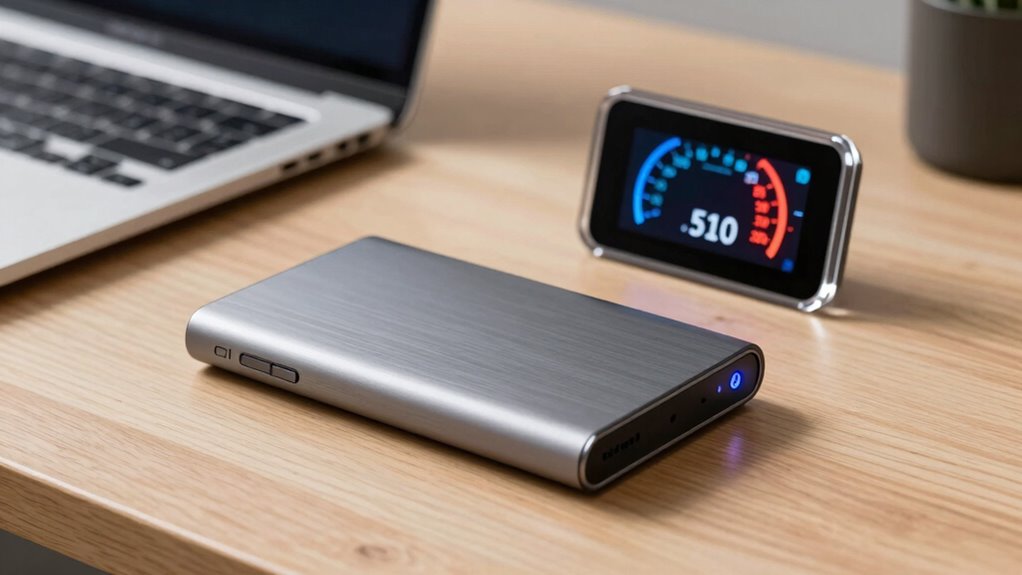
Are you wondering how to determine the speed of an external SSD? It all boils down to understanding the key factors that influence performance, primarily data transfer protocols and SSD endurance ratings. Data transfer protocols are the communication standards that facilitate data movement between your device and the SSD. Common protocols like USB 3.1, USB 3.2, Thunderbolt 3, or Thunderbolt 4 each have different maximum transfer speeds, which directly impact how quickly your files move. For example, Thunderbolt 4 offers faster data transfer rates than USB 3.1, making it ideal for demanding tasks like editing large videos or backing up extensive data. Knowing which protocol your external SSD uses helps you predict its potential speed.
However, don’t forget to check the SSD’s endurance ratings. These ratings indicate how much data the drive can handle over its lifespan without degrading performance or risking failure. While endurance ratings are typically associated with internal SSDs, they also influence external drives, especially if you’re frequently transferring large files or using the SSD for intensive workloads. A higher endurance rating generally means the drive can sustain faster data transfer rates over time without slowing down or becoming unreliable. So, even if two SSDs have similar advertised speeds, their endurance ratings could determine which one maintains those speeds longer in real-world use.
When evaluating external SSD speed ratings, pay attention to the specifications provided by manufacturers. Many list sequential read and write speeds, which are useful benchmarks for large file transfers. Still, real-world performance can vary based on factors like the file size, the host device’s capabilities, and the data transfer protocol in use. For instance, a drive with high sequential speeds may perform poorly with smaller files or random access tasks, so consider your typical use case. Additionally, ensure your computer supports the SSD’s connection protocol to truly benefit from its maximum speed. Using a USB 3.2 drive on a USB 2.0 port, for example, will bottleneck performance regardless of the SSD’s capabilities. Moreover, understanding transfer protocol limitations can help you set realistic expectations for your external SSD’s performance. Recognizing the compatibility between devices can also significantly influence your overall experience and ensure you get the most out of your investment. It’s also beneficial to consider SSD endurance ratings when choosing a drive, especially if you plan on performing frequent large data transfers or continuous workloads. Furthermore, considering the thermal management of your external drive can prevent overheating during prolonged data transfers, thereby maintaining optimal performance. Additionally, proper cooling can extend the lifespan of your SSD and preserve consistent speeds during heavy use. Ultimately, understanding how data transfer protocols and SSD endurance ratings influence external SSD speed ratings allows you to choose a drive that meets your needs. By matching the right connection standards with a drive that offers suitable endurance, you’ll maximize both speed and longevity, ensuring your data transfers are swift, reliable, and efficient.
As an affiliate, we earn on qualifying purchases.
Frequently Asked Questions
How Does Temperature Affect SSD Speed Performance?
When your external SSD gets too hot, thermal throttling kicks in, slowing down data transfer to prevent damage. Proper heat dissipation helps maintain peak speeds, so avoid prolonged heavy use or poor ventilation. If your SSD feels hot, let it cool down before continuing. Keeping your device cool ensures consistent performance, preventing speed drops caused by heat buildup and ensuring your data transfers stay fast and reliable.
Do Different File Types Impact External SSD Transfer Rates?
Yes, different file types can impact your external SSD transfer rates. Larger files, like videos, transfer faster due to less overhead, while small files, such as documents, may slow down the process. File compression can help speed transfers by reducing file size, whereas data encryption adds extra processing, potentially decreasing speed. So, your file type and whether it’s compressed or encrypted influence how quickly your SSD moves data.
Can Firmware Updates Improve SSD Speed Ratings?
Yes, firmware updates can boost your SSD’s speed ratings. When you perform firmware optimization, it often release hidden performance potential and fixes bugs that may slow data transfer. Ensuring hardware compatibility is essential; updates that align with your device’s specs can make a noticeable difference. Don’t overlook these updates—they might just be the secret weapon to accessing faster, smoother performance from your external SSD.
What Is the Difference Between Sequential and Random Read/Write Speeds?
Sequential read/write speeds measure how fast your SSD transfers large files in order, like videos or backups, while random speeds focus on handling many small files or data requests efficiently. Data encryption can slightly impact these speeds, especially during encryption/decryption processes. Wear leveling helps distribute data evenly across the drive, preventing speed drops over time. Understanding these differences helps you choose an SSD that matches your performance needs.
How Do Cable Quality and Length Influence SSD Performance?
Think of your cable as a bridge connecting your SSD to your device. A durable cable guarantees smooth, reliable data flow, while poor quality can cause speed drops or disconnects. Length matters too — a longer cable might introduce signal loss, slowing performance. Always choose a cable with strong connector compatibility to prevent bottlenecks. When you pick a high-quality, well-matched cable, your SSD’s speed and stability shine.
As an affiliate, we earn on qualifying purchases.
Conclusion
Understanding external SSD speed ratings helps you pick the right drive for your needs. While a fast drive can transfer data in seconds, a slower one might make you wait longer, like watching paint dry. Think of it as choosing between a race car and a bicycle—both get you there, but the journey’s quality varies. By knowing these ratings, you guarantee your data moves swiftly, whether you’re editing videos or backing up files.
As an affiliate, we earn on qualifying purchases.
As an affiliate, we earn on qualifying purchases.
NFL season / tailgating Picks
team gear
As an affiliate, we earn on qualifying purchases.