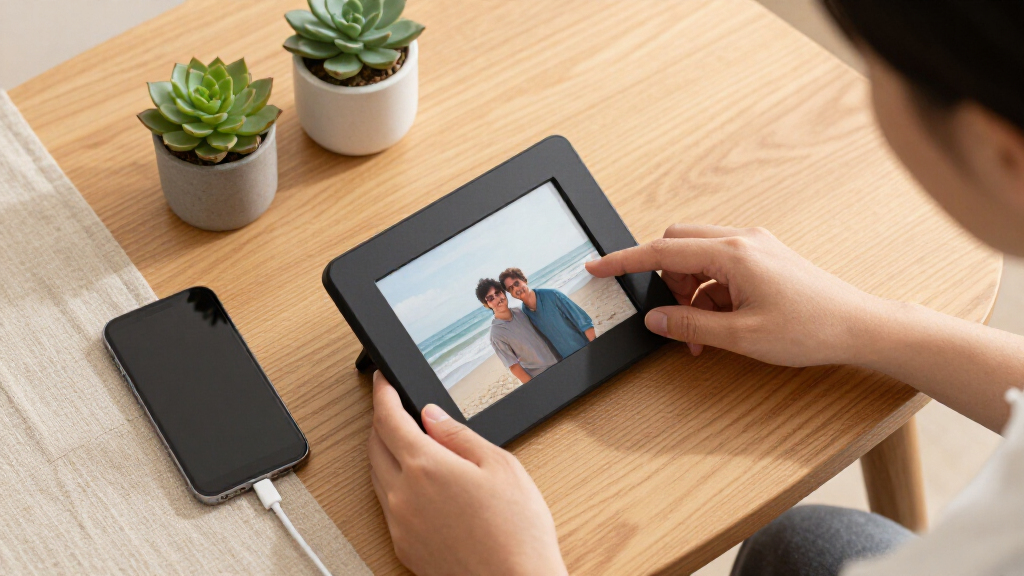

Digital photo frames have become the easiest way to keep family photos in rotation without printing a single one, and the Frameo ecosystem dominates this space in 2026 — nine of the fifteen frames I compared run the Frameo app, which lets relatives send photos directly to the frame from anywhere. My best overall pick is the Frameo 10.1-Inch Smart Wi-Fi Digital Photo Frame, 32GB, because it balances a sharp 1280×800 IPS touchscreen, generous storage, and the simplest sharing setup for less-techy family members. If wall mounting is the goal, the Frameo 10.1-Inch WiFi Digital Picture Frame with HD IPS Touch Screen adds auto-rotate and mounting support, while the Aura Carver stands out as the only premium, design-first option with unlimited cloud storage. The main tradeoffs you will face are screen size versus price, app ecosystems versus standalone USB playback, and whether a touchscreen matters for grandparents. Keep reading for the full breakdown of all fifteen frames.

Get the little things that make your day delivered free with Prime
- Fast, free delivery on millions of items
- Prime Video, Amazon Music and more included
- Member-only deals all year
Key Takeaways
- The Frameo app appeared on nine of the fifteen frames I compared, making app ecosystem — not hardware — the biggest differentiator between otherwise similar 10.1-inch models.
- The three 15.6-inch frames (Frameo 64GB, Pastigio, and Flyruit) occupy a clear large-format tier, but their identical screen resolution means photos look softer than on the sharper 10.1-inch panels.
- The Aura Carver is the only frame in this lineup without local storage, relying entirely on cloud delivery — a strength for design and simplicity, a limitation for anyone wanting USB or SD card playback.
- The 7-Inch White Digital Picture Frame is the lone budget standalone option without Wi-Fi, which makes it the pick for offline use but a poor fit for families who want remote photo sharing.
- Auto-rotate appeared on the Frameo wall-mount model, the AEEZO, and two of the generic 10.1-inch frames, which matters if you plan to display both portrait and landscape photos without manual cropping.


| digital photo frame | Connectivity | Resolution | Screen size | Storage |
|---|---|---|---|---|
| Frameo 10.1-Inch Wi-Fi Digital | Wi-Fi, Micro SD/TF card, USB-C cable, USB-C drive | 1280 × 800 | 10.1 inches | — |
| Frameo 10.1-Inch Smart Wi-Fi D | Wi-Fi, Micro SD/TF card, USB-C cable, USB-C drive | 1280 × 800 (WXGA) | 10.1 inches | — |
| Skylight 10-Inch Wi-Fi Digital | Wi-Fi | 1280 × 800 | — | — |
| Frameo 10.1-Inch WiFi Digital | Wi-Fi | 1280 × 800 | 10.1 inches | 32GB internal; microSD slot supports up to 32GB FAT32 |
| 15.6-Inch Frameo Wi-Fi Digital | — | 1920 × 1080 | — | — |
| 7-Inch Digital Picture Frame | None (offline use) | — | — | — |
| 10.1-Inch Wi-Fi Digital Pictur | 2.4 GHz Wi-Fi | 1280 × 800 | — | 32 GB built-in; microSD up to 32 GB |
| Aura Carver Black 10-Inch HD D | Wi-Fi; screen mirroring from Windows PC | — | 10 inches | Unlimited, free |
| AEEZO 10.1-Inch Digital Pictur | Wi-Fi via AiMOR app | 1280 × 800 | 10.1 inches | — |
| Pastigio 15.6" Digital Picture | Wi-Fi via Frameo app; SD card, USB drive, computer transfer | 1920 × 1080 (FHD), 16:9 | — | — |
| Akimart Frameo 10.1-Inch Smart | WiFi via Frameo app (iOS and Android) | 1280 x 800 | 10.1 inches | 32GB internal, Micro SD expandable |
| 10.1-Inch WiFi Digital Picture | — | — | 10.1 inches | 32GB built-in, up to 128GB via SD card |
| BIGASUO 10.1" Frameo WiFi Digi | WiFi via Frameo app | 1280 x 800 HD | 10.1 inches | 32GB internal, Micro SD expandable |
| Frameo 10.1" Digital Picture F | WiFi via Frameo app (iOS and Android) | 1280 x 800 HD IPS | 10.1 inches | 32GB internal; Micro SD up to 32GB (FAT32) |
| Flyruit 15.6-Inch Wi-Fi Digita | 2.4 GHz WiFi, SD card, USB, USB-C | 1080p Full HD | 15.6 inches | 32GB built-in; up to 32GB via SD card or USB drive |
More Details on Our Top Picks
Frameo 10.1-Inch Wi-Fi Digital Picture Frame, 32GB
The Frameo 10.1-Inch Wi-Fi Digital Picture Frame suits households that want app sharing and a choice of where new photos come from. Relatives can send pictures through Frameo, while the Micro SD, USB-C drive, and Windows computer options give owners a way to load photos without Wi-Fi. That flexibility sets it apart from the Skylight 10-Inch, which relies on Wi-Fi for new uploads. Its portrait or landscape stand and wall-mounting options also make placement easier across a desk, shelf, or wall. The tradeoff is a 10.1-inch, 1280 × 800 display in a plastic frame, rather than the larger Full HD screen of the 15.6-Inch Frameo. External storage and the USB-C cable are not included, and computer transfers are limited to Windows.
Pros:- Frameo app enables remote photo sharing over Wi-Fi.
- Supports Micro SD, USB-C drive, and Windows computer transfers.
- Can stand in portrait or landscape orientation and be wall-mounted.
- 32GB of built-in storage keeps a substantial photo collection on the frame.
Cons:- External storage devices and the USB-C cable are not included.
- Computer transfers are supported on Windows only.
- The 10.1-inch screen is smaller and lower resolution than the 15.6-inch Frameo option.
Best for: Families who want relatives to share photos remotely but also need offline transfer options and flexible placement.
Not ideal for: Buyers who want a large Full HD display or need computer transfers from a Mac.
- Screen size:10.1 inches
- Resolution:1280 × 800
- Aspect ratio:16:10
- Built-in storage:32GB
- Connectivity:Wi-Fi, Micro SD/TF card, USB-C cable, USB-C drive
- Touchscreen:Yes
- Orientation and mounting:Portrait or landscape stand; wall-mounting options
- Frame:Engraved black plastic
Our verdict“Choose this Frameo if you want a versatile 10.1-inch frame that accepts both remote app sharing and offline transfers.”
Frameo 10.1-Inch Smart Wi-Fi Digital Photo Frame, 32GB
When the main goal is keeping a family’s photos flowing to one shared display, this Frameo 10.1-Inch Smart Wi-Fi frame puts app sharing at the center: unlimited members can send photos and short videos, and recipients can respond with reactions. Its albums, auto-rotation, brightness controls, weather, clock, and eco sleep add everyday convenience for a frame that may stay on display in a living room or at a relative’s home. Unlike the Skylight 10-Inch, it also supports Micro SD, USB-C drive, and Windows PC loading when Wi-Fi uploads are not the preferred route. The 32GB onboard storage can be expanded by another 32GB, though that is less than the 64GB built into the 15.6-Inch Frameo. Buyers must also accept the Frameo app and FAT32 formatting for external media.
Pros:- Unlimited members can share photos and 15-second videos through Frameo.
- 32GB built-in storage can be expanded by up to 32GB.
- Offline loading is available through Micro SD, USB-C drive, or Windows PC.
- Touchscreen tools include albums, reactions, auto-rotation, brightness control, and eco sleep.
Cons:- Frameo is the only supported sharing app.
- Computer connection is listed for Windows only.
- External storage must use FAT32, and app videos are limited to 15 seconds.
Best for: Families spread across households who want many relatives to send photos and brief videos to one shared frame.
Not ideal for: People who want to avoid a single app ecosystem or need to load media from a Mac or non-FAT32 drive.
- Screen size:10.1 inches
- Resolution:1280 × 800 (WXGA)
- Aspect ratio:16:10
- Built-in storage:32GB
- Expandable storage:Up to 32GB
- Video support:15-second videos
- Connectivity:Wi-Fi, Micro SD/TF card, USB-C cable, USB-C drive
- Offline media format:FAT32
Our verdict“Pick this model for a family-centered Frameo setup with useful sharing controls and modest storage expansion.”
Skylight 10-Inch Wi-Fi Digital Picture Frame, Black
The Skylight 10-Inch Wi-Fi Digital Picture Frame keeps sending photos straightforward: people can share remotely through the frame’s unique email address, and gift mode lets a giver preload pictures before handing it over. That makes it a more focused choice for a recipient who should not have to manage storage cards or a computer connection. Saved photos can still be viewed offline, but the frame needs Wi-Fi to receive or upload new content. This is a meaningful limitation beside the Frameo 10.1-Inch Wi-Fi Digital Picture Frame, which accepts Micro SD and USB-C transfers as well as app sharing. The Skylight also lists 8GB of storage, less than the 32GB on the Frameo models, and its corded power means it needs a permanent spot near an outlet.
Pros:- Remote photo and video sharing uses a unique frame email address.
- Gift mode allows photos to be preloaded before giving the frame.
- Saved photos remain viewable offline.
- Touchscreen interaction avoids relying on external controls.
Cons:- Wi-Fi is required to receive or upload new content.
- 8GB storage is less than the 32GB offered by the Frameo 10.1-inch models.
- Corded power limits placement to locations near an outlet.
Best for: Gift givers and family members who want to send photos remotely to someone who prefers a simple touchscreen frame.
Not ideal for: Households with unreliable Wi-Fi or large libraries that need offline imports and more onboard storage.
- Display size:10 inches
- Resolution:1280 × 800
- Aspect ratio:16:9
- Storage capacity:8GB
- Connectivity:Wi-Fi
- Touchscreen:Yes
- Offline viewing:Saved photos
- Power source:Corded electric
Our verdict“Choose Skylight for a simple, gift-ready frame when Wi-Fi sharing matters more than offline importing or storage capacity.”
Frameo 10.1-Inch WiFi Digital Picture Frame with HD IPS Touch Screen, 32GB Memory, Auto-Rotate, Wall Mount
This Frameo 10.1-inch IPS touchscreen is aimed at a shared household display, pairing remote photo and short-video uploads with calendar sync, collage mode, clock, and weather. Auto-rotation and a simple touchscreen suit a frame that different family members may use, while the microSD slot offers a local way to add media. Compared with the Frameo 10.1-Inch Wi-Fi Digital Picture Frame, 32GB, this model emphasizes its IPS panel and extra display features, though both have a 1280 × 800 resolution and 32GB onboard. App uploads are capped at 15 seconds for video; longer clips require microSD, which may be inconvenient if family members share videos often. Its card support is limited to FAT32 up to 32GB, and the corded power connection restricts placement.
Pros:- IPS touchscreen supports a shared viewing setup.
- Frameo app enables remote sharing of photos and short videos.
- 32GB internal storage plus a microSD slot for additional media.
- Calendar sync, collage mode, clock, and weather add display options.
Cons:- App-shared videos are limited to 15 seconds; longer clips require microSD.
- microSD support is limited to FAT32 cards up to 32GB.
- Corded power is required.
Best for: Families who want a shared frame with a wide range of household display features and local microSD loading.
Not ideal for: People who want longer video sharing through the app, broad memory card compatibility, or cordless placement.
- Screen size:10.1 inches
- Resolution:1280 × 800
- Screen type:IPS touchscreen
- Aspect ratio:16:10
- Storage:32GB internal; microSD slot supports up to 32GB FAT32
- Connectivity:Wi-Fi
- App video limit:15 seconds
- Power source:Corded electric
Our verdict“Choose this Frameo for a feature-rich shared display if its microSD video workaround and corded setup fit your household.”
15.6-Inch Frameo Wi-Fi Digital Picture Frame, 64GB
For buyers who want photos to read clearly across a room, the 15.6-inch Full HD IPS touchscreen makes this Frameo a different proposition from the lineup’s 10-inch models. Its 1920 × 1080 resolution and 64GB built-in storage suit a larger slideshow library, while a speaker adds sound to MP4 playback. The frame can sit on a desktop, switch between portrait and landscape, or mount on a wall, giving it more placement options than a typical small tabletop display. Compared with the Frameo 10.1-inch models, the bigger screen takes more space and only supports 2.4 GHz Wi-Fi. Frameo app uploads still cap videos at 15 seconds, and external SD cards or USB drives must use FAT32, with larger capacities potentially unsupported.
Pros:- 15.6-inch Full HD IPS touchscreen offers more visible detail and a larger viewing area.
- 64GB onboard storage plus SD card and USB flash drive support.
- Built-in speaker plays sound with MP4 videos.
- Supports desktop or wall mounting and portrait or landscape placement.
Cons:- Wi-Fi is limited to 2.4 GHz.
- Frameo app video uploads are limited to 15 seconds.
- External media requires FAT32, and larger card or drive capacities may not work properly.
Best for: Households that want a large, room-visible digital frame with substantial onboard storage and video playback with sound.
Not ideal for: Buyers with limited display space, 5 GHz-only Wi-Fi, or longer videos they expect to send through Frameo.
- Display:15.6-inch IPS touchscreen
- Resolution:1920 × 1080
- Built-in storage:64GB
- Wi-Fi:2.4 GHz
- Frameo app video uploads:Up to 15 seconds
- Video playback:MP4 with sound
- External storage:SD cards and USB flash drives; FAT32
- Mounting:Desktop or wall mount
Our verdict“Choose this Frameo when a large Full HD display and ample storage matter more than compact placement or longer app-shared videos.”
7-Inch Digital Picture Frame, White
Not everyone needs Wi-Fi sharing or a touchscreen — sometimes a frame just needs to sit on a desk and cycle through photos, and that is exactly what this 7-inch model does. Its compact footprint lets it squeeze onto a shelf or countertop where the 10.1-inch AEEZO or the oversized 15.6-inch Pastigio would simply not fit. The slideshow mode handles photo display without any app setup, account creation, or network configuration, which makes it the easiest option in this lineup to start using out of the box. The tradeoff is real, though: there is no remote sharing, no touchscreen, and no published resolution or storage capacity, so buyers are gambling somewhat on display quality. Compared with the app-driven frames here, it trades connectivity for simplicity and a lower price point.
Pros:- Extremely compact size fits crowded desks, shelves, and countertops
- No app, account, or Wi-Fi required to start displaying photos
- Slideshow mode cycles through stored images automatically
- White finish blends into home and office decor
Cons:- No remote sharing — photos must be loaded directly onto the frame
- Resolution and storage capacity are not specified, making display quality uncertain
Best for: Students, office workers, or gift-givers who want a simple, no-setup photo display for a small desk or shelf
Not ideal for: Grandparents hoping to receive photos remotely from family — this frame has no Wi-Fi or app sharing at all
- Display size:7 inches
- Color:White
- Display mode:Slideshow
- Connectivity:None (offline use)
- Placement:Desk, shelf, or countertop
Our verdict“This pick makes the most sense for buyers who value plug-and-play simplicity over connectivity and want the smallest footprint in the roundup.”
10.1-Inch Wi-Fi Digital Picture Frame with Touchscreen
This frame’s standout strength is its social sharing model: through the free Uhale app, you can invite more than 500 friends and family members to send photos and videos from their phones — a far wider circle than most app-based frames realistically support. Unlike the Aura Carver, which charges nothing for storage but keeps sharing within the Aura ecosystem, this model spreads the burden across multiple storage routes: 32 GB built-in, microSD expansion, and cloud sharing. The 1280 × 800 touchscreen with auto-rotation matches the AEEZO spec-for-spec, so the real differentiator is the group-sharing capacity. The drawbacks are worth weighing: it only connects to 2.4 GHz Wi-Fi networks, which may frustrate households running 5 GHz-only routers, and the listed storage capacity is inconsistent in the product information.
Pros:- Supports over 500 invited sharers through the free Uhale app
- Three storage routes: built-in memory, microSD, and cloud
- Touchscreen with auto-rotation for flexible portrait or landscape use
- Handles both photos and videos sent remotely
Cons:- Wi-Fi limited to 2.4 GHz networks only
- Conflicting built-in storage figures in the product listing create uncertainty
Best for: Extended families and large friend groups who want many people contributing photos to one frame
Not ideal for: Households with modern 5 GHz-only routers, since the frame can’t connect to them
- Display size:10.1 inches
- Resolution:1280 × 800
- Storage:32 GB built-in; microSD up to 32 GB
- Connectivity:2.4 GHz Wi-Fi
- Touchscreen:Yes
- Power source:Corded electric
- Dimensions:10.7 × 7.6 inches
Our verdict“This option stands out for buyers whose priority is letting a huge circle of relatives and friends beam photos to one shared screen.”
Aura Carver Black 10-Inch HD Digital Picture Frame
The Aura Carver earns its premium role through what it removes rather than what it adds: unlimited free storage with no subscription, a calibrated HD display, and automatic brightness adjustment that adapts to room lighting without any fiddling. Setup takes about a minute over Wi-Fi, which is faster and less fussy than the AEEZO’s app-pairing flow. Compared with the 10.1-inch Uhale frame, the Carver gives up microSD expansion and touchscreen control, but its display calibration and ambient brightness tuning produce noticeably better-looking photos in varying light. The 30-second video limit with sound is more generous than the Pastigio’s 15-second cap, though still short. The main compromises: it’s Wi-Fi-dependent for setup and sharing, and buyers who want local card-based storage will find no slot here.
Pros:- Unlimited photo and video storage with no subscription fee
- Calibrated HD display with automatic room-brightness adjustment
- Roughly one-minute Wi-Fi setup via the Aura app
- Supports sound-enabled video and wireless mirroring from Windows PCs
Cons:- Wi-Fi is required for setup and nearly all sharing features
- Video clips capped at 30 seconds
Best for: Buyers who want the most polished display quality and zero storage worries, gift-ready out of the box
Not ideal for: Anyone planning to load photos from a camera card — there’s no SD slot, and offline use is minimal
- Screen size:10 inches
- Display:HD, calibrated
- Storage:Unlimited, free
- Setup:About one minute over Wi-Fi
- Video support:Up to 30 seconds with sound
- Connectivity:Wi-Fi; screen mirroring from Windows PC
Our verdict“This model is better suited to buyers willing to pay more for a refined, subscription-free experience than for tinkerers who want expansion slots.”
AEEZO 10.1-Inch Digital Picture Frame with 1280×800 IPS Touchscreen, 32GB Storage, Auto-Rotate, Wi-Fi Setup via AiMOR App
The AEEZO hits a sweet spot between the bare-bones 7-inch white frame and the pricier Aura Carver by delivering app-based remote sharing and a large 32 GB library — roughly 50,000 photos — at a mainstream price. Family and friends send pictures from anywhere via the AiMOR app, and a light sensor plus auto-rotate keep photos looking right in either orientation. Unlike the Uhale frame, it adds genuinely useful smart touches: sleep mode, time and weather display, and adjustable brightness. The annoyances are specific: photos on an SD card can’t play directly and must be imported into internal storage first, and expansion tops out at 64 GB. The 1280 × 800 resolution also trails the Pastigio’s full HD panel, so pixel-peepers will notice the difference on large detailed images.
Pros:- 32 GB internal storage holds roughly 50,000 photos
- Remote sharing via the AiMOR app from anywhere
- Light sensor, auto-rotate, and sleep mode reduce manual adjustment
- Clock and weather display doubles it as a bedside or kitchen device
Cons:- SD card photos must be imported first — no direct playback
- Resolution trails the FHD Pastigio for detailed images
Best for: Families who want easy remote photo sharing and a big built-in library without paying premium prices
Not ideal for: Photographers wanting to display high-resolution work — the 1280 × 800 panel falls short of FHD frames
- Screen size:10.1 inches
- Resolution:1280 × 800
- Display:HD IPS touchscreen
- Internal storage:32 GB (approx. 50,000 photos)
- Expandable storage:Up to 64 GB SD card
- Connectivity:Wi-Fi via AiMOR app
- Features:Auto-rotate, light sensor, sleep mode, time/weather display
- Warranty:1 year limited
Our verdict“This pick makes the most sense for families balancing app sharing, large capacity, and useful smart features at a mid-range price.”
Pastigio 15.6″ Digital Picture Frame with Wi-Fi and Frameo App
If the goal is a frame that dominates a wall or mantel rather than a nightstand, the Pastigio’s 15.6-inch full HD IPS panel is the clear step up — its 1920 × 1080 resolution outresolves both the AEEZO and the Uhale 10.1-inch frames, and photos show it. Sharing runs through the Frameo app over Wi-Fi, but this frame also covers offline bases with SD card, USB drive, and direct computer transfer, options the Aura Carver doesn’t offer at all. The compromises cluster around those offline paths: external storage is capped at 32 GB and FAT32-only, computer transfer works on Windows only with a USB-C cable, and video clips max out at a skimpy 15 seconds — half the Aura’s limit. At nearly 16 inches wide, it also demands real wall or shelf space.
Pros:- Largest display in this group at 15.6 inches with full HD resolution
- Multiple transfer routes: Frameo app, SD card, USB drive, and computer
- Auto-rotate, brightness adjustment, sleep mode, and emoji reactions
- 32 GB built-in storage for a large collection
Cons:- Videos limited to 15 seconds maximum
- External storage capped at 32 GB and requires FAT32 formatting
- Computer transfer is Windows-only and needs a USB-C cable
Best for: Buyers who want a big, wall-worthy FHD screen for a living room or hallway with mixed Wi-Fi and offline photo sources
Not ideal for: Mac users and anyone wanting to play videos — computer transfer is Windows-only and clips are capped at 15 seconds
- Display size:15.6 inches
- Resolution:1920 × 1080 (FHD), 16:9
- Display type:IPS touchscreen
- Built-in storage:32 GB
- External storage:Up to 32 GB (FAT32)
- Connectivity:Wi-Fi via Frameo app; SD card, USB drive, computer transfer
- Video support:MP4, max 15 seconds
- Image formats:JPG, JPEG, BMP, PNG
Our verdict“This option stands out for anyone who wants the biggest, sharpest screen in the lineup and doesn’t care about long video playback.”
Akimart Frameo 10.1-Inch Smart WiFi Digital Photo Frame, 32GB, IPS Touch Screen
This option stands out for piling on extras beyond basic photo sharing: collage mode that displays up to six photos at once, calendar sync with iCloud, Google, Outlook, and Yahoo, and emoji reactions that let grandparents respond to photos without learning a messaging app. Compared with the BIGASUO 10.1-inch Frameo frame, which covers the fundamentals but skips the social touches, the Akimart feels more like a shared family hub. The tradeoff is familiar: the 1280 x 800 resolution matches the rest of the 10.1-inch field rather than beating it, and videos cap at 15 seconds, so anyone hoping to share longer clips will be disappointed. It also depends entirely on WiFi and the Frameo app for remote sharing, so it’s a poor fit for households without reliable internet. Still, for keeping a scattered family engaged, the interaction features earn its spot.
Pros:- Private photo and short-video sharing through the Frameo app from anywhere
- Built-in 32GB memory plus Micro SD expansion
- Unique extras: collage mode, calendar sync, emoji reactions, and custom albums
- IPS touch screen stays clear from wide viewing angles
Cons:- Videos are capped at 15 seconds
- 1280 x 800 resolution falls short of Full HD
- Requires WiFi and app setup for remote sharing to work
Best for: Extended families who want two-way interaction — reactions, shared calendars, and collages — not just passive photo viewing
Not ideal for: Anyone with unreliable WiFi, since remote sharing and app setup are required to unlock its main value
- Screen Size:10.1 inches
- Resolution:1280 x 800
- Display:IPS LCD touch screen
- Storage:32GB internal, Micro SD expandable
- Connectivity:WiFi via Frameo app (iOS and Android)
- Special Features:Collage mode (6 photos), calendar sync, emoji reactions, auto on/off
- Orientation:Auto-rotate portrait and landscape
Our verdict“This is the frame for families who want photos to feel like a conversation rather than a slideshow.”
10.1-Inch WiFi Digital Picture Frame with 32GB Storage, IPS Touchscreen, and Auto-Rotate
Where the Akimart Frameo frame layers on social features, this model bets on keeping things simple: a straightforward AiMOR app, large fonts on the touchscreen, automatic rotation, and auto-brightness so you never fiddle with settings after setup. That makes it a strong pick for gifting to less tech-savptive relatives — the interface is genuinely easy to read and navigate. The 1-year replacement service and lifetime technical support also separate it from budget rivals like the BIGASUO, which offers only a standard 1-year warranty. Expansion headroom is better too, accepting SD cards up to 128GB versus the typical 32GB limit on Frameo-based alternatives. The compromises are real, though: free app sharing is limited to 9 photos or 1 video at a time, which gets tedious when uploading a vacation’s worth of pictures, and videos are still capped at 15 seconds.
Pros:- Remote photo and video sharing through the AiMOR app
- Automatic rotation and auto-brightness reduce setup and maintenance
- Simple touchscreen interface with large, readable fonts
- SD card expansion up to 128GB plus 1-year replacement and lifetime technical support
Cons:- Free app sharing caps at 9 photos or 1 video per batch
- Videos limited to 15 seconds
Best for: Buyers gifting a frame to parents or grandparents who value a simple interface and long-term technical support over extra features
Not ideal for: Frequent bulk uploaders — the 9-photo-per-batch app limit makes loading large photo libraries tedious
- Screen Size:10.1 inches
- Display:1280 x 800 IPS touchscreen
- Storage:32GB built-in, up to 128GB via SD card
- Sharing App:AiMOR (iOS and Android)
- Orientation:Automatic rotation
- Brightness:Automatic adjustment
- Support:1-year replacement service; lifetime technical support
Our verdict“A fuss-free choice when ease of use and after-sale support matter more than feature count.”
BIGASUO 10.1″ Frameo WiFi Digital Picture Frame with 32GB Memory and IPS Touch Screen
This model makes the list as the straightforward, no-frills entry point into the Frameo ecosystem. It does the core job well — remote sharing from iOS and Android, 32GB of built-in memory, Micro SD expansion, and a touchscreen interface designed to work across age groups — without charging you for extras. Compared with the Frameo 10.1-inch wood-frame model, the BIGASUO trades away wall mounting and the nicer cabinet finish but keeps the identical 1280 x 800 IPS panel and 32GB capacity. The plastic matte-black housing is where the savings show; it looks and feels less like a keepsake than the wood alternative, which matters if the frame is a wedding or anniversary gift. It’s also corded only, so placement depends on outlet access. For buyers who want reliable app-based sharing at the lowest complexity and cost, this is the sensible baseline against which the fancier options should justify themselves.
Pros:- Easy remote photo and video sharing through the Frameo app
- 32GB built-in memory with Micro SD expansion
- Touchscreen interface usable across age groups
- Slideshow, auto-rotate, brightness adjustment, and album creation included
Cons:- Resolution below Full HD, same as most 10.1-inch rivals
- Requires WiFi and a corded power source
- Plastic frame feels less premium than wood or metal alternatives
Best for: Budget-conscious buyers who want core Frameo app sharing and 32GB storage without paying for premium materials
Not ideal for: Gift-givers wanting a keepsake-quality look, since the plastic housing reads as utilitarian next to wood or metal frames
- Screen Size:10.1 inches
- Resolution:1280 x 800 HD
- Display:IPS touch screen
- Storage:32GB internal, Micro SD expandable
- Connectivity:WiFi via Frameo app
- Frame Material:Plastic (matte black)
- Warranty:1-year warranty
Our verdict“The value baseline of the roundup — solid Frameo sharing without the premium price of nicer cabinetry.”
Frameo 10.1″ Digital Picture Frame with 32GB Memory, WiFi, Wood Frame, 1280×800 IPS Touch Screen, Auto-Rotate, Wall Mountable
This pick makes the most sense for buyers who care how the frame looks in the room. The brown wood finish reads as actual furniture rather than gadget, and the wall-mount option — rare in this roundup, where most rivals like the BIGASUO are tabletop-only — opens up placement above a mantle or in a hallway. Storage is generous, with 32GB holding roughly 50,000 photos, and photo access is locked to invited users only, which is reassuring for privacy-minded families. The tradeoffs mirror the category: no battery means a constant tether to the power adapter, which complicates wall mounting unless an outlet is nearby, and expansion is oddly restrictive — the Micro SD slot accepts cards only up to 32GB formatted FAT32, well short of the 128GB the AiMOR-based 10.1-inch frame supports. Video uploads remain capped at 15 seconds via the Frameo app.
Pros:- Warm wood finish that suits home décor far better than plastic rivals
- Wall-mountable or desk placement with detachable stand
- 32GB built-in storage holding roughly 50,000 photos
- Secure sharing — only invited users can send to the frame
Cons:- No battery; requires constant connection to the power adapter, complicating wall placement
- Micro SD expansion limited to 32GB and FAT32 formatting
- Frameo app caps video uploads at 15 seconds
Best for: Design-minded buyers and gift-givers who want a frame that blends with home décor and can hang on a wall
Not ideal for: Anyone wanting big expandable libraries — the 32GB FAT32 card limit is the tightest in this batch
- Screen Size:10.1 inches
- Resolution:1280 x 800 HD IPS
- Storage:32GB internal; Micro SD up to 32GB (FAT32)
- Connectivity:WiFi via Frameo app (iOS and Android)
- Finish:Brown wood
- Mounting:Detachable stand (desk) or wall mountable
- Supported Formats:JPG, JPEG, BMP, PNG; MP4 video
Our verdict“The best-looking Frameo option here, ideal when aesthetics and wall placement outrank storage expansion.”
Flyruit 15.6-Inch Wi-Fi Digital Picture Frame with Frameo
Screen size and sharpness are where this model pulls ahead of the entire 10.1-inch field. The 15.6-inch 1080p IPS panel shows noticeably more detail than the 1280 x 800 displays on the Akimart, BIGASUO, and wood-frame Frameo models, and it fills a wall or large shelf far better — closer in spirit to the 15.6-inch Frameo 64GB frame elsewhere in this roundup, but with more ways to load content. Beyond WiFi, it accepts a full-sized SD card, USB drive, or USB-C cable, so you can load a curated library without any app or network at all — a genuine advantage for offline setups. The compromises: WiFi is 2.4 GHz only, which can mean weaker speeds on modern mesh networks, and neither an SD card nor USB drive ships in the box, so expansion costs extra. It’s also corded and physically large at 10 x 16 inches.
Pros:- Large 15.6-inch 1080p Full HD IPS touchscreen — sharper and bigger than 10.1-inch rivals
- Multiple offline transfer options: SD card, USB drive, and USB-C
- Remote sharing via the Frameo app over WiFi
- 32GB built-in storage with external storage support
Cons:- WiFi limited to 2.4 GHz networks only
- SD card and USB drive not included
- Large footprint and corded power limit placement options
Best for: Buyers who want a statement-size, Full HD frame and the flexibility to load photos offline via SD, USB, or USB-C
Not ideal for: Homes running 5 GHz-only networks, since the 2.4 GHz-only WiFi may complicate setup and slow transfers
- Screen Size:15.6 inches
- Resolution:1080p Full HD
- Display:IPS touchscreen, 16:9
- Storage:32GB built-in; up to 32GB via SD card or USB drive
- Connectivity:2.4 GHz WiFi, SD card, USB, USB-C
- Supported Formats:JPG, JPEG, BMP, PNG, MP4
- Dimensions:10 x 16 inches
Our verdict“The pick when maximum screen size and image clarity matter more than compactness or cutting-edge WiFi.”
How We Picked
I evaluated each frame against the criteria that actually shape daily satisfaction: screen quality (resolution, panel type, and viewing angles), sharing convenience (how easily family members can send photos remotely), storage capacity and playback flexibility (32GB versus 64GB, plus USB/SD support), and usability for non-technical owners. Because most of these frames are bought as gifts for parents or grandparents, I weighted setup simplicity and touch interface responsiveness heavily — a frame that frustrates its recipient ends up in a drawer regardless of its specs.
The ranking logic follows a simple hierarchy: frames that pair an IPS touchscreen with the Frameo sharing app place highest, since that combination covers the two things buyers care about most — photo clarity and effortless photo delivery. Large-format 15.6-inch frames rank in a middle tier because they trade resolution for size. Standalone budget options and design-first picks like the Aura Carver fill specific niches rather than competing head-to-head, and I positioned them accordingly.
Factors to Consider When Choosing Digital Photo Frames
Before choosing a specific frame, it helps to understand what actually separates a satisfying digital photo frame from one that goes unused. These are the factors that shaped my ranking — and the ones most buyers get wrong.Screen Size and Resolution Need to Match
The most common mistake I see is buyers assuming a bigger screen is always better. The three 15.6-inch frames in this roundup share the same resolution as many 10.1-inch models, which means each photo gets stretched across more physical space with no additional detail — the result is visibly softer images when viewed up close. A 10.1-inch IPS panel at 1280×800 is the sweet spot for most homes: sharp enough for desk or shelf viewing, and small enough that pixel density stays high. Reserve the 15.6-inch tier for hallways, living room walls, or viewing distances beyond a couple of meters where the softness disappears. If you are gifting a frame for a nightstand or office desk, the 7-inch option is genuinely more appropriate than anything larger.
App Ecosystem Beats Hardware Specs
When a family buys a frame for a grandparent, the grandparents never touch the settings — their adult children and grandchildren do, through an app. That is why the Frameo app ecosystem is the deciding factor for most of my rankings: photos arrive from any smartphone with no cables, no accounts for the recipient to manage, and no technical steps at the frame itself. Aura takes a different approach with its own app and unlimited cloud storage, which works beautifully but locks you into one company’s service. Standalone frames without Wi-Fi cost less but require physically loading photos via USB or SD card — fine for one person’s own photos, frustrating for a dispersed family. Ask yourself honestly who will be adding photos in six months, and choose the ecosystem that matches their habits, not the frame with the best spec sheet.
Storage Capacity and Playback Sources
Storage determines how many photos live on the frame before anything needs deleting. 32GB holds roughly 40,000 compressed photos — plenty for nearly everyone — but 64GB matters if your family sends videos, which consume storage far faster than still images. Check whether the frame also accepts USB drives and SD cards as a secondary playback source; this gives you an offline backup path if Wi-Fi drops or a company changes its app policy years down the road. The Aura Carver’s cloud-only design is the outlier here: elegant, but it depends entirely on Aura’s servers staying online for the life of the frame. For long-term peace of mind, I favor frames with both local storage and card slots.
Touchscreen Versus Button Controls
A touchscreen is not just a luxury — it changes who can actually use the frame. Older recipients who struggle with small buttons or rear-panel controls tend to adapt quickly to tapping a photo to pause it or swiping to the next one. Nearly every 10.1-inch frame in this roundup includes touch, while the budget 7-inch model does not, which is a real limitation for anyone with dexterity issues. The tradeoff is fingerprints on the display, which are more visible on glossy IPS panels and require occasional wiping. If the frame is a gift for someone who has never used a smartphone, prioritize a responsive touchscreen with simple menus over extra features like motion sensors or music playback.
Orientation, Mounting, and Placement
Think about where the frame will live before buying, because placement dictates features. Auto-rotate — found on the wall-mountable Frameo, the AEEZO, and two generic models — lets the frame reorient photos automatically whether you position it landscape or portrait, which sounds minor until you receive a batch of phone photos shot vertically. Wall mounting support matters for the 15.6-inch tier especially, since a frame that large consumes an entire shelf. Consider a motion sensor too, if the listing mentions one: a frame that sleeps when the room is empty saves energy and extends panel lifespan. Buyers who skip this step often end up with a portrait-heavy photo collection displayed on a landscape-locked frame, with black bars framing every image.
Design and Materials for Visible Spaces
Most budget frames use glossy black plastic that looks fine on a desk but cheap on a living room wall. If the frame is a design element rather than a gadget, the Aura Carver’s sculpted design and the wood-framed Frameo 10.1-inch model are the only two in this lineup I would call furniture-grade. The wood Frameo is a strong middle path: it keeps the full Frameo feature set while blending with traditional decor, where a black rectangle would stand out awkwardly. Bezel width also matters more than buyers expect — thin bezels make photos feel larger, while wide bezels can make even a 10-inch display look dated. Match the frame to the room it will occupy, not the one it ships in.
Frequently Asked Questions
Why are there so many frames that all use the Frameo app — are they just the same product?
Not quite, though the overlap is real. Frameo licenses its software to multiple hardware manufacturers, so the sharing experience — downloading the app, inviting family, sending photos — is identical across the Frameo-branded, Akimart, BIGASUO, Pastigio, and Flyruit frames in this roundup. What differs is the hardware underneath: panel quality, touchscreen responsiveness, build materials, storage capacity, and how responsive each manufacturer is to firmware updates. This is why I ranked the Frameo-branded units highest — the company that makes the software tends to support its own hardware longest. A licensed frame from a lesser-known brand can be a genuine bargain, but check that it lists genuine 1280×800 IPS resolution, since some cut corners on the panel while advertising the same app.
Is 32GB of storage enough, or should I pay more for 64GB?
For still photos, 32GB is genuinely plenty — it holds tens of thousands of compressed images, far more than most families will ever send. Where the capacity question becomes real is video. Short video clips sent through the Frameo app can run 10 to 50 megabytes each, and a household that shares weekly videos will fill 32GB within a couple of years. The 15.6-inch Frameo with 64GB and the other large frames make sense for that use pattern. A better question is whether the frame accepts a USB drive or SD card, because expandable storage future-proofs a 32GB model for the cost of a memory card. If your family mostly shares photos with occasional videos, stick with 32GB and spend the difference on screen quality.
Can these frames work without Wi-Fi, for example in a care home or rural area?
Most of the Wi-Fi frames in this lineup can display photos from a USB drive or SD card without ever connecting to the internet, which makes them viable in care homes or areas with unreliable broadband. The catch is that you lose the entire remote-sharing convenience that makes these frames worth buying — someone must physically load new photos. The standalone 7-inch White frame sidesteps this entirely, since it was designed around card-based playback from the start. The one frame that genuinely cannot operate offline is the Aura Carver, which stores all photos in the cloud. If the recipient has no Wi-Fi, choose a frame with a card slot and skip the app-dependent premium options, no matter how attractive their designs are.
Do I need to pay for a subscription for any of these frames?
The Frameo-based frames — which is most of this roundup — have no subscription at all: the app is free, and photos are stored directly on the frame’s internal memory. Aura also avoids mandatory fees, offering its unlimited cloud photo storage without a required plan, though some optional features sit behind paid tiers on Aura’s platform. This is a meaningful shift from a few years ago, when several frame brands charged monthly for cloud storage. The only ongoing cost to plan for is electricity, and frames with motion sensors keep that minimal. If you see a frame requiring a subscription just to display your own photos, treat that as a red flag rather than a premium feature.
What is the easiest frame to set up for an elderly relative who is not tech-savvy?
The honest answer is that any Frameo-based 10.1-inch touchscreen model works, because the recipient does almost nothing after initial setup — photos simply arrive. Set the frame up yourself before gifting it: connect it to their Wi-Fi, adjust brightness and slideshow timing, and send a few test photos so it is displaying images the moment it is unwrapped. A responsive touchscreen matters more than any other feature for this scenario, since tapping to pause or skip a photo is intuitive even for someone who has never used a smartphone. Avoid the button-only 7-inch frame for elderly recipients, and be cautious with the Aura Carver if no one in the family uses iPhones, since its setup flows are smoother within Apple’s ecosystem. The wood-framed Frameo model is my pick when the frame also needs to look at home in traditional decor.
Conclusion
After comparing all fifteen frames, my recommendations break down cleanly by buyer type. For best overall, the Frameo 10.1-Inch Smart Wi-Fi Digital Photo Frame, 32GB delivers the sharpest balance of screen quality, storage, and effortless family sharing — it is the frame I would gift with confidence. The best value pick is the AEEZO 10.1-Inch, which matches the flagship’s IPS touchscreen and auto-rotate convenience while including the same Frameo app experience. For best premium, the Aura Carver stands alone with its sculpted design, HD display, and unlimited cloud storage — the choice when the frame needs to look like furniture. Best for beginners goes to the Frameo 10.1-Inch Wi-Fi Digital Picture Frame with HD IPS Touch Screen, whose auto-rotate and wall-mount flexibility make it forgiving for first-time owners still figuring out placement. For specific needs: the 15.6-inch Frameo with 64GB for large-wall video sharing, the wood-framed Frameo for traditional decor, and the 7-inch White frame for offline or desk-sized display. Whatever your household looks like, pick the ecosystem first and the hardware second — that single decision will determine whether the frame stays on display for years or ends up in a drawer.