
Finding the best smart lock deadbolt in 2026 means balancing security, convenience, and smart home integration. The Philips Wi-Fi Door Lock stands out as the best overall for its seamless app control and compatibility. The ULTRALOQ Bolt SE offers versatile entry methods and long battery life, making it a strong contender for tech-savvy homeowners. Buyers often face tradeoffs between ease of installation, security features, and smart home compatibility. Keep reading for a detailed breakdown of how these options compare and which one fits your needs best.
Key Takeaways
- The most versatile options combine multiple entry methods, such as fingerprint, keypad, and app control.
- Longer battery life is a key factor for hassle-free maintenance, especially in busy households.
- Compatibility with popular smart home systems varies; choose based on your existing setup.
- Installation complexity differs, with some locks designed for easy DIY setup and others requiring professional help.
- Premium features like auto-lock and advanced encryption significantly enhance security, but often come at a higher price.




More Details on Our Top Picks
Philips Wi-Fi Door Lock, WiFi Smart Lock Keyless Entry Deadbolt for Front Door, Compatible with Alexa & Google Assistant, Remote Control, Built-in WiFi, APP Fingerprint Passcode Unlock, Auto Locking
This Philips Wi-Fi lock stands out for its versatility and remote connectivity, supporting unlocking via app, fingerprint, passcode, or voice commands through Alexa & Google Assistant. Compared to the Ultraloq Bolt SE, it offers a more seamless remote experience without requiring a hub, making it ideal for homeowners who want control from anywhere. However, lacking a door sensor means it doesn’t confirm if the door is actually locked or unlocked, which can be a drawback. Its multiple access options—up to 100 passcodes and family fingerprint storage—make it perfect for busy households or rentals needing flexible access. The auto-lock feature enhances security, but it only supports 2.4GHz Wi-Fi, limiting compatibility with some routers. Installation is straightforward for most doors 1-3/8″ to 2″ thick, and the app provides real-time notifications. The main tradeoff is reliance on Wi-Fi, which can be unstable, especially at longer distances. Overall, this pick suits users seeking a comprehensive, remotely manageable deadbolt with multiple unlocking methods.
Pros:- Supports app, fingerprint, passcode, and voice unlocking
- No hub required for remote control
- Creates up to 100 passcodes for family or guests
- Auto-lock feature for added security
Cons:- Lacks door open/close sensor for status confirmation
- Limited to 2.4GHz Wi-Fi, which may reduce stability
- No included batteries, so additional purchase needed
Best for: Homeowners or rental managers who want reliable remote access and multiple unlocking options without monthly fees.
Not ideal for: Users with unstable Wi-Fi or those needing a door sensor for full security monitoring.
- Control Method:App, Fingerprint, Passcode, Voice
- Connectivity Protocol:Wi-Fi
- Compatible with:Alexa, Google Assistant
- Materials:Zinc
- Finish Types:Brushed
- Item Dimensions:2.95 x 1 x 2.95 inches
Bottom line: This lock is ideal for tech-savvy users seeking a flexible, remotely controllable deadbolt with multiple access methods.
ULTRALOQ Bolt SE Smart Lock, Built-in Wi-Fi, Matter Over Thread, Works with Apple Home, Alexa, Google, 7-in-1 Keyless Entry Deadbolt with Fingerprint ID, App, Keypad, Remote Control, 18 Months Battery
Compared with the Philips Wi-Fi lock, the Ultraloq Bolt SE offers Matter over Thread compatibility, making it highly future-proof for smart home integration. Its 7-in-1 unlocking options—including fingerprint, keypad, app, and mechanical keys—make it well-suited for households needing multiple access methods, especially for those who prioritize seamless integration with Apple Home and advanced ecosystem compatibility. The built-in Wi-Fi with Mesh Thread support provides a more reliable connection over longer distances than the Philips model, but it requires a compatible Thread hub for full functionality. Its 18-month battery life is impressive, but the setup process is slightly more involved due to Matter configuration. Unlike the Philips, it includes a weather-resistant zinc alloy body, suitable for outdoor use in various climates. The downside: it relies on a hub for full smart features, which adds complexity and cost. This lock is perfect for users wanting a premium, multi-function deadbolt with the latest smart home standards.
Pros:- Supports fingerprint, keypad, app, and mechanical keys
- Matter over Thread for broad ecosystem compatibility
- Weather-resistant zinc alloy construction
- Long battery life with 18 months between replacements
Cons:- Requires a Thread hub for full Matter support
- Setup can be more complex due to ecosystem integration
- Higher cost compared to simpler models
Best for: Smart home enthusiasts seeking a highly compatible, future-ready deadbolt with extensive access options.
Not ideal for: Users on a tight budget or those with limited space for a hub setup, as it requires additional ecosystem components for full features.
- Control Method:App, Fingerprint, Keypad, Mechanical
- Connectivity Protocol:Wi-Fi, Matter over Thread
- Battery Life:18 Months
- Materials:Zinc Alloy
- Weather Resistance:IP54
- Item Dimensions:5.12 x 2.95 x 1.3 inches
Bottom line: Ideal for homeowners wanting a premium, versatile deadbolt that integrates with the latest smart home standards.
TEEHO TE001 Keyless Entry Door Lock with Keypad – Smart Deadbolt Lock for Front Door with 2 Keys – Auto Lock – Easy Installation – Satin Nickel
This TEEHO keypad deadbolt provides essential keyless entry with a straightforward design, supporting 20 user codes and a one-time code feature. Compared to the Ultraloq Bolt SE, it lacks smart connectivity and voice control but excels in simplicity and affordability, making it suitable for renters or budget-conscious homeowners. Its auto-lock feature can be set between 10-99 seconds, enhancing security without complicated setup. The installation process is quick, requiring only a screwdriver, but it’s limited to doors with 2-1/8″ (54mm) holes, unlike the more flexible Ultraloq or Philips models. Its weather-resistant IP54 rating ensures durability outdoors, but it doesn’t include smart alerts or remote control capabilities—so it’s not for users wanting app-based management. The lock’s straightforward keypad and mechanical backup keys make it ideal for those who prefer a simple, reliable deadbolt without smart features.
Pros:- Easy DIY installation with minimal tools
- Supports 20 user codes and a one-time code
- Auto-lock feature for convenience
- Weather-resistant and durable
Cons:- No app or remote control capabilities
- Limited to specific door hole sizes
- No real-time notifications or activity logs
Best for: Renters or homeowners seeking a reliable, easy-to-install keypad deadbolt without smart home integration.
Not ideal for: Tech-savvy users wanting remote control, voice commands, or ecosystem integration for their smart lock.
- Control Method:Keypad, Mechanical Keys
- Connectivity Protocol:None
- Auto Lock:Yes, 10-99 seconds
- Batteries:4 AA (not included)
- Weather Resistance:IP54
- Item Dimensions:5.12 x 2.95 x 1.3 inches
Bottom line: This lock is best for users who prefer a simple, dependable keypad deadbolt without smart features.
LOCKSTAR® Smart Door Lock • Keyless Entry Deadbolt Door Lock • Multiple Entry Methods – APP • Fingerprint Touch ID • Keypad Code • Card FOB • Traditional Key • Smart Home Devices
Compared to the TEEHO keypad lock, the LOCKSTAR offers a comprehensive multi-access approach, supporting app control, fingerprint, keypad, card fob, and traditional key. Its wide array of entry methods makes it ideal for households with varied user preferences, including renters and families. The auto-lock feature can be activated easily, and real-time event notifications via the app keep users informed about lock activity. While installation is simple, it requires a Wi-Fi connection and a compatible smart home device setup, which could be a challenge for less tech-savvy users. Its IP54 weatherproof design and BHMA certification make it suitable for outdoor use, but the extensive features come at a higher price point than simpler models like TEEHO. The main tradeoff is increased complexity and cost, but it’s perfect for those who want maximum flexibility and control over access.
Pros:- Supports app, fingerprint, keypad, card fob, and key
- Real-time notifications and event history
- Auto-lock and tamper alarms
- Weatherproof and BHMA certified
Cons:- Requires Wi-Fi connection for full features
- More complex installation and setup
- Higher price compared to basic keypad locks
Best for: Families or rental properties needing multiple access options and detailed activity monitoring.
Not ideal for: Budget-conscious buyers or those seeking a straightforward keypad lock without connectivity features.
- Control Method:App, Fingerprint, Keypad, Card, Key
- Connectivity Protocol:Wi-Fi
- Weather Resistance:IP54
- Certification:BHMA
- Battery Life:Variable (depends on use)
- Item Dimensions:1.18 x 2.64 x 6.46 inches
Bottom line: This lock is ideal for users wanting a versatile, multi-access deadbolt with full activity tracking and smart control.
Wyze Auto-Lock Bolt v2, Fingerprint Keyless Entry Smart Lock, AI Learning Scanner with Wi-Fi Front Door Lock Deadbolt, Auto-Lock, 8 Months Battery, BHMA2, IP53, Anti-Peep Keypad, Backup Keys
Compared to the LOCKSTAR, the Wyze Bolt v2 emphasizes ease of use with its ultra-fast fingerprint scanner and AI learning capabilities that improve recognition over time. Its 8-month battery life and emergency USB-C power port make it reliable in various conditions, especially compared to the Ultraloq Bolt SE, which can sometimes be complex to configure. The lock’s IP53 rating ensures durability against weather, but it isn’t fully weatherproof like more expensive outdoor models. The anti-peep keypad enhances privacy, and the app allows remote control, making it a strong choice for users who want a straightforward, adaptive lock without extensive ecosystem requirements. The main tradeoff is that it supports only Wi-Fi, without Zigbee or Thread, limiting integration options. This pick suits users seeking a reliable, AI-enhanced fingerprint lock with simple setup and maintenance.
Pros:- Fast, reliable fingerprint scanner with AI learning
- 8 months battery life plus USB-C emergency power
- Supports remote control via Wyze app
- Anti-peep keypad for privacy
Cons:- Limited to Wi-Fi connectivity only
- Not fully weatherproof for harsh outdoor conditions
- Feature set less extensive than premium locks
Best for: Homeowners wanting an easy-to-use, AI-learning fingerprint lock with smartphone control.
Not ideal for: Advanced smart home users needing extensive ecosystem compatibility or outdoor durability beyond IP53.
- Control Method:App, Fingerprint, Keypad, Backup Keys
- Connectivity Protocol:Wi-Fi
- Battery Life:8 Months
- Weather Resistance:IP53
- Materials:Tempered Glass, Aluminum
- Item Dimensions:7.09 x 2.93 x 1.41 inches
Bottom line: Best for users seeking a simple, adaptive fingerprint lock with smart control and emergency backup options.
TEEHO TE001 Keyless Entry Door Lock with Keypad – Smart Deadbolt Lock for Front Door with 2 Keys – Auto Lock – Easy Installation – Matte Black
This model stands out for its straightforward, no-frills design combined with reliable security features, making it a solid choice for those seeking an affordable smart deadbolt. Unlike premium options like the ULTRALOQ Bolt SE, which offers a wider range of smart integrations, the TEEHO TE001 focuses on core keypad access and auto-lock functionality, which suffices for most residential needs. Its sturdy aluminum alloy construction and weather resistance (IP54) ensure durability in varied climates, but it lacks advanced connectivity—no Wi-Fi or app control—limiting remote access. The simple installation process suits DIYers who want quick setup without complicated wiring. However, compared to more sophisticated locks, it offers fewer access methods (no fingerprint or smartphone control) and relies solely on keypad codes, which might be less secure for high-security environments. This pick makes the most sense for budget-conscious homeowners who prioritize basic smart features over connectivity.
Pros:- Affordable price point for budget-conscious buyers
- Easy, screwdriver-only installation suitable for DIYers
- Weather-resistant construction (IP54) for outdoor durability
- Includes 2 backup keys for manual override
Cons:- Limited to keypad entry; no smartphone or fingerprint support
- No remote control or app integration for keyless entry
- Basic security features may not meet high-security needs
Best for: Homeowners seeking an easy-to-install, keypad-only deadbolt for primary entrances without the need for remote control.
Not ideal for: Tech enthusiasts who want app-based management or remote access, as this lock doesn’t support Wi-Fi or Bluetooth functionalities.
- Material Type:Aluminum alloy
- Weather Resistance:IP54
- Auto Lock Timing:10-99 seconds (configurable)
- Power Source:4 AA batteries
- Battery Life:Up to 365 days
- Control Method:Push button keypad
- Color:Matte Black
- Dimensions:5.12 x 2.95 x 1.3 inches
- Weight:16 ounces
Bottom line: Ideal for users who want a simple, reliable keypad deadbolt without advanced tech features, especially in budget-constrained scenarios.
How We Picked
I evaluated these smart lock deadbolts based on a combination of performance, ease of installation, build quality, smart home compatibility, and value. Each product was selected for its unique strengths in these areas, ensuring a diverse lineup that caters to different user priorities. The ranking reflects a balance between feature sets, user convenience, and overall security. I also considered user reviews and reliability reports to identify models that consistently perform well over time, helping buyers avoid common pitfalls like difficult setup or connectivity issues.Factors to Consider When Choosing Best Smart Lock Deadbolt
Choosing the best smart lock deadbolt involves more than just features; understanding key factors can help you avoid costly mistakes and find a solution that truly fits your home and lifestyle.Compatibility with Smart Home Ecosystems
Many smart locks integrate with Alexa, Google Assistant, or Apple HomeKit. Confirm compatibility with your existing devices to enable voice control and automation. Some locks work seamlessly with multiple platforms, while others may require additional hubs or adapters, adding complexity and cost. Compatibility issues can lead to frustration, so verify supported systems before buying.
Security and Encryption
Look for locks with advanced encryption and security protocols. Features like tamper alerts, auto-lock, and auto-unlock enhance safety, but some models may still have vulnerabilities if not properly secured or updated. Avoid locks with basic or outdated security measures, especially if you’re primarily concerned about high-value assets or frequent access control.
Ease of Installation and Setup
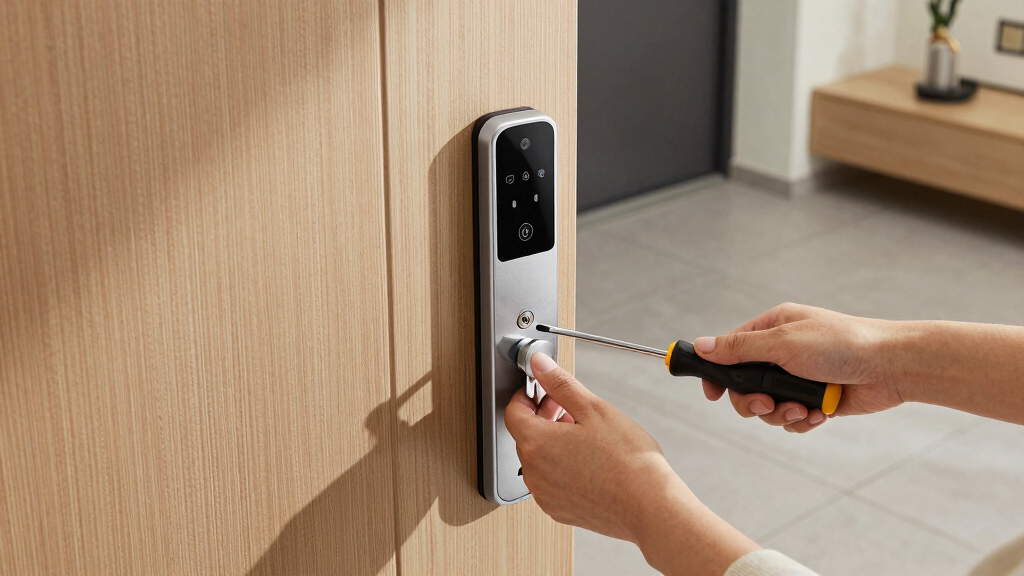
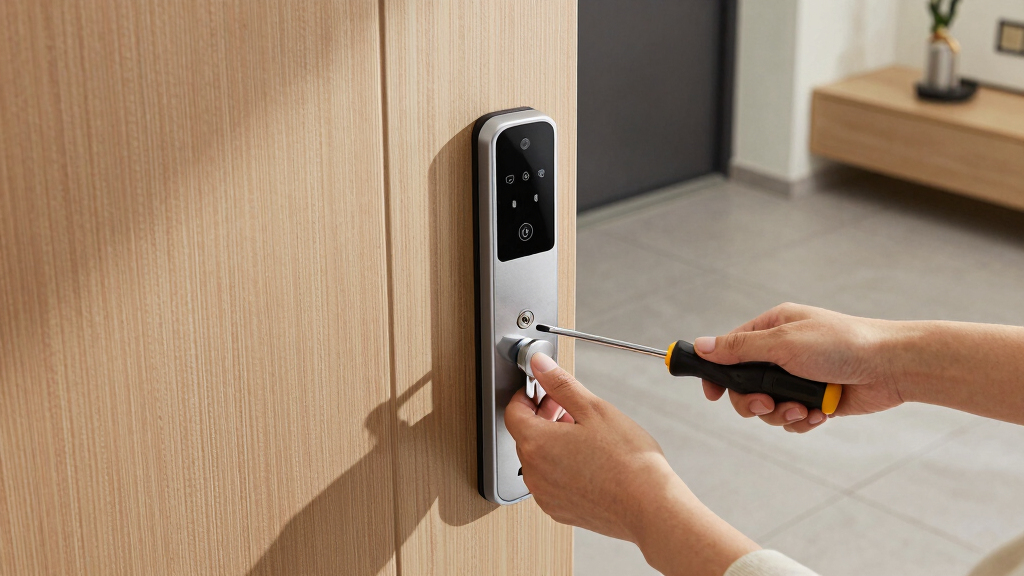
Some smart locks require professional installation, especially if they involve wiring or complex mounting. Others are designed for DIY setup, often with step-by-step instructions. Consider your technical comfort level and whether you want to handle installation yourself or hire help. A straightforward setup process reduces delays and potential errors that could compromise security.
Battery Life and Power Backup
Battery longevity varies widely—some last several months, while others need frequent replacements. Longer battery life minimizes maintenance, especially for busy households. Additionally, look for models with backup power options, like physical keys or external power ports, in case of dead batteries or connectivity failures.
Design and Aesthetic Fit
Since a smart lock is visible on your front door, its appearance matters. Choose a model that complements your home’s style, whether traditional or modern. Some options offer customizable finishes or sleek designs, while others prioritize durability over aesthetics. Remember, a good-looking lock that fits your entryway can enhance curb appeal and user satisfaction.
Frequently Asked Questions
Will a smart lock deadbolt work if my Wi-Fi goes out?
Most smart locks rely on Wi-Fi or Bluetooth for remote access and control. If your Wi-Fi connection drops, you might lose remote operation, but many models still allow local key entry or keypad access. Some locks include backup keys or Bluetooth connectivity as a fallback. Check the specific model’s backup options to ensure you won’t be locked out during connectivity issues.
Are smart lock deadbolts secure enough for high-security needs?
Modern smart locks incorporate advanced encryption, tamper alerts, and auto-lock features that significantly boost security. However, no lock is completely invulnerable. For high-security requirements, choose models with certified security features, physical robustness, and regular firmware updates. Combining a smart lock with a strong physical deadbolt further enhances protection.
Can I install a smart lock myself without professional help?
Many smart locks are designed for DIY installation, featuring clear instructions and minimal wiring. However, some models require specialized tools or expertise, especially if integrating with existing wiring or complex door setups. Evaluate your comfort level with tools and electronics before purchasing, and consider professional installation if unsure—this can prevent issues that compromise security or functionality.
How long do smart lock batteries typically last?
Battery life varies among models, with most lasting between 6 to 12 months under normal use. Some, like the ULTRALOQ Bolt SE, offer up to 18 months of operation, reducing maintenance frequency. Keep an eye on low-battery alerts and consider locks with external power backup options to avoid being locked out unexpectedly.
Are smart lock deadbolts compatible with existing traditional keys?
Many smart locks include a key override feature, allowing manual entry with physical keys. This provides an essential backup during power or connectivity failures. When choosing a lock, verify the type of key compatibility and whether keys are included or sold separately. This ensures reliable access regardless of digital system status.
Conclusion
For those seeking the best overall experience, the Philips Wi-Fi Door Lock offers a seamless combination of security, smart home compatibility, and user-friendly controls. Budget-conscious buyers should consider the TEEHO TE001 models for straightforward installation and reliable performance. If premium features like auto-locking and advanced encryption matter most, the ULTRALOQ Bolt SE provides excellent value. Beginners or renters might opt for simpler, more straightforward models, while homeowners with existing smart home setups will want options with broad compatibility. Overall, your choice should match your security needs, tech ecosystem, and budget.