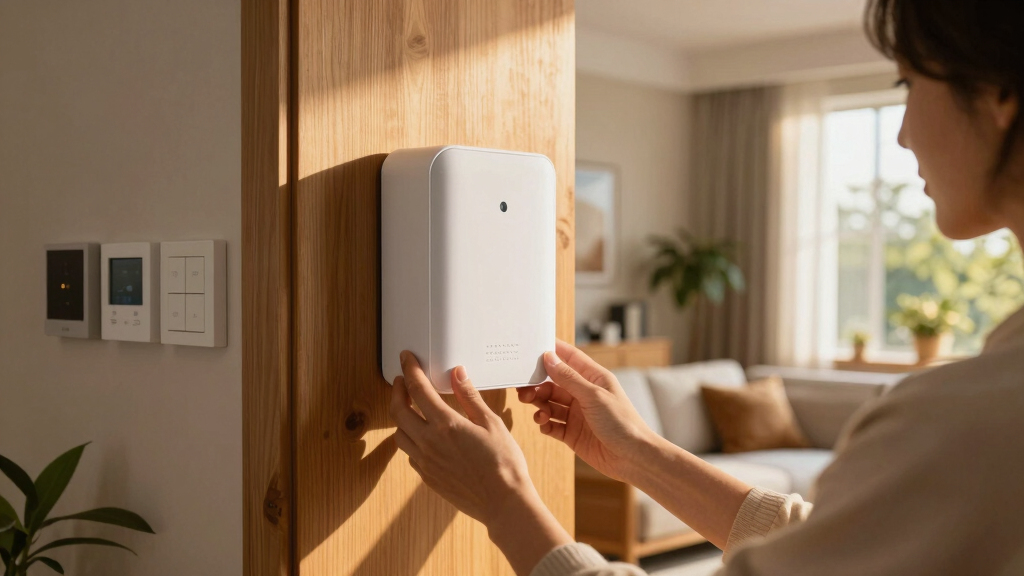

Finding the best Matter hub for smart home beginners means balancing ease of use, compatibility, and future-proofing. The Hubitat Elevation C-8 Pro stands out as the best overall choice for its local control and extensive device support. For simpler setups, the Aqara Smart Hub M200 offers seamless integration with Apple HomeKit and Zigbee devices at an attractive price. Meanwhile, the Home Assistant Green provides advanced automation for those ready to expand. Each option presents tradeoffs—whether in complexity, device ecosystem, or cost—that can influence your choice. Continue reading for a detailed breakdown to find the best fit for your smart home setup.
Key Takeaways
- The top picks balance ease of setup with reliable device compatibility, especially for Zigbee and Thread protocols.
- Local control hubs like Hubitat tend to offer faster response times and better privacy, but may require more initial setup knowledge.
- Compatibility with major voice assistants remains a key factor for beginner-friendly hubs, with Apple HomeKit, Alexa, and Google Assistant being the most common choices.
- Price varies significantly; budget options like Aqara offer great value, while premium hubs like Home Assistant Green provide more advanced automation capabilities.
- Future-proofing matters—selecting a hub that supports Matter ensures compatibility with upcoming devices as the standard evolves.


More Details on Our Top Picks
Hubitat Elevation C-8 Pro Smart Home Automation Hub – Matter 1.5, Z-Wave 800 LR, Zigbee 3.0 & Bluetooth – Works with Ring, Alexa, Apple HomeKit & Google Home – Local Control (No Cloud)
This option stands out for its emphasis on local processing, making it ideal for users who prioritize privacy and fast response times. Compared with the Aqara M100, the Hubitat C-8 Pro offers more robust rules and AI-enhanced automations without relying on cloud services, which means your automations will keep running during internet outages. Its support for Matter 1.5, Z-Wave 800, Zigbee 3.0, Bluetooth, and Ring integration provides broad compatibility, but the setup process can be more complex for absolute beginners. The external antennas and local control contribute to its professional-grade performance, making it perfect for larger homes or dense device setups. A potential tradeoff is that its advanced features may be overwhelming for users unfamiliar with home automation customization. Overall, this hub suits those seeking a powerful, privacy-focused platform that grows with their smart home.
Pros:- Strong local processing for automation without internet dependency
- Supports latest standards like Matter 1.5 and Z-Wave 800 series
- Expandable with AI-assisted rules and platform updates
Cons:- Initial setup and configuration may be complex for new users
- Requires review of device compatibility list before purchase
Best for: Tech-savvy beginners who want a reliable, customizable hub with local automation capabilities.
Not ideal for: Complete beginners who prefer plug-and-play solutions with simple setup and minimal configuration.
- Matter Support:Yes
- Z-Wave Version:800 LR
- Zigbee Version:3.0
- Bluetooth:Yes
- Local Control:Yes
- Platform Updates:Regular
Bottom line: A great choice for beginners willing to learn, seeking a versatile and privacy-conscious hub that can handle complex automations.
Aeotec Smart Home Hub2 – V4, Works as a SmartThings Hub, Zigbee, Matter Gateway, Compatible with Alexa, Google Assistant, WiFi (No Z-Wave)
This model makes the most sense for users invested in the Samsung SmartThings ecosystem or those who want a simple, multi-platform hub. Compared to the Hubitat C-8 Pro, it lacks Z-Wave support, which might limit device options for some users, but its compatibility with Alexa and Google Assistant ensures smooth voice control. Its built-in Zigbee and Matter support allow seamless integration of a wide range of devices, though setup may be less flexible than more advanced hubs. The absence of Z-Wave means fewer device options but simplifies the overall experience for those with predominantly Zigbee and Wi-Fi devices. It excels in easy setup and reliable multi-platform voice control, making it ideal for beginners who want straightforward ecosystem integration without extensive customization. However, power users seeking local automations or Z-Wave support should consider other options.
Pros:- Supports latest Matter and Zigbee standards
- Simple setup via Wi-Fi or Ethernet
- Works seamlessly with Alexa and Google Assistant
Cons:- No Z-Wave support limits device compatibility
- Less flexible for extensive custom automations
Best for: Homeowners looking for a cost-effective, easy-to-use hub compatible with multiple voice assistants and ecosystems.
Not ideal for: Advanced users requiring Z-Wave connectivity or highly customizable automation rules.
- Matter Support:Yes
- Zigbee Version:Supported
- Z-Wave Support:No
- WiFi:Yes
- Ethernet:Yes
- Voice Assistance:Alexa, Google
Bottom line: Ideal for users seeking a reliable, multi-platform hub with broad device support and simple operation.
Aqara Smart Hub M100 for Home Automation, Matter Controller, Thread Border Router, Features Aqara Zigbee (Not Third-Party), Wi-Fi, Supports Apple HomeKit, Amazon Alexa, IFTTT, Home Assistant
This hub makes sense for those who favor Aqara’s proprietary Zigbee devices and need a reliable Matter bridge. It stands out against others like the Aqara M200 with its compact size and support for Thread as well as Zigbee, making it suitable for smaller spaces or less complex setups. Its local automation capabilities and millisecond response times improve reliability, especially when used with Aqara sensors and switches. The downside is that it doesn’t support third-party Zigbee devices, which could limit flexibility for users with diverse device brands. Its built-in IR blaster adds a layer of convenience for controlling traditional remote-controlled devices. Overall, this hub is perfect for Aqara loyalists or beginners who want a straightforward, reliable device with broad ecosystem compatibility, especially via Apple HomeKit and Alexa.
Pros:- Supports Thread, Zigbee, and Matter bridging
- Low latency local automations
- Compact, flexible placement options
Cons:- Limited to Aqara Zigbee devices, not third-party
- Power adapter not included
Best for: Beginner users committed to Aqara or those needing a compact, reliable Matter bridge with local automation.
Not ideal for: Users with a wide variety of third-party Zigbee devices or seeking a highly customizable hub.
- Thread Border Router:Yes
- Zigbee Support:Aqara only
- Matter Bridge:Yes
- Wireless Connectivity:Wi-Fi
- Device Capacity:20 Zigbee, 20 Thread
- Power:USB-A
Bottom line: A solid choice for Aqara device users and beginners wanting a compact, reliable hub with Matter bridging.
Aqara Smart Hub M200, Matter Controller, Thread Border Router, Featuring Aqara Zigbee, Bluetooth, Wi-Fi, PoE, IR, Supports Amazon Alexa, Apple HomeKit, Home Assistant, SmartThings, Google Home
This hub excels for users who want a multi-protocol powerhouse with expanded automation options. Compared with the Aqara M100, the M200 supports more devices—up to 40 Zigbee and Thread—plus PoE and IR, making it suitable for more extensive or integrated smart home setups. Its built-in speaker adds versatility for security alerts or notifications, and the PoE support enables clean, wired power, ideal for professional or permanent installations. The local automation capabilities ensure responsiveness, but the setup may be more complex for beginners. The inclusion of IR and PoE makes this a better choice for those who want a comprehensive hub that can handle a variety of protocols and automations simultaneously. It might be overkill for very simple setups, but its feature set caters well to those ready to expand their smart home infrastructure.
Pros:- Supports Zigbee, Thread, IR, and PoE for extensive connectivity
- Local automation with millisecond response times
- Built-in speaker for alerts and notifications
Cons:- More complex setup process
- Higher cost and potentially over-featured for simple needs
Best for: Smart home beginners who want a feature-rich, versatile hub capable of handling many devices and automation scenarios.
Not ideal for: Complete beginners seeking a simple, plug-and-play solution with minimal setup complexity.
- Protocols Supported:Zigbee, Thread, IR, Bluetooth
- Power Support:PoE
- Device Capacity:40 Zigbee, 40 Thread
- Local Automation:Yes
- Built-in Speaker:Yes
- Wi-Fi:Supported
Bottom line: A versatile hub suited for beginners aiming to build a comprehensive, multi-protocol smart home system with advanced automation features.
Matter Smart Power Strip, Works with Apple HomeKit, Siri, Alexa, Google Assistant, with 4 Individually Controlled AC Outlets & 2 USB 2 Type-C Ports, Multi-Plug Extender for Home Office
This power strip is ideal for users who want to control multiple devices through a single, platform-agnostic hub. Unlike the other hubs, it focuses on power management rather than device automation, making it suitable for managing home or office appliances. Its support for Matter ensures compatibility with all major ecosystems, and the four individually controlled outlets allow fine-tuned automation. The inclusion of two USB Type-C ports supports fast charging, which is a bonus for office or bedside setups. However, it doesn’t support Zigbee or Z-Wave, limiting its role as a full smart home hub. Its primary strength lies in power scheduling and voice control, making it a good addition for beginners looking to automate power usage without complex device integration. It’s less suitable for users wanting comprehensive home automation features.
Pros:- Supports all major smart home ecosystems via Matter
- Individually controlled outlets for targeted automation
- Fast charging via USB-C ports
Cons:- Lacks Zigbee and Z-Wave device support
- Limited to power and device scheduling, not full automation
Best for: Users aiming to control multiple appliances and charging stations with simple automation and universal ecosystem support.
Not ideal for: Those seeking a central hub for device automations or extensive protocol support beyond power control.
- Ecosystem Compatibility:Apple HomeKit, Alexa, Google
- Number of Outlets:4
- USB Ports:2 Type-C
- Individual Control:Yes
- Supports Matter:Yes
- Max Power:3500W
Bottom line: A practical choice for users who want unified control of multiple devices and power outlets across platforms, with simple automation needs.
Matter Smart Home Hub M6, Matter & Zigbee Gateway with Antenna for Home Automation
This hub stands out for its multi-platform support, seamlessly integrating with Matter, Zigbee, Tuya, Google Home, and SmartThings, making it a versatile choice for beginners who want a broad device ecosystem. Compared with the Home Assistant Green, which excels in local control and privacy, the M6 offers more immediate compatibility with popular platforms, though it sacrifices some control over data. Its support for over 125 smart devices ensures scalability, but the lack of Alexa support may limit voice control options for some users. The easy setup via a user-friendly app simplifies onboarding, and automatic OTA updates keep it current. However, it’s less ideal for those who prefer complete local control or are heavily invested in Alexa. This pick is best for newcomers who want a flexible, future-proof hub with wide device support and straightforward setup.
Pros:- Supports multiple platforms including Matter, Zigbee, Tuya, Google Home, and SmartThings
- Supports connecting over 125 smart devices, suitable for large or multi-story homes
- Automatic OTA updates keep firmware and features current
Cons:- Does not support Amazon Alexa, limiting voice assistant options for some users
- Requires border router for Matter support, adding complexity for initial setup
Best for: Beginner homeowners seeking a versatile, easy-to-set-up smart hub compatible with many platforms.
Not ideal for: Tech-savvy users who prioritize local control or rely heavily on Amazon Alexa, as it currently lacks Alexa support.
- Frequency Band:Dual-Band Wireless
- Wireless Compatibility:802.11ac, 802.11ax
- Connectivity Technology:Zigbee, Matter, USB
- Maximum Data Transfer Rate:4800 Mbps
- Color:White
- Warranty & Support:Amazon Return Policy, 30-Day Guarantee
Bottom line: Ideal for beginners wanting a flexible, easy-to-install hub that works across many platforms but with some voice assistant limitations.
THIRDREALITY Smart Bridge MZ1 -Zigbee to Matter Connectivity, Compatible with Google Home, Apple Home, SmartThings, Home Assistant etc.
This small yet capable bridge excels at converting Zigbee devices to Matter, making it ideal for beginners who want to expand their existing Zigbee setup into a more integrated smart home ecosystem. Compared to the M6 hub, which supports many platforms directly, the THIRDREALITY MZ1 focuses on bridging Zigbee devices into Matter, offering a straightforward solution for users with existing Zigbee devices. Its compact design and USB-C power make it easy to place discreetly, and OTA support simplifies updates. However, it’s limited to Zigbee devices and requires some familiarity with network configuration, which may be less user-friendly for absolute beginners. This makes it best for those who already have Zigbee devices and want to future-proof with Matter support.
Pros:- Supports Zigbee, Thread, and Matter protocols, broadening device compatibility
- Compact design with USB-C power and easy placement options
- Supports OTA updates for seamless firmware upgrades
Cons:- Limited to Zigbee devices—no support for third-party Zigbee devices outside of the ecosystem
- Requires some network setup knowledge, which could be challenging for true beginners
Best for: Homeowners with Zigbee devices looking to connect them to Matter-compatible platforms without complexity.
Not ideal for: Beginners without existing Zigbee gear or those seeking a multi-protocol hub supporting multiple ecosystems directly.
- Compatibility:Zigbee, Thread, Matter
- Connectivity:USB-C, Wi-Fi
- Supported Devices:Up to 127 Zigbee, 127 Thread
- Size:Small, Discreet
- Supported Platforms:Apple HomeKit, Google Home, SmartThings, Home Assistant
- Warranty:12 months
Bottom line: Best for Zigbee users wanting an easy, space-saving way to connect devices into the Matter ecosystem with minimal fuss.
Home Assistant Green | Smart Home hub with Advanced Automation | Official Home Assistant Hardware
Home Assistant Green offers a straightforward, plug-and-play solution for beginners who want to control their entire smart home locally without relying on cloud services. Compared with the M6 hub, which emphasizes multi-platform support, the Green focuses on privacy, automation flexibility, and local processing, making it a great choice for users ready to grow into more complex automations. Its small, fanless design and support for Z-Wave, Zigbee, and Thread via USB expandability make it a highly adaptable choice. However, this requires some initial setup and learning, which might be daunting for absolute beginners unfamiliar with Home Assistant’s interface. It’s best for those who want a reliable, privacy-focused hub that can evolve with their skills and home needs.
Pros:- Supports Z-Wave, Zigbee, and Thread via USB expansion
- Built on Home Assistant OS for local control and privacy
- Small, silent, and energy-efficient design
Cons:- Requires some initial configuration and familiarity with Home Assistant
- Not as immediately compatible with all platforms without some setup
Best for: DIY-minded beginners interested in local automation, privacy, and expanding their smart home over time.
Not ideal for: Complete beginners seeking an out-of-the-box solution with minimal setup or those heavily reliant on cloud integrations.
- Processor:Quad-core
- Memory:4GB RAM
- Storage:32GB
- Connectivity:Ethernet, USB
- Size:Small, fanless
- Supported Protocols:Z-Wave, Zigbee, Thread
- Warranty:12 months
Bottom line: Ideal for beginners willing to handle a bit of setup to enjoy a customizable, privacy-focused local automation hub.
Aqara Smart Home Hub M3 for Advanced Automation, Matter Controller, Thread Border Router, Features Zigbee, Bluetooth, Wi-Fi, PoE, IR, Supports Apple HomeKit, Alexa, SmartThings, Home Assistant
The Aqara M3 hub excels at combining multiple protocols—Zigbee, Thread, Wi-Fi, Bluetooth, IR—making it a powerful choice for those who want advanced automation capabilities. Unlike the M6 or Home Assistant Green, the M3 offers PoE for reliable wired power and a built-in IR blaster for controlling traditional remote devices, extending its reach into more complex setups. Its support for Matter and compatibility with Apple HomeKit, Alexa, and SmartThings makes it a flexible choice for users with diverse ecosystems. However, the setup can be complex for beginners, especially with PoE wiring and device migration, and it’s more suited to users who have some familiarity with smart home protocols. It’s best for those who want a highly capable, future-ready hub for automation across protocols.
Pros:- Supports Zigbee, Thread, Wi-Fi, Bluetooth, and IR for maximum compatibility
- PoE support ensures stable, wired power connection
- Built-in IR blaster for remote control of traditional devices
Cons:- Setup involves wiring and network configuration, less beginner-friendly
- More complex initial setup compared to simpler hubs
Best for: Enthusiast or advanced beginners aiming for a multi-protocol, reliable, and feature-rich smart hub with IR control.
Not ideal for: Absolute beginners seeking a simple, plug-and-play hub without wiring or configuration complexity.
- Protocols Supported:Zigbee, Thread, Wi-Fi, Bluetooth, IR
- Power:PoE (Power over Ethernet)
- Connectivity:Wi-Fi 2.4/5GHz
- Size:Compact
- Additional Features:IR Blaster
- Compatibility:Apple HomeKit, Alexa, SmartThings
Bottom line: Best for users wanting a versatile, multi-protocol hub with reliable wired power and IR functionalities, suitable for those with some technical confidence.

How We Picked
I evaluated these products based on compatibility, ease of setup, build quality, and overall value for beginners. Devices supporting multiple protocols like Zigbee, Thread, and Wi-Fi were prioritized, as these ensure broader device support. Ease of use was considered through interface design and setup process, while local control options were favored for faster, more private operation. Devices that support major voice assistants and smart home ecosystems scored higher, as these simplify integration for newcomers. The ranking reflects a balance between affordability, versatility, and user-friendliness, aiming to highlight options suited specifically for those just starting out in smart home automation.Factors to Consider When Choosing Best Matter Hub For Smart Home Beginners
Choosing the right Matter hub as a beginner involves understanding several key factors. These considerations help ensure the hub you pick will grow with your smart home setup, avoid compatibility headaches, and provide a straightforward experience. It’s worth investing time in understanding protocols, ecosystem support, and future-proofing options before making a decision. Here are the main factors to keep in mind:Compatibility with Protocols and Devices
For a beginner, ensuring the hub supports popular protocols like Zigbee, Thread, and Wi-Fi is essential. These protocols determine which smart devices can connect to your hub. Some hubs excel with Zigbee but lack Thread support, limiting future device options. Choosing a hub with broad protocol support minimizes the risk of needing a replacement as your smart home expands. Compatibility with voice assistants like Alexa, Google Assistant, and Apple HomeKit also impacts ease of control and integration, so check for ecosystem support aligned with your preferences.
Ease of Setup and User Interface
Beginners benefit from a straightforward setup process and an intuitive app interface. Hubs with guided setup wizards or clear instructions reduce the initial learning curve. Some options, like Aqara’s hubs, offer plug-and-play simplicity, while others may require more technical knowledge. A well-designed app that provides automation options, device management, and troubleshooting tools makes ongoing management more manageable. Avoid overly complex systems if you prefer to keep things simple or lack technical experience.
Local Control vs. Cloud Dependency
Local control hubs operate independently of the internet, offering faster responses and greater privacy. This is especially advantageous for security-conscious users or those who want reliable automation even during internet outages. Cloud-based hubs, on the other hand, may offer easier updates and integrations but depend on external servers, which can introduce latency or privacy concerns. For beginners, a hub with local control provides peace of mind and reliable operation, especially as your device ecosystem grows.
Price and Future-Proofing
While budget options can be appealing, investing a bit more in a hub that supports Matter and multiple protocols often pays off in long-term flexibility. Matter compatibility ensures your hub will work with upcoming devices, reducing the need for replacements. Consider your budget but also how well the hub can accommodate future device additions and automation complexity. Avoid hubs with very limited protocol support or outdated hardware if you want a setup that lasts.
Scalability and Ecosystem Support
Think about where you want your smart home to go in the next few years. A hub that supports a wide range of ecosystems—such as Apple HomeKit, Amazon Alexa, and Google Home—offers flexibility in device selection and voice control. Scalability is also about how easily you can add new devices without hassle. For beginners, choosing a hub with broad ecosystem integration reduces frustration and ensures your smart home can grow seamlessly.
Frequently Asked Questions
Can I use a Matter hub with my existing smart home devices?
Many Matter hubs are designed to be compatible with a wide range of existing Zigbee, Thread, and Wi-Fi devices. However, compatibility depends on whether your devices support the specific protocols and standards integrated into the hub. Most hubs listed here support popular protocols, making it likely you can incorporate your current devices with minimal fuss. Always check the device compatibility list before purchasing to avoid surprises.
Is a Matter hub necessary for a beginner smart home setup?
While a Matter hub isn’t strictly necessary, it significantly simplifies device management and automation. For beginners, using a dedicated hub can reduce setup complexity, improve reliability, and ensure better device compatibility. It acts as the central brain, making it easier to control and expand your smart home over time. If you plan to add many devices or want a more integrated experience, investing in a hub is a smart choice.
How important is future-proofing when choosing a hub?
Future-proofing is very important because smart home technology evolves rapidly. Choosing a hub that supports upcoming standards like Matter ensures compatibility with future devices, saving money and effort later. Hubs with multi-protocol support and regular firmware updates are better positioned to adapt to new devices and features. This approach helps your smart home remain flexible and functional as your needs grow.
Should I prioritize local control or cloud-based features?
Prioritizing local control offers faster response times, enhanced privacy, and increased reliability during internet outages. Cloud-based hubs might provide easier setup and more frequent updates but depend on external servers, which can introduce latency or privacy concerns. For a beginner, a hub with local control tends to offer a more consistent experience while still supporting cloud features if needed.
What is the best way to expand my smart home with a Matter hub?
The best approach is to choose a hub that supports multiple protocols and ecosystems, like Zigbee, Thread, and Wi-Fi, along with major voice assistants. This ensures you can add a wide variety of devices without compatibility issues. Start with core devices—like smart lights, locks, or sensors—and gradually expand as your needs grow. Checking device compatibility lists and future-proofing features helps prevent the need to replace the hub prematurely.
Conclusion
For most beginners, the Hubitat Elevation C-8 Pro offers a balanced combination of local control, broad compatibility, and future-proofing, making it the overall best choice. If budget is a key concern, the Aqara Smart Hub M200 delivers excellent value with Apple HomeKit integration. Those seeking a more advanced setup should consider the Home Assistant Green for its automation capabilities and extensibility. For users just starting out, a simple, ecosystem-compatible hub like Aqara’s options or third-party bridges can streamline the learning curve. Ultimately, your choice should depend on your current device ecosystem, automation ambitions, and budget, but starting with a flexible, future-ready hub is always a smart move.