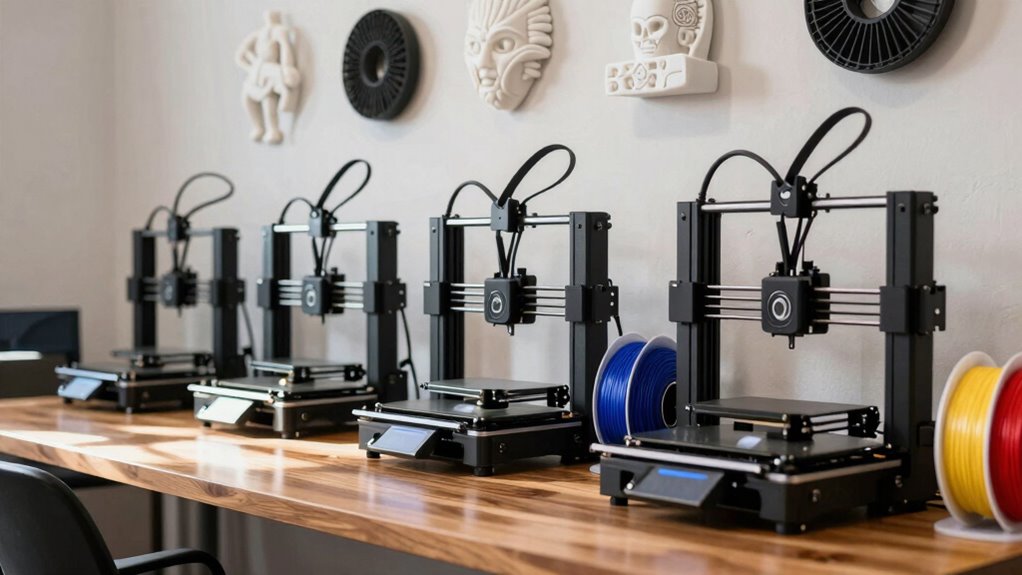

Starting with 3D printing can feel overwhelming, but the right beginner-friendly printer makes all the difference. The Bambu Lab A1 Mini stands out for its compact size and ease of use, ideal for those new to 3D printing. The Entina Tina2C offers excellent auto-leveling and WiFi control, making setup straightforward for beginners. However, many entry-level models trade off speed, print quality, or build volume for simplicity. Continue reading to see how these options compare and find the best fit for your needs.

Get the little things that make your day delivered free with Prime
- Fast, free delivery on millions of items
- Prime Video, Amazon Music and more included
- Member-only deals all year
Complete the kit


Key Takeaways
- The top models balance ease of use with reliable print quality, making them ideal for newcomers.
- Auto-leveling features significantly reduce setup frustration, especially for beginners unfamiliar with calibration.
- Price varies widely; the most affordable options may limit print size or speed but still offer good learning platforms.
- Multi-material and multi-color capabilities are mostly reserved for higher-tier models but can be a nice upgrade later.
- Build volume is a key consideration—smaller printers save space but may restrict project size; larger printers cost more and can be more complex.
| Bambu Lab A1 Mini 3D Printer + LED Lamp Kit |  | Best for Creative Beginners and Home Decor Enthusiasts | Compatibility: LED Lamp Kit for creative light projects | Features: Automatic calibration, simple setup, quiet operation | Ecosystem: MakerWorld library, Bambu Handy app | VIEW ON AMAZON | See Our Full Breakdown |
| Entina Tina2C 3D Printer for Kids & Beginners, Fully Assembled Mini 3D Printer with Auto Leveling and WiFi Control |  | Best for Kids and Educational Settings | Print Volume: 3.9 × 3.9 × 3.9 inches | Connectivity: WiFi, TF card | Compatibility: Windows, macOS, Linux, Chromebook | VIEW ON AMAZON | See Our Full Breakdown |
| Bambu Lab A1 3D Printer, Ready-to-Use FDM 3D Printer for Beginners and Kids |  | Best for Speed and Multi-color Printing Beginners | Acceleration: 10,000 mm/s² | Color Printing: Multi-color with AMS lite | Calibration: Full-auto calibration | VIEW ON AMAZON | See Our Full Breakdown |
| AOSEED AI 3D Printer for Kids, Fast 400mm/s, 8000+ Models, Enclosed Safe |  | Best for Speed and AI-Powered Creativity in Kids | Print Speed: 400 mm/s | Precision: 0.05 mm | Supported Models: 8000+ | VIEW ON AMAZON | See Our Full Breakdown |
| TINA2S Fully Assembled Mini 3D Printer for Kids and Beginners, Starter Kit |  | Best for Complete Beginners and Classroom Use | Size: 8.3” x 8.3” x 11.4” | Filament Compatibility: 1.75mm PLA, PLA pro, TPU | Display: 2.4” LCD | VIEW ON AMAZON | See Our Full Breakdown |
| Bambu Lab P1S 3D Printer, Ready-to-Use FDM 3D Printer |  | Best Overall for Versatile Multi-Color and Multi-Material Printing | Color Capabilities: Up to 16 colors | Printing Speed: 500mm/s | Acceleration: 20000 mm/s² | VIEW ON AMAZON | See Our Full Breakdown |
| FlashForge AD5X Multi-Color 3D Printer, CoreXY 600mm/s High-Speed, 1-Click Auto Leveling, 300°C Direct Drive Extruder, 220x220x220mm Build Volume |  | Best for Rapid Prototyping with User-Friendly Features | Color Support: Up to 4 colors simultaneously | Print Speed: 600mm/s | Build Volume: 220x220x220mm | VIEW ON AMAZON | See Our Full Breakdown |
| FLASHFORGE Adventurer 5M 3D Printer, 600mm/s High-Speed, Fully Auto Leveling, Upgraded Direct Extruder, 280°C Nozzle, Dual-Sided PEI Coating Plate |  | Best for Beginners Wanting Speed and Ease of Use | Print Size: 220x220x220mm | Max Speed: 600mm/s | Nozzle Temperature: 280°C | VIEW ON AMAZON | See Our Full Breakdown |
| Bambu Lab P1S Combo 3D Printer with AMS, Multi-Color Printing |  | Best for Versatile Multi-Material and Multi-Color Professionals | Colors: Up to 16 | Speed: 500mm/s | Acceleration: 20000 mm/s² | VIEW ON AMAZON | See Our Full Breakdown |
| ELEGOO Neptune 3 Pro 3D Printer, Quick Assembly with Auto Leveling |  | Best for Beginners Needing a Reliable, Quiet Machine | Build Volume: 225x225x280mm | Motherboard: STM32 | Noise Level: 47dB | VIEW ON AMAZON | See Our Full Breakdown |
| FlashForge Adventurer 5M 3D Printer with Auto Leveling and High-Speed Printing |  | Best for Speed and Convenience in a Compact Design | Print Size: 220x220x220mm | Max Speed: 600mm/s | Extruder Temperature: 280°C | VIEW ON AMAZON | See Our Full Breakdown |
More Details on Our Top Picks
Bambu Lab A1 Mini 3D Printer + LED Lamp Kit
The Bambu Lab A1 Mini stands out for its user-friendly setup, automatic calibration, and quiet operation, making it ideal for those new to 3D printing who want a stress-free experience. Unlike the Entina Tina2C, which is more educational-focused, the A1 Mini offers a more refined ecosystem with MakerWorld library and Bambu Handy app, streamlining print management. Its included LED Lamp Kit adds a creative touch, perfect for DIY projects and personalized gifts. However, it’s somewhat limited to compatible lamp models and works best within the Bambu ecosystem, which could be restrictive for some users seeking broader compatibility.
Pros:- Easy to set up and operate, perfect for beginners
- Quiet and dependable printing performance
- Includes LED Lamp Kit to inspire creative projects
- Access to a large model library via MakerWorld
Cons:- Limited to specific lamp models for the LED kit
- Ecosystem dependency may restrict flexibility
- Potentially steep learning curve for advanced features
Best for: Beginners interested in creative projects and home décor who want a quiet, reliable machine with easy-to-use features.
Not ideal for: Users looking for a versatile machine capable of printing larger models or requiring extensive customization beyond basic projects.
- Compatibility:LED Lamp Kit for creative light projects
- Features:Automatic calibration, simple setup, quiet operation
- Ecosystem:MakerWorld library, Bambu Handy app
- Intended Use:Beginners, DIY projects, home décor, gifts
Our verdict“This printer is a strong choice for beginners who want straightforward, quiet operation plus creative light projects at home.”
Entina Tina2C 3D Printer for Kids & Beginners, Fully Assembled Mini 3D Printer with Auto Leveling and WiFi Control
The Entina Tina2C prioritizes ease of use with quick setup, auto leveling, and WiFi control, making it an excellent option for kids and classroom environments. It surpasses the TINA2S in connectivity options, supporting both WiFi and offline printing, which is ideal for schools and family use. Its small footprint and auto-maintenance features lower the barrier for complete beginners, especially younger users. Nonetheless, its small print volume and basic features may limit more ambitious projects or advanced hobbyists seeking more control and larger builds.
Pros:- Very easy setup and operation for complete beginners
- Supports WiFi and offline printing for flexible use
- Auto leveling and self-cleaning nozzle reduce maintenance
- Compact size fits well in limited spaces
Cons:- Limited print volume restricts larger designs
- Basic features may not satisfy advanced hobbyists
- Dependence on compatible devices and internet connection
Best for: Parents, educators, and beginners who want a straightforward, safe, and compact 3D printer for learning and small projects.
Not ideal for: Advanced users or those needing larger build volumes and more complex features for complex models or commercial work.
- Print Volume:3.9 × 3.9 × 3.9 inches
- Connectivity:WiFi, TF card
- Compatibility:Windows, macOS, Linux, Chromebook
- Features:Auto leveling, self-cleaning nozzle, power-loss recovery
- App Support:Poloprint Cloud app
- Dimensions:3.9 × 3.9 × 3.9 inches
Our verdict“This printer is perfect for beginners and educational environments needing simple, safe, and quick-start 3D printing.”
Bambu Lab A1 3D Printer, Ready-to-Use FDM 3D Printer for Beginners and Kids
The Bambu Lab A1 offers impressive speed and precision, with features like automatic calibration and active flow rate compensation that appeal to those eager to create detailed, vibrant models. Compared to the AOSEED AI, which emphasizes speed and safety for kids, the A1 excels in producing high-quality, multi-color prints and is better suited for users introducing themselves to more complex projects. Its quiet operation and quick-nozzle swap make it accessible, but the setup can be a little overwhelming for absolute novices unfamiliar with multi-color workflows.
Pros:- High-speed, precise printing capabilities
- Automatic calibration simplifies setup
- Supports multi-color printing with AMS lite
- Quiet operation for home environments
Cons:- Requires an additional purchase of AMS lite for multi-color capability
- Setup can be complex for absolute beginners unfamiliar with multi-color workflows
- Higher price point compared to simpler models
Best for: Beginners who want to explore multi-color printing and high-speed performance without complex manual calibration.
Not ideal for: Users seeking simple, low-maintenance printers or those with limited experience in multi-color models and advanced setup procedures.
- Acceleration:10,000 mm/s²
- Color Printing:Multi-color with AMS lite
- Calibration:Full-auto calibration
- Flow Rate:Active
- Nozzle:1-Clip quick swap
- Operation Noise:Active motor noise canceling
Our verdict“This printer suits beginners eager to try multi-color and high-speed printing, accepting some initial setup complexity.”
AOSEED AI 3D Printer for Kids, Fast 400mm/s, 8000+ Models, Enclosed Safe
The AOSEED AI 3D Printer combines high-speed printing with AI-powered customization, making it highly appealing for children’s educational use. Its enclosed design emphasizes safety, and its real-time monitoring offers peace of mind for parents. While it supports an extensive library of over 8000 models, it’s limited to single-color PLA, which may restrict creative complexity compared to multi-color models like the Bambu Lab A1. Its fast printing speed and AI features make it stand out, but the single-color constraint could be a drawback for more advanced or artistic projects.
Pros:- Fast printing speeds up to 400 mm/s
- Enclosed, safe design ideal for kids
- AI-powered customization with voice and image prompts
- Supports a large library of models
Cons:- Limited to single-color PLA printing
- Build volume details are not specified
- Dependent on Wi-Fi for full functionality
Best for: Parents and STEM educators seeking a safe, fast, and engaging 3D printer for children’s learning and creativity.
Not ideal for: Hobbyists or advanced users needing multi-color, large, or highly detailed models.
- Print Speed:400 mm/s
- Precision:0.05 mm
- Supported Models:8000+
- Connectivity:Wi-Fi, voice control, iOS, Android, Windows
- Filament:PLA, single-color only
- Safety Certifications:TÜV Rheinland ISO 16000
Our verdict“This printer is a compelling choice for parents and educators wanting a fast, safe, and tech-enabled learning tool for children.”
TINA2S Fully Assembled Mini 3D Printer for Kids and Beginners, Starter Kit
The TINA2S provides a ready-to-use, compact solution for those new to 3D printing, especially kids and classroom settings. Its auto-leveling and high-precision dual Z-axis ensure reliable, high-quality results. The included starter kit with filament and models makes it easy to start printing immediately, while its small size is perfect for limited spaces. Compared to the Entina Tina2C, which is more educational, the TINA2S offers a more comprehensive starter package, though its small build volume may limit larger projects and compatibility with non-metallic build plates could be a concern.
Pros:- Fully assembled and ready right out of the box
- Auto-leveling with high-precision dual Z-axis
- Includes filament and pre-installed models in the starter kit
- Compact, lightweight design ideal for small spaces
Cons:- Limited build volume restricts larger models
- Requires magnetic platform for proper sensor function
- Compatibility issues may arise with non-metallic build plates
Best for: Beginners and educators seeking a fully assembled, easy-to-use printer with a complete starter kit for home or classroom projects.
Not ideal for: Hobbyists aiming for larger prints or those needing flexibility with different filament types and build sizes.
- Size:8.3” x 8.3” x 11.4”
- Filament Compatibility:1.75mm PLA, PLA pro, TPU
- Display:2.4” LCD
- Connectivity:WiFi, Mac, Windows, Linux
- Build Plate:Magnetic
- Features:Auto-leveling, high-precision dual Z-axis
Our verdict“This printer is ideal for beginners and educators wanting a straightforward, all-in-one solution for small-scale 3D projects.”
Bambu Lab P1S 3D Printer, Ready-to-Use FDM 3D Printer
The Bambu Lab P1S stands out for its ability to handle up to 16 colors and multiple materials, making it ideal for users who want vibrant, complex prints without extensive setup. Its high-speed capability of 500mm/s and automatic bed leveling simplify operation, especially compared to the FlashForge Adventurer 5M, which prioritizes speed but offers a slightly smaller build volume. The P1S’s enclosed design enhances print quality but necessitates connection to Bambu Lab AMS for multi-color printing, which could be a hassle for some. It’s best suited for those with intermediate skills or hobbyists seeking versatile, high-quality results, though it’s not recommended for carbon-fiber or glass fiber filaments due to material limitations.
Pros:- Vibrant multi-color and multi-material printing capabilities
- High-speed printing at 500mm/s speeds
- Automatic bed leveling simplifies setup
- Enclosed design improves print quality
Cons:- Requires connection to Bambu Lab AMS for multi-color printing
- Limited support for reinforced filaments like carbon or glass fiber
Best for: Hobbyists and small studios needing multi-color, multi-material prints with high speed and ease of use.
Not ideal for: Users wanting to print with reinforced composites like carbon or glass fiber, since it’s not compatible with these materials.
- Color Capabilities:Up to 16 colors
- Printing Speed:500mm/s
- Acceleration:20000 mm/s²
- Design:Enclosed
- Setup Time:15 minutes
- Supported Filaments:PLA, PETG, TPU, PVA, PET, ABS, ASA; Capable: PA, PC; Not Recommended: Carbon/Glass Fiber
Our verdict“This printer is best for users seeking high-speed, multi-material, multi-color printing with minimal fuss and a focus on versatility.”
FlashForge AD5X Multi-Color 3D Printer, CoreXY 600mm/s High-Speed, 1-Click Auto Leveling, 300°C Direct Drive Extruder, 220x220x220mm Build Volume
The FlashForge AD5X offers blazing speeds of up to 600mm/s, making it an excellent choice for rapid prototyping and detailed projects alike. Its 220x220x220mm build volume balances size with accessibility, though it falls short of larger printers like the Bambu Lab P1S for bigger models. The 1-click auto leveling and remote monitoring streamline operation, but its complex setup may challenge beginners unfamiliar with 3D printer configurations. High-speed printing can sometimes compromise detail if not carefully managed, but its support for multiple nozzle sizes adds versatility. This pick makes the most sense for tech-savvy newcomers or those who prioritize speed and convenience over the largest build volume.
Pros:- Supports multi-color printing for creative projects
- Very high print speeds of up to 600mm/s
- Auto bed leveling and remote monitoring ease operation
- Supports various nozzle sizes for detail control
Cons:- Complex setup may require some technical knowledge
- High speeds can reduce print quality if not managed properly
Best for: Designers and engineers who need fast turnaround times for prototypes or detailed parts without extensive setup.
Not ideal for: Beginners without technical experience, as the setup can be complex and high speeds require careful calibration.
- Color Support:Up to 4 colors simultaneously
- Print Speed:600mm/s
- Build Volume:220x220x220mm
- Nozzle Sizes:0.25mm to 0.8mm
- Max Extruder Temperature:300°C
- Features:1-Click Auto Leveling, Resume Printing, Automatic Filament Feeding, Remote Monitoring
Our verdict“This printer excels for users who need quick, detailed prints and are comfortable with a slightly steeper learning curve.”
FLASHFORGE Adventurer 5M 3D Printer, 600mm/s High-Speed, Fully Auto Leveling, Upgraded Direct Extruder, 280°C Nozzle, Dual-Sided PEI Coating Plate
The Adventurer 5M is designed to simplify 3D printing with fully automatic bed leveling, a fast 35-second heat-up, and a large 220x220x220mm build volume. Its high speed of 600mm/s makes it suitable for quick projects, while the upgraded direct extruder supports flexible filaments like TPU. The dual-sided PEI coating provides excellent adhesion, reducing print failures—an advantage over more complex setups like the Bambu Lab P1S. However, its relatively high noise levels and the necessity of operating in a well-ventilated space may be drawbacks for quiet home environments. It’s best for beginners who want a straightforward, fast, and reliable printer that minimizes setup fuss.
Pros:- Fast printing speeds up to 600mm/s
- Fully automatic bed leveling simplifies setup
- Supports flexible filaments with upgraded extruder
- Large build volume for versatile projects
Cons:- Relatively high noise levels during operation
- Setup may still require some technical familiarity
Best for: Beginners who prioritize speed, ease of setup, and flexible filament support, especially in well-ventilated areas.
Not ideal for: Users seeking a quiet operation environment or those with limited space, due to noise and open design.
- Print Size:220x220x220mm
- Max Speed:600mm/s
- Nozzle Temperature:280°C
- Heating Power:50W
- Heating Up Time:35 seconds
- Extruder Type:Direct
Our verdict“This printer is ideal for beginners who want quick, reliable prints with minimal manual calibration in a well-ventilated space.”
Bambu Lab P1S Combo 3D Printer with AMS, Multi-Color Printing
The Bambu Lab P1S Combo combines the high-speed, multi-color capabilities of the P1S with the convenience of the AMS filament management system, making it ideal for those who want maximum color and material variety. Its automatic bed leveling and quick setup mirror the standalone P1S, but the addition of AMS allows seamless multi-material swaps and multi-color printing without manual filament changes—setting it apart from models like the FlashForge AD5X. This setup is best for advanced hobbyists or small studios, though the need for connection to AMS adds some complexity and cost. It’s less suitable for users primarily interested in simple, single-material projects.
Pros:- Supports up to 16 colors for vibrant, multi-material printing
- High-speed operation at 500mm/s
- Automatic bed leveling and quick setup
- Versatile filament compatibility
Cons:- Requires connection to Bambu Lab AMS for multi-color functionality
- Higher cost and complexity than single-material models
Best for: Creative professionals or hobbyists needing multi-material, multi-color prints with efficient workflow.
Not ideal for: Beginners or users on a tight budget, since the AMS system and high-end features increase overall cost and complexity.
- Colors:Up to 16
- Speed:500mm/s
- Acceleration:20000 mm/s²
- Design:Enclosed
- Auto Bed Leveling:Yes
- Setup Time:15 minutes
- Supported Filaments:PLA, PETG, TPU, PVA, PET, ABS, ASA; Capable: PA, PC; Not Recommended: Carbon/Glass Fiber
Our verdict“This printer suits experienced users seeking multi-color, multi-material flexibility with streamlined workflow.”
ELEGOO Neptune 3 Pro 3D Printer, Quick Assembly with Auto Leveling
The ELEGOO Neptune 3 Pro offers a straightforward assembly process, auto bed leveling, and quiet operation, making it well-suited for beginners who prefer a hassle-free experience. Its 225x225x280mm build volume strikes a balance between size and manageability, with a durable direct drive extruder supporting flexible filaments like TPU. Compared with the FlashForge Adventurer 5M, the Neptune 3 Pro emphasizes quieter operation and durability, though its assembly process may still challenge absolute novices. The dual lead screw Z-axis delivers stable layer accuracy, but the limited build volume could restrict larger projects. It’s an excellent pick for newcomers prioritizing reliability and quiet, consistent printing.
Pros:- Auto bed leveling simplifies calibration
- Quiet operation at 47dB
- Supports flexible filaments with direct drive extruder
- Durable nozzle system reduces clogs
Cons:- Assembly may require some technical skill
- Limited build volume for very large prints
Best for: Beginners seeking a quiet, reliable, and easy-to-assemble 3D printer for versatile filament use.
Not ideal for: Users looking to print very large models or who prefer plug-and-play simplicity without assembly.
- Build Volume:225x225x280mm
- Motherboard:STM32
- Noise Level:47dB
- Auto Bed Leveling:36-point
- Extruder Type:Dual-gear direct drive
- Supported Filaments:PLA, TPU, PETG, ABS
Our verdict“This printer is perfect for beginners wanting a quiet, dependable, and easy-to-assemble machine for versatile filament use.”
FlashForge Adventurer 5M 3D Printer with Auto Leveling and High-Speed Printing
The FlashForge Adventurer 5M stands out among beginner options for its impressive high-speed capabilities, reaching up to 600mm/s, which enables rapid prototyping—a feature not matched by the more modestly paced Entina Tina2C. Its automatic bed leveling simplifies setup, making it accessible for users with limited technical experience, yet the initial calibration process can still be tricky for absolute beginners. The direct drive extruder supports a wide range of filament types, but this comes with the downside of a complex setup that may frustrate newcomers unfamiliar with filament compatibility issues. Compared to the Bambu Lab A1 Mini, which emphasizes ease of use over speed, the Adventurer 5M prioritizes efficiency, making it ideal for those who want quick results but are willing to handle a slightly steeper learning curve.
Pros:- Exceptional printing speed allows faster project completion
- Automatic bed leveling simplifies initial setup
- Real-time remote monitoring enhances convenience
- Versatile nozzle options for different filament types
Cons:- Complex setup process may require technical knowledge
- Limited filament compatibility could restrict material choices
- High-speed printing may compromise print quality if not carefully managed
Best for: Hobbyists or students who need rapid turnaround for creative projects and have some technical confidence
Not ideal for: Complete beginners with no prior experience in 3D printing, as the advanced features may be overwhelming initially
- Print Size:220x220x220mm
- Max Speed:600mm/s
- Extruder Temperature:280°C
- Nozzle Options:0.25mm to 0.8mm
- Warm-up Time:35 seconds
- Connectivity:WiFi, mobile app
Our verdict“This pick is best suited for beginners who want to jump into high-speed printing and are comfortable with some technical setup challenges.”
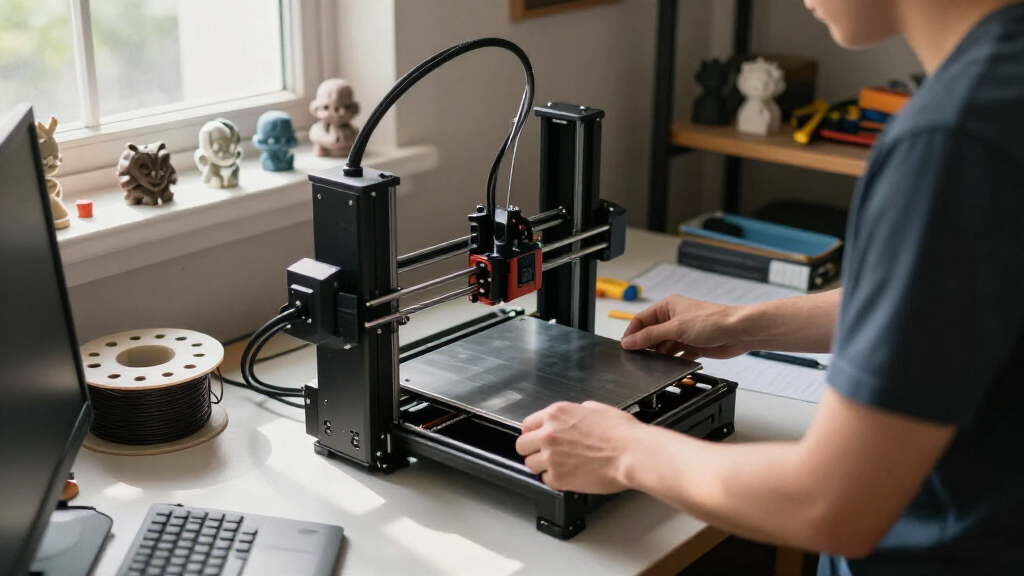
How We Picked
Our evaluation focused on beginner-friendly features such as ease of assembly, intuitive controls, and reliable print quality. We prioritized models with auto-leveling, minimal calibration needs, and straightforward interfaces, as these reduce common setup errors. Durability and build quality were key, along with value for money—balancing affordability with features that support learning. We also considered versatility, such as support for multiple filament types and print speeds, to identify models that grow with the user. The ranking reflects how well each printer balances these factors for someone new to 3D printing.Factors to Consider When Choosing 3d Printer For Beginners
Choosing a 3D printer as a beginner involves understanding key features that make the experience manageable and rewarding. Focus on ease of setup, print reliability, and safety features, as these directly impact your initial success and confidence. Budget considerations matter, but investing a little more can unlock features that simplify learning. Compatibility with beginner-friendly filament types and software also influences how quickly you’ll see good results. Keep in mind that a larger build volume means more versatility but could increase complexity and cost.Ease of Use and Setup
For beginners, a printer that requires minimal assembly and calibration offers a smoother start. Auto-leveling beds, touchscreen interfaces, and pre-assembled units significantly reduce setup time. Avoid models that need extensive calibration or mechanical adjustments, as these can lead to frustration and errors. A simple interface with clear instructions helps you learn faster and minimizes downtime between projects.
Print Quality and Reliability
Consistent results depend on stable hardware and well-designed extruders. Look for printers with good reviews on print quality, especially in initial layers, since poor adhesion or warping can discourage beginners. Some models include features like filament sensors or enclosed chambers, which improve reliability. Remember, higher speeds often mean less detail, so balance speed with the quality you need for your projects.
Build Volume and Size
Size matters—smaller printers are easier to fit on a desk and generally easier to manage, but they limit the size of printed objects. Larger build volumes open up creative possibilities but can add complexity and cost. Consider what projects you plan to undertake; if you’re mostly printing small models or prototypes, a compact printer will suffice. If you want to print larger items, look for models that offer a reasonable compromise between size and simplicity.
Safety and Maintenance
Beginners should prioritize safety features such as enclosed chambers, filament sensors, and automatic shutoff. Regular maintenance, like cleaning nozzles and checking belts, is inevitable but should be straightforward. Choosing a model with accessible parts and clear instructions on upkeep helps extend the device’s lifespan and ensures safe operation, especially in a home setting or shared space.
Budget and Future Upgrades
Entry-level models are often more affordable but may lack advanced features. Spending a bit more can provide better print quality, faster speeds, and more user-friendly controls, which are worth considering if you plan to advance your skills. Think about the long-term; a slightly higher initial investment can mean fewer upgrades or replacements down the line, making your learning curve less steep.
Frequently Asked Questions
Is a fully assembled 3D printer better for beginners?
Generally, yes. Fully assembled printers eliminate the need for complex setup and calibration, saving you time and reducing initial confusion. They often come with user-friendly interfaces and detailed instructions, which help newcomers get started quickly. However, some beginners enjoy assembling their machine as a learning experience, so it depends on whether you prefer simplicity or hands-on involvement.
What safety features should I look for in a beginner 3D printer?
Safety features such as enclosed chambers, filament sensors, auto shutoff, and thermal runaway protection are important for beginners, especially in shared or home environments. An enclosed design minimizes exposure to hot components and fumes, while sensors help prevent accidents like filament burns or fires. Choosing a model with these features promotes safer operation and peace of mind during your learning process.
Can I use different filament types with beginner 3D printers?
Most beginner models support common filaments like PLA, which is easy to print and safe. Higher-end or more advanced printers may handle materials like ABS or PETG, offering more flexibility but often requiring more calibration and safety precautions. For new users, sticking to PLA initially simplifies the process and reduces troubleshooting, while later upgrades can expand your options.
How important is print speed for a beginner?
Print speed can influence the overall experience, but it’s often less critical than reliability and quality. Slower speeds tend to produce better results for beginners, as they reduce issues like layer misalignment or poor adhesion. Once you’re comfortable with your machine, you can experiment with faster speeds, but initially, focus on consistent, high-quality prints over rapid production.
What is the typical learning curve for a beginner 3D printer?
The learning curve varies depending on the model and your familiarity with technology, but most beginners can expect to spend a few hours setting up and troubleshooting initial prints. Basic tasks like loading filament, leveling the bed, and selecting settings become routine quickly. Patience and careful calibration are key; choosing a model with auto-leveling and straightforward controls can significantly shorten this learning phase.
Conclusion
For those just starting out, the Bambu Lab A1 Mini offers a compact, user-friendly experience that’s ideal for learning without overwhelming complexity. If budget is a concern, the Entina Tina2C provides excellent auto-leveling and WiFi connectivity at a lower price point. For those seeking advanced features and larger build volumes, the FlashForge Adventurer 5M delivers speed and auto-leveling in a reliable package. Beginners focused on safety and ease should prioritize enclosed models, while hobbyists aiming to grow can consider printers with multi-material capabilities. Your choice should align with your project goals, space, and comfort with technical setups.
Halloween Picks

10ft Halloween Inflatable Archway – Pumpkin Skeleton Yard Décor

ELAMAS 11ft Animatronic Flying Witch Halloween Decoration

Gemmy Bluey Family Halloween Inflatable Scene, 5.5 ft Lighted Yard Decoration
As an affiliate, we earn on qualifying purchases.