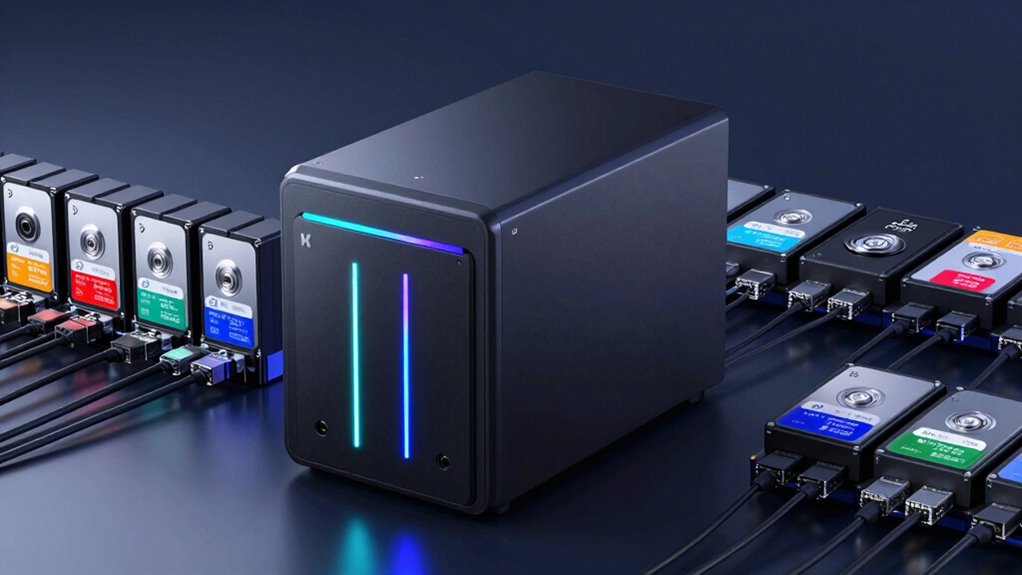

For anyone looking to stream Plex media smoothly, choosing the right NAS is crucial. The best options combine powerful hardware, ample storage, and reliable network connectivity. The Asustor Lockerstor 6 Gen2+ stands out as the overall best, thanks to its robust 6-bay design and high performance. The TERRAMASTER F4-425 Pro offers excellent value for users needing a 4-bay setup, while the Synology DS225+ provides a user-friendly experience for beginners. However, tradeoffs often involve balancing speed, storage capacity, and budget. Keep reading for a detailed breakdown to find your ideal Plex-ready NAS.

Get the little things that make your day delivered free with Prime
- Fast, free delivery on millions of items
- Prime Video, Amazon Music and more included
- Member-only deals all year
Key Takeaways
- The number of drive bays significantly impacts storage capacity and scalability, with 4-6 bays being the sweet spot for most Plex users.
- Network connectivity, especially 2.5GbE or 5GbE, is vital for smooth streaming at higher resolutions; older 1GbE models may bottleneck performance.
- Processor power varies widely; Intel-based NAS devices tend to deliver better transcoding performance, which is essential for streaming to multiple devices.
- User-friendly interfaces and app ecosystems make a big difference for beginners, with Synology leading in ease of use.
- Price and expandability are often inversely related; higher-end models offer more features but come at a premium.
| Asustor Lockerstor 6 Gen2+ AS6706T v2 6-Bay NAS, Intel Quad-Core, Dual 5GbE, 8GB DDR4, 4 M.2 SSD Slots, HDMI, Plex Media Server, Diskless |  | Best Overall for Power Users and Content Creators | Processor: Intel Celeron N5105 quad-core | Memory: 8GB DDR4 | Number of Bays: 6 | VIEW ON AMAZON | See Our Full Breakdown |
| Asustor Drivestor 2 Pro Gen2 AS3302T v2, 2-Bay NAS, 1.7GHz Quad-Core, 2.5GbE, 2GB DDR4, Small Home Media Server, Diskless |  | Best for Small Homes and Beginners | Processor: Realtek 1.7GHz Quad-Core | Memory: 2GB DDR4 | Drive Bays: 2 | VIEW ON AMAZON | See Our Full Breakdown |
| Asustor Lockerstor 2 Gen2 AS6702T – 2 Bay NAS Plex Media Server (Diskless) |  | Best for Compact High-Performance Setups | Processor: Intel Celeron N5105 quad-core | Memory: 4GB DDR4, expandable to 16GB | Drive Bays: 2 | VIEW ON AMAZON | See Our Full Breakdown |
| Asustor Lockerstor 4 Gen2+ AS6704T v2 4-Bay NAS |  | Best Versatile 4-Bay for Home and Small Business | Processor: Intel Celeron N5105 quad-core | Memory: 4GB DDR4, expandable to 16GB | Drive Bays: 4 | VIEW ON AMAZON | See Our Full Breakdown |
| TERRAMASTER F4-425 Pro NAS 4-Bay, Intel N305 8-Core, 8GB RAM (Diskless) |  | Best for Power Users Seeking High Performance and AI Features | Processor: Intel N305 8-core | Memory: 8GB RAM | Drive Bays: 4 | VIEW ON AMAZON | See Our Full Breakdown |
| TERRAMASTER F4-425 4-Bay NAS Intel x86 Quad-Core CPU 4GB RAM (Diskless) |  | Best for High-Performance Multi-User Streaming and Transcoding | Processor: Intel x86 quad-core | RAM: 4GB | Number of Bays: 4 | VIEW ON AMAZON | See Our Full Breakdown |
| TERRAMASTER F2-425 2-Bay NAS with Intel Quad-Core CPU and 4GB RAM |  | Best for Compact 4K Media Streaming and Basic Multi-User Use | Processor: Intel x86 quad-core | RAM: 4GB | Storage Capacity: up to 60TB | VIEW ON AMAZON | See Our Full Breakdown |
| Asustor Lockerstor 2 Gen2+ AS6702T v2 2-Bay NAS |  | Best for Content Creators and Small Business with High-Speed Needs | Processor: Intel Celeron N5105 | Memory: 4GB DDR4 (expandable to 16GB) | Network Ports: Dual 5GbE | VIEW ON AMAZON | See Our Full Breakdown |
| Synology DS225+ Private Cloud Media Server – 2-Bay Diskless NAS with Intel CPU |  | Best for Secure Private Cloud and Easy Setup | Storage Bays: 2-Bay | CPU: Intel | Transfer Speed: 282 MB/s | VIEW ON AMAZON | See Our Full Breakdown |
| BUFFALO LinkStation 210 2TB 1-Bay NAS Network Attached Storage with HDD Included |  | Best for Budget-Friendly Centralized Storage and Backup | Capacity: 2TB | Number of Bays: 1 | Included Drives: HDD included | VIEW ON AMAZON | See Our Full Breakdown |
| nas for plex streaming | Processor | Memory |
|---|---|---|
| Asustor Lockerstor 6 Gen2+ AS6 | Intel Celeron N5105 quad-core | 8GB DDR4 |
| Asustor Drivestor 2 Pro Gen2 A | Realtek 1.7GHz Quad-Core | 2GB DDR4 |
| Asustor Lockerstor 2 Gen2 AS67 | Intel Celeron N5105 quad-core | 4GB DDR4, expandable to 16GB |
| Asustor Lockerstor 4 Gen2+ AS6 | Intel Celeron N5105 quad-core | 4GB DDR4, expandable to 16GB |
| TERRAMASTER F4-425 Pro NAS 4-B | Intel N305 8-core | 8GB RAM |
| TERRAMASTER F4-425 4-Bay NAS I | Intel x86 quad-core | — |
| TERRAMASTER F2-425 2-Bay NAS w | Intel x86 quad-core | — |
| Asustor Lockerstor 2 Gen2+ AS6 | Intel Celeron N5105 | 4GB DDR4 (expandable to 16GB) |
| Synology DS225+ Private Cloud | — | — |
| BUFFALO LinkStation 210 2TB 1- | — | — |
More Details on Our Top Picks
Asustor Lockerstor 6 Gen2+ AS6706T v2 6-Bay NAS, Intel Quad-Core, Dual 5GbE, 8GB DDR4, 4 M.2 SSD Slots, HDMI, Plex Media Server, Diskless
The Asustor Lockerstor 6 Gen2+ stands out for its expansive 6-bay design and high-speed dual 5GbE ports, making it ideal for users who need significant storage and fast network performance. Compared with the Asustor Drivestor 2 Pro, it offers more bays, better scalability, and support for high-performance workflows, though it requires additional drives and setup complexity. Its support for M.2 SSD caching accelerates media workflows, especially for demanding Plex streaming or editing tasks. The hybrid storage design caters to content creators needing both capacity and speed, but the default diskless setup means extra investment upfront. Its Intel Celeron N5105 processor and 8GB DDR4 memory deliver solid multitasking abilities, though advanced networking features might challenge beginners.
Pros:- High-speed dual 5GbE ports with upgrade potential to 10GbE
- Supports four M.2 SSDs for caching and acceleration
- Flexible hybrid storage with both HDD and SSD options
- Ideal for 4K media transcoding and professional workflows
Cons:- Requires purchasing drives separately, increasing initial cost
- Setup and configuration can be complex for beginners
Best for: Power users, small media teams, and content creators needing scalable, high-performance storage with advanced networking and multimedia capabilities
Not ideal for: Home users seeking simple plug-and-play solutions or those on a tight budget, due to its complexity and initial costs
- Processor:Intel Celeron N5105 quad-core
- Memory:8GB DDR4
- Number of Bays:6
- Network Ports:Dual 5GbE
- SSD Slots:4 M.2 NVMe
- Media Support:4K media playback and transcoding
- Form Factor:Diskless
Our verdict“This NAS suits tech-savvy users needing robust, expandable storage with fast networking and media processing capabilities.”
Asustor Drivestor 2 Pro Gen2 AS3302T v2, 2-Bay NAS, 1.7GHz Quad-Core, 2.5GbE, 2GB DDR4, Small Home Media Server, Diskless
The Asustor Drivestor 2 Pro Gen2 is tailored for home users who want straightforward media streaming and backup options. Its 2.5GbE port offers faster transfers than traditional Gigabit networks, making it a good match for streaming 4K content smoothly, especially when compared to lower-speed 1GbE models. While it’s simpler to set up than larger NAS units like the Lockerstor 6, its limited 2-bay capacity restricts storage expansion and might not suffice for growing media libraries. The 2GB DDR4 RAM provides basic multitasking, but heavy workloads or multiple simultaneous streams could slow down performance. Its diskless design keeps costs low but requires users to buy drives separately, which adds to initial expenses.
Pros:- Faster 2.5GbE network connection improves data transfer speeds
- Supports 4K media transcoding for smooth streaming
- Tool-free drive installation simplifies setup
Cons:- Limited to 2 drive bays, restricting storage growth
- Basic 2GB RAM may hinder multitasking under load
Best for: Home users seeking an easy-to-use, reliable media server with decent speed and basic storage needs
Not ideal for: Power users or larger households needing extensive storage or advanced features, due to its small capacity and limited RAM
- Processor:Realtek 1.7GHz Quad-Core
- Memory:2GB DDR4
- Drive Bays:2
- Network:2.5GbE
- Form Factor:Diskless
- Supported Protocols:4K transcoding, private cloud
Our verdict“This NAS is best suited for small households or beginners who prioritize simple setup and reliable 4K media streaming.”
Asustor Lockerstor 2 Gen2 AS6702T – 2 Bay NAS Plex Media Server (Diskless)
The Asustor Lockerstor 2 Gen2 AS6702T offers a compact yet powerful solution for users who need a high-performance 2-bay NAS. Its dual 2.5GbE ports provide faster network connectivity than typical Gigabit models, making it a solid choice for streaming and backup. The support for four M.2 NVMe SSDs allows for excellent caching, boosting media transcoding and general responsiveness—this sets it apart from basic 2-bay units like the Synology DS225+. Its Intel Celeron N5105 processor and expandable 4GB RAM make it capable of handling 4K media playback and multiple streams. However, being diskless, it demands a separate investment in drives and may be overwhelming for beginners due to its advanced features and setup process.
Pros:- Powerful Intel quad-core processor
- Dual 2.5GbE ports for faster network throughput
- Supports four NVMe SSDs for caching
- Expandable RAM up to 16GB
Cons:- Requires separate purchase of drives
- More complex setup than entry-level models
Best for: Tech-savvy users needing a compact yet powerful media server with expandability and fast networking
Not ideal for: Beginners or users seeking a simple plug-and-play NAS, since setup and configuration can be complex
- Processor:Intel Celeron N5105 quad-core
- Memory:4GB DDR4, expandable to 16GB
- Drive Bays:2
- Network Connectivity:Dual 2.5GbE
- SSD Slots:4 M.2 NVMe
- Media Support:4K transcoding, Plex compatibility
- Cooling:Optimized airflow
Our verdict“This model is ideal for users who want a compact, high-performance NAS with flexible caching and networking, but are comfortable with configuration complexity.”
Asustor Lockerstor 4 Gen2+ AS6704T v2 4-Bay NAS
The Asustor Lockerstor 4 Gen2+ combines flexibility with power, making it suitable for a variety of media and business tasks. Its support for both SATA HDD and NVMe SSDs allows users to tailor storage to their needs. Equipped with dual 5GbE ports, it offers fast data transfer, and its hardware 4K transcoding and HDMI output make it perfect for media streaming and local playback. Compared to smaller 2-bay NAS like the Synology DS920+, it offers more bays and hybrid storage options, although setting up RAID and cache configurations can be challenging. Its expandable RAM up to 16GB provides room for multitasking, but the initial setup can be complex for less experienced users.
Pros:- Supports hybrid storage with SATA and NVMe SSDs
- High-speed dual 5GbE ports
- Hardware 4K transcoding and HDMI output
- Expandable RAM up to 16GB
Cons:- Requires additional drives, increasing initial cost
- Complex setup for RAID and caching
Best for: Small offices or advanced home users needing versatile storage with media and virtualization capabilities
Not ideal for: Total beginners or users with minimal storage needs, due to its configuration complexity and higher cost
- Processor:Intel Celeron N5105 quad-core
- Memory:4GB DDR4, expandable to 16GB
- Drive Bays:4
- Network:Dual 5GbE
- SSD Slots:4 M.2 NVMe
- Media Support:4K transcoding, HDMI
- Supported RAID:0/1/5/6/JBOD
Our verdict“This NAS is best for users seeking a flexible, powerful 4-bay system capable of media, virtualization, and high-speed networking, with some setup complexity.”
TERRAMASTER F4-425 Pro NAS 4-Bay, Intel N305 8-Core, 8GB RAM (Diskless)
The TERRAMASTER F4-425 Pro offers a robust platform with an 8-core Intel N305 CPU and 8GB RAM, making it suitable for multitasking, virtual machines, and multimedia streaming. Its 4-bay design supports RAID configurations for redundancy and capacity expansion, comparable to the Lockerstor 4 Gen2+ but distinguished by its built-in AI-powered OS and virtualization support. This setup is ideal for users who need more than just media streaming—such as online editing and AI-driven tasks—though it demands a learning curve for setup and management. The diskless configuration keeps initial costs down but requires users to purchase drives separately.
Pros:- Powerful 8-core Intel N305 processor
- Supports AI-driven OS and online editing
- Flexible RAID and online expansion
- Built-in virtualization support
Cons:- Requires separate drives, increasing total cost
- Advanced features may intimidate less experienced users
Best for: Small businesses or advanced home users interested in multitasking, virtualization, and AI features alongside media streaming
Not ideal for: Casual home users or those seeking an easier, plug-and-play experience, due to its complexity and feature set
- Processor:Intel N305 8-core
- Memory:8GB RAM
- Drive Bays:4
- Network Ports:Dual 5GbE
- Supported Protocols:RAID 0/1/5/6, virtualization
- Features:AI OS, online editing, Docker
- Form Factor:Diskless
Our verdict“This NAS appeals to tech-savvy users who need a high-performance, versatile system capable of multitasking, virtualization, and media streaming.”
TERRAMASTER F4-425 4-Bay NAS Intel x86 Quad-Core CPU 4GB RAM (Diskless)
The TERRAMASTER F4-425 stands out for its powerful quad-core Intel x86 processor and 4GB RAM, making it a solid choice for users who need reliable 4K transcoding and multi-user media streaming. Compared with the ASustor Lockerstor 2 Gen2+, it offers a straightforward setup without the advanced SSD caching options, which might limit performance for demanding workflows. Its quiet operation and tool-free HDD installation make it suitable for home environments, but the absence of included drives and the need for network configuration are notable tradeoffs. While it excels in raw processing power, the limited RAM could hinder very heavy multitasking or future expandability, especially when compared to more RAM-rich options like the Lockerstor 2+.
Pros:- High-performance quad-core Intel processor suitable for 4K transcoding
- Supports multi-user access and large storage capacity up to 120TB
- Quiet operation at 21dB with tool-free HDD trays
Cons:- No included hard drives, requiring separate purchase
- Limited RAM may restrict multitasking under heavy load
Best for: Users needing a high-capacity, quiet NAS for multi-user Plex streaming and 4K transcoding at home or small offices.
Not ideal for: Heavy multitaskers or those wanting integrated SSD caching, as its 4GB RAM and lack of SSD support may limit performance under intense workloads.
- Processor:Intel x86 quad-core
- RAM:4GB
- Number of Bays:4
- Max Storage Capacity:120TB
- Network Speed:2.5GbE
- Noise Level:21dB
Our verdict“This NAS makes sense for users who prioritize raw processing power and large storage in a quiet, home-friendly device.”
TERRAMASTER F2-425 2-Bay NAS with Intel Quad-Core CPU and 4GB RAM
The TERRAMASTER F2-425 offers a balanced mix of performance and simplicity, with a quad-core Intel processor and 4GB RAM, making it a good choice for users who want 4K transcoding in a smaller form factor. Unlike the Synology DS225+, it lacks some of the advanced security features and ecosystem integrations, but it provides a straightforward setup with tool-free drives and quiet operation at 19dB. Its limited bay count means less expandability, which is a consideration for those planning long-term growth. The absence of included drives means additional investment upfront, but for those with a moderate storage need, it delivers reliable Plex streaming without complexity.
Pros:- Quad-core processor with 4GB RAM for smooth transcoding
- Quiet operation at 19dB suitable for home use
- Easy HDD installation with tool-free trays
Cons:- Limited to 2 drive bays, limiting future storage expansion
- No included drives, requiring additional purchase
Best for: Home users or small offices seeking a compact, quiet NAS for 4K media and basic multi-user access.
Not ideal for: Those needing extensive expandability or advanced security features, as its 2-bay design and basic security support may be limiting.
- Processor:Intel x86 quad-core
- RAM:4GB
- Storage Capacity:up to 60TB
- Network:2.5GbE
- Noise Level:19dB
- HDD Tray:Tool-free Push-Lock
Our verdict“Ideal for users needing a compact, quiet NAS for small-scale 4K media streaming and backups.”
Asustor Lockerstor 2 Gen2+ AS6702T v2 2-Bay NAS
The Asustor Lockerstor 2 Gen2+ excels in demanding workflows thanks to dual 5GbE ports and four M.2 NVMe slots, making it ideal for users who require fast network speeds and caching for smooth Plex streaming. Its expandable RAM up to 16GB and support for 4K media transcoding surpass many competitors like the Terramaster F2-425, especially for creative tasks. However, its higher price point and the need to purchase drives separately complicate the decision for budget-conscious buyers. While the advanced features suit tech-savvy users aiming for high performance, beginners may find the setup and configuration overwhelming.
Pros:- Dual 5GbE ports for ultra-fast network connectivity
- Supports four M.2 NVMe SSDs for caching and high performance
- Expandable RAM up to 16GB for multitasking
Cons:- Requires purchasing drives separately, increasing initial cost
- Complex setup may challenge beginners
Best for: Content creators or small businesses needing high-speed media workflows and reliable Plex streaming with caching capabilities.
Not ideal for: Casual users or those on a tight budget who prefer simpler, plug-and-play setups without advanced caching or expansion options.
- Processor:Intel Celeron N5105
- Memory:4GB DDR4 (expandable to 16GB)
- Network Ports:Dual 5GbE
- SSD Slots:4 M.2 NVMe
- Media Support:4K transcoding
- Form Factor:2-Bay NAS
Our verdict“This NAS is perfect for high-performance users who need fast network speeds and caching for Plex and media workflows.”
Synology DS225+ Private Cloud Media Server – 2-Bay Diskless NAS with Intel CPU
The Synology DS225+ offers a user-friendly experience with strong security features and reliable media streaming capabilities, including 4K support. Its streamlined interface and built-in RAID support make it accessible for beginners, especially compared with the more complex Terramaster F4-425. However, the diskless design means additional drives are necessary, which can increase initial costs and setup complexity. This model is well-suited for users prioritizing data security, automated backups, and private cloud access, but it may not satisfy those seeking maximum performance or expandability beyond two bays.
Pros:- Supports 4K media streaming and RAID redundancy
- Automated backups and multi-layer data protection
- Easy to set up with Synology’s intuitive interface
Cons:- Requires buying drives separately, adding to initial costs
- Limited to 2 bays, restricting future storage expansion
Best for: Home users or small setups needing a secure, easy-to-manage private cloud with media streaming and backup features.
Not ideal for: Power users requiring extensive storage or advanced media workflows, since its limited bays and simpler hardware may restrict performance and scalability.
- Storage Bays:2-Bay
- CPU:Intel
- Transfer Speed:282 MB/s
- Supports IP Cameras:Yes
- Warranty:3 Years
- Supports RAID:Yes
Our verdict“Best suited for users seeking a secure, straightforward private cloud with reliable media streaming and backup options.”
BUFFALO LinkStation 210 2TB 1-Bay NAS Network Attached Storage with HDD Included
The BUFFALO LinkStation 210 provides an accessible, budget-conscious option for those who want simple centralized storage with minimal setup. Its included 2TB HDD makes it ready to use out of the box, ideal for small households or individuals who need basic media streaming and backup. Compared with multi-bay solutions like the TERRAMASTER F4-425, it sacrifices expandability and advanced features, focusing instead on ease of use. The limited capacity and single drive bay mean it’s less suited for users with growing storage needs or complex media workflows. Still, it’s a reliable choice for basic Plex streaming in a straightforward package.
Pros:- Includes pre-installed HDD, ready to use
- Simple setup and easy to operate
- Supports secure file sharing and backups
Cons:- Limited to 2TB capacity with a single drive bay
- Lacks advanced features like multi-bay scalability or 4K transcoding
Best for: Individuals or small households seeking a plug-and-play, cost-effective NAS for simple media and backup needs.
Not ideal for: Power users or those with large or expanding media libraries, due to its limited 2TB capacity and single bay design.
- Capacity:2TB
- Number of Bays:1
- Included Drives:HDD included
- Supported OS:Windows, macOS
- Warranty:2 years
- Support:24/7 US-based
Our verdict“This NAS is ideal for users who want a straightforward, budget-friendly device for basic media streaming and backups.”
How We Picked
These NAS devices were evaluated based on their hardware performance, especially CPU and RAM, which directly influence Plex transcoding capabilities. We also considered network speed options, storage capacity, expandability, and build quality. Ease of use, firmware stability, and app support were key factors, as they improve the overall media streaming experience. Devices were ranked to reflect their balance of performance, value, and suitability for different user needs, from beginners to power users.| nas for plex streaming | Processor |
|---|---|
| Asustor Lockerstor 6 Gen2+ AS6 | Intel Celeron N5105 quad-core |
| Asustor Drivestor 2 Pro Gen2 A | Realtek 1.7GHz Quad-Core |
| Asustor Lockerstor 2 Gen2 AS67 | Intel Celeron N5105 quad-core |
| Asustor Lockerstor 4 Gen2+ AS6 | Intel Celeron N5105 quad-core |
| TERRAMASTER F4-425 Pro NAS 4-B | Intel N305 8-core |
| TERRAMASTER F4-425 4-Bay NAS I | Intel x86 quad-core |
| TERRAMASTER F2-425 2-Bay NAS w | Intel x86 quad-core |
| Asustor Lockerstor 2 Gen2+ AS6 | Intel Celeron N5105 |
| Synology DS225+ Private Cloud | — |
| BUFFALO LinkStation 210 2TB 1- | — |
Factors to Consider When Choosing Nas For Plex Streaming
Choosing a NAS for Plex streaming involves more than just hardware specs. It’s important to consider how many devices you’ll stream to simultaneously, the resolution quality required, and whether you’ll need transcoding capabilities. The right device should match your current setup and future growth plans. Here are key factors to keep in mind:Performance and Transcoding Power
The processor and RAM determine how well your NAS can handle multiple streams and transcode media on the fly. Intel CPUs generally outperform ARM options in transcoding, which is crucial if you want to stream to devices with different resolutions or codecs. Overlooking this can lead to buffering or quality drops during playback, especially with high-bitrate 4K content.
Network Connectivity
A fast, reliable network connection is essential. Look for NAS models with at least 2.5GbE ports, especially if you plan to stream multiple 4K videos simultaneously. Older 1GbE ports might be sufficient for HD streaming but will struggle with higher resolutions or multiple streams, creating bottlenecks that degrade user experience.
Storage Capacity and Scalability
Assess your current storage needs and future growth. Devices with 4 to 6 bays provide a good balance of capacity and cost, allowing for RAID configurations that protect your media library. Also, check if the NAS supports expanding storage via external ports or additional drive bays, which can save money in the long run.
Ease of Use and Ecosystem
An intuitive interface and strong app ecosystem make setup and ongoing management easier, especially for newcomers. Synology is known for its user-friendly DSM platform, while Asustor offers a more technical interface. Consider your comfort level with network management and software updates when choosing.
Budget and Long-term Value
High-performance NAS units come with a higher price tag, but they often provide better transcoding and future-proofing. Cheaper models may suffice for basic HD streaming but could struggle with 4K or multiple streams. Think about how much you’re willing to invest now versus potential upgrades later, balancing cost with performance and longevity.
Frequently Asked Questions
Can I use a 2-bay NAS for Plex streaming?
Yes, a 2-bay NAS can handle Plex streaming, especially for fewer devices and lower resolutions. However, it may lack the processing power needed for smooth 4K transcoding or multiple simultaneous streams. If your media needs grow, you might find the storage and performance limits restrictive, prompting an upgrade later.
Is transcoding necessary for Plex on a NAS?
Transcoding allows Plex to convert media files into compatible formats for different devices, which is essential if you stream to various screens or need to reduce bandwidth use. A NAS with a powerful CPU makes transcoding seamless, preventing buffering, especially with high-resolution content. Without it, your experience may be limited to direct play only, which requires compatible media files.
How important is network speed for Plex streaming?
Network speed directly influences streaming quality and stability. For 4K content or multiple streams, 2.5GbE or faster connections reduce buffering and ensure smooth playback. If your network is stuck on 1GbE, you might experience bottlenecks, especially with large files or several users accessing the server simultaneously. Upgrading your network infrastructure can significantly improve your Plex experience.
Should I prioritize storage capacity over performance?
This depends on your usage patterns. If you primarily stream existing files without transcoding, storage capacity might be more important. However, for multi-device, high-res streaming with transcoding, performance features like a faster CPU and RAM are more critical. Balancing both factors ensures your NAS meets current needs and adapts to future demands.
Is an all-flash NAS better for Plex streaming?
All-flash NAS devices offer faster data access and improved transcoding performance, reducing buffering and lag. However, they come at a higher cost and may be overkill for basic streaming needs. For most home users, a well-balanced NAS with a good CPU and enough RAM provides ample performance without the premium price of all-flash setups.
Conclusion
For users seeking the best overall performance and future-proofing, the Asustor Lockerstor 6 Gen2+ delivers robust capacity and transcoding power—ideal for serious media enthusiasts. Budget-conscious buyers or those just starting with Plex should consider the Synology DS225+ for its ease of use and reliable software ecosystem. Power users needing maximum scalability might prefer the TERRAMASTER F4-425 Pro with its strong hardware specs. Beginners or those with modest streaming needs will find the BUFFALO LinkStation 210 sufficient, especially with included HDDs. Tailor your choice to your current setup and expectations to enjoy seamless Plex streaming in 2026.
As an affiliate, we earn on qualifying purchases.Halloween Picks
halloween