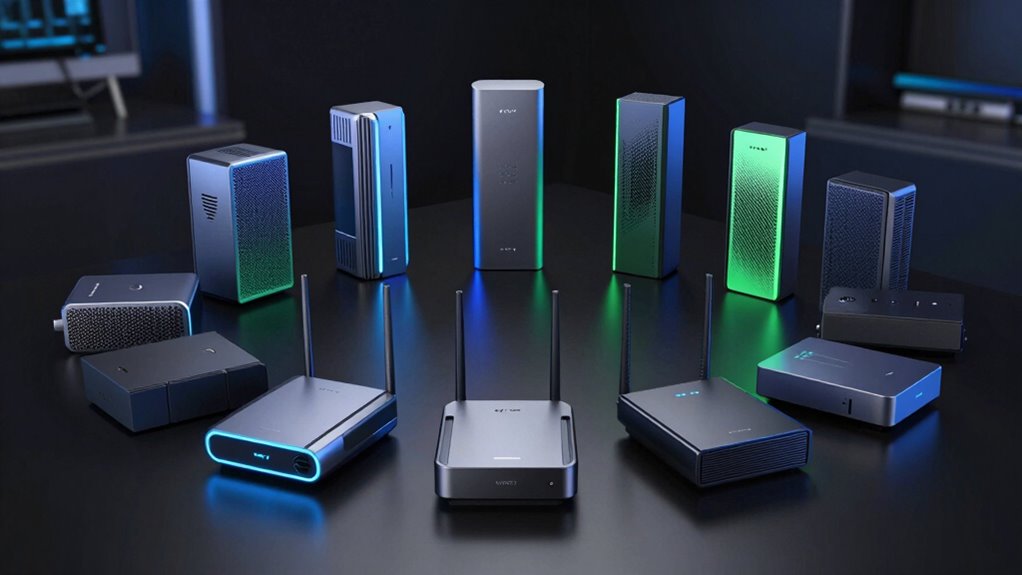

For most homes, I’d start with the TP-Link Archer BE550, a tri-band router that balances flexibility with a more practical setup than the most elaborate models. The TP-Link Deco 7 Pro BE10000 is a stronger fit when whole-home mesh coverage matters, while the GL.iNet Flint 3 offers a distinct option for buyers who want more control over network settings. Choosing a WiFi 7 router means weighing tri-band capacity against simpler dual-band setups, and standalone coverage against mesh expansion. Your home layout, wired devices, and internet plan matter as much as the WiFi 7 label. Read on for the full breakdown and guidance on which tradeoffs are worth making.

Get the little things that make your day delivered free with Prime
- Fast, free delivery on millions of items
- Prime Video, Amazon Music and more included
- Member-only deals all year
Key Takeaways
- Tri-band models offer more flexibility than dual-band picks, but the extra band is most useful when your household has many active devices or needs room to manage traffic.
- The Deco systems serve a different purpose from the Archer routers: mesh is the more natural fit for spreading coverage across multiple rooms or floors.
- WiFi 7 speed labels alone do not settle the choice. The right router depends on device support, home layout, and whether your internet connection or local network is the limiting factor.
- The lineup spans simple entry points and specialized choices. Dual-band models favor a straightforward network, while the ASUS ROG Strix and GL.iNet Flint 3 target buyers with more specific gaming or configuration priorities.
- Paying for a higher-tier router makes the most sense when its extra capacity or features match your household. A smaller home with modest network demands may be better served by a simpler model.
| NETGEAR Nighthawk WiFi 7 Router RS140 |  | Best for Simple WiFi 7 Upgrades | WiFi standard: WiFi 7 | Bands: Dual-band: 2.4 GHz and 5 GHz | Maximum speed: Up to 5 Gbps | VIEW ON AMAZON | See Our Full Breakdown |
| TP-Link Archer BE400 Dual-Band WiFi 7 Router (BE6500) |  | Best Value for Wired Multi-Gig | WiFi standard: WiFi 7 (BE6500) | Bands: Dual-band: 2.4 GHz and 5 GHz | Maximum listed band speeds: 5 GHz: 5,764 Mbps; 2.4 GHz: 688 Mbps | VIEW ON AMAZON | See Our Full Breakdown |
| TP-Link Archer BE550 Tri-Band Wi-Fi 7 Router |  | Best for Tri-Band Flexibility | WiFi standard: WiFi 7 | Bands: Tri-band: 2.4 GHz, 5 GHz, and 6 GHz | Advertised maximum speed: Up to 9.2 Gbps | VIEW ON AMAZON | See Our Full Breakdown |
| NETGEAR Nighthawk BE9300 Tri-Band WiFi 7 Router |  | Best for High Device Capacity | WiFi standard: WiFi 7 | Bands: Tri-band: 2.4 GHz, 5 GHz, and 6 GHz | Maximum speed: Up to 9.3 Gbps | VIEW ON AMAZON | See Our Full Breakdown |
| TP-Link Archer BE230 Dual-Band BE3600 Wi-Fi 7 Router |  | Best Entry-Level WiFi 7 | WiFi standard: WiFi 7 (802.11be) | Bands: Dual-band: 2.4 GHz and 5 GHz | Maximum speed: BE3600: 5 GHz up to 2,882 Mbps; 2.4 GHz up to 688 Mbps | VIEW ON AMAZON | See Our Full Breakdown |
| TP-Link Deco 7 Pro BE10000 Tri-Band Wi-Fi 7 Mesh System, 3-Pack |  | Best for Large Homes | VIEW ON AMAZON | See Our Full Breakdown | |||
| ASUS RT-BE55 Dual-Band WiFi 7 Router |  | Best for ASUS Mesh Expansion | VIEW ON AMAZON | See Our Full Breakdown | |||
| TP-Link Deco 7 BE5000 Dual-Band Wi-Fi 7 Mesh System |  | Best Value Mesh Approach | VIEW ON AMAZON | See Our Full Breakdown | |||
| TP-Link Archer BE670 Tri-Band Wi-Fi 7 Router (BE12000) |  | Best for High-Speed Wired Connections | VIEW ON AMAZON | See Our Full Breakdown | |||
| TP-Link Archer BE600 Tri-Band Wi-Fi 7 Router |  | Best for a Balanced Tri-Band Network | VIEW ON AMAZON | See Our Full Breakdown | |||
| ASUS ROG Strix GS-BE12000 WiFi 7 Gaming Router |  | Best for Wired Gaming Setups | Wi-Fi standard: Wi-Fi 7 | Maximum throughput: Up to 12 Gbps | Bands: Tri-band | VIEW ON AMAZON | See Our Full Breakdown |
| NETGEAR Nighthawk WiFi 7 Router RS90 |  | Best for Straightforward Wi-Fi 7 | Model: RS90 | Wi-Fi standard: Wi-Fi 7 | Maximum speed: Up to 3.6 Gbps | VIEW ON AMAZON | See Our Full Breakdown |
| GL.iNet Flint 3 Tri-Band Wi-Fi 7 Router |  | Best for VPN and Network Controls | Wi-Fi standard: Wi-Fi 7 | Bands: Tri-band | Maximum data transfer rate: Up to 12.5 Gbps | VIEW ON AMAZON | See Our Full Breakdown |
| TP-Link Archer BE770 Tri-Band Wi-Fi 7 Router |  | Best for Broad Home Coverage | Wi-Fi standard: Wi-Fi 7 | Bands: Tri-band: 2.4 GHz, 5 GHz, and 6 GHz | Advertised speeds: 688 Mbps (2.4 GHz); 5,764 Mbps (5 GHz); 11,528 Mbps (6 GHz) | VIEW ON AMAZON | See Our Full Breakdown |
| wifi 7 router | Bands | Coverage |
|---|---|---|
| NETGEAR Nighthawk WiFi 7 Route | Dual-band: 2.4 GHz and 5 GHz | Up to 2,250 sq. ft. |
| TP-Link Archer BE400 Dual-Band | Dual-band: 2.4 GHz and 5 GHz | Up to 2,400 sq. ft. |
| TP-Link Archer BE550 Tri-Band | Tri-band: 2.4 GHz, 5 GHz, and 6 GHz | — |
| NETGEAR Nighthawk BE9300 Tri-B | Tri-band: 2.4 GHz, 5 GHz, and 6 GHz | Up to 2,500 sq. ft. |
| TP-Link Archer BE230 Dual-Band | Dual-band: 2.4 GHz and 5 GHz | Up to 2,000 sq. ft. |
| TP-Link Deco 7 Pro BE10000 Tri | — | — |
| ASUS RT-BE55 Dual-Band WiFi 7 | — | — |
| TP-Link Deco 7 BE5000 Dual-Ban | — | — |
| TP-Link Archer BE670 Tri-Band | — | — |
| TP-Link Archer BE600 Tri-Band | — | — |
| ASUS ROG Strix GS-BE12000 WiFi | Tri-band | Up to 3,000 sq. ft. |
| NETGEAR Nighthawk WiFi 7 Route | Dual-band: 2.4 GHz and 5 GHz | Up to 2,000 sq. ft. |
| GL.iNet Flint 3 Tri-Band Wi-Fi | Tri-band | Up to 2,000 sq. ft. |
| TP-Link Archer BE770 Tri-Band | Tri-band: 2.4 GHz, 5 GHz, and 6 GHz | — |
More Details on Our Top Picks
NETGEAR Nighthawk WiFi 7 Router RS140
The NETGEAR Nighthawk RS140 suits buyers who want WiFi 7 without paying for a tri-band feature set they may not use. Its dual-band design and 2.5 Gig WAN port can take advantage of a multi-gig internet plan, while app-based setup keeps routine management straightforward. Compared with the TP-Link Archer BE400, the RS140 lists lower maximum speed, coverage, and device capacity, so it is a more modest fit for busy households. Its advertised reach of 2,250 square feet may also fall short in a multi-story home, where adding mesh coverage may be necessary. Security features and automatic updates are included, but NETGEAR Armor requires a subscription after its 30-day trial. Choose it for a basic, manageable WiFi 7 refresh, not for the strongest capacity or broadest coverage in this group.
Pros:- WiFi 7 support for compatible newer devices
- 2.5 Gig WAN port supports multi-gig internet plans
- Nighthawk app provides a straightforward setup and management path
- Built-in security features and automatic firmware updates
Cons:- Dual-band design lacks the dedicated 6 GHz band found on tri-band options such as the Archer BE550
- NETGEAR Armor requires a subscription after the 30-day trial
- Coverage may not reach every room in a large or multi-story home without mesh expansion
Best for: Households moving to WiFi 7 that want simple app setup and a 2.5 Gig WAN port for a multi-gig internet plan.
Not ideal for: Large or multi-story homes and households with many connected devices; its listed coverage and capacity are lower than the Archer BE400’s.
- WiFi standard:WiFi 7
- Bands:Dual-band: 2.4 GHz and 5 GHz
- Maximum speed:Up to 5 Gbps
- Coverage:Up to 2,250 sq. ft.
- Device capacity:Up to 80 devices
- WAN port:1 × 2.5 Gigabit Ethernet
- LAN ports:3 × 1 Gigabit Ethernet
- Compatibility:Cable, fiber, DSL, and satellite
Our verdict“Choose the RS140 for straightforward WiFi 7 and multi-gig WAN support in a moderate-size home, but favor a higher-capacity or tri-band model for larger households.”
TP-Link Archer BE400 Dual-Band WiFi 7 Router (BE6500)
The TP-Link Archer BE400 is a strong match for homes that want WiFi 7 plus more capable wired networking than many entry-level dual-band routers provide. Its two 2.5 Gbps Ethernet ports can serve a multi-gig internet connection and a fast wired device, while three additional gigabit LAN ports leave room for everyday gear. Compared with the Archer BE230, it offers higher listed wireless throughput, broader coverage, and capacity for more devices, making it the better fit for busier homes. It remains dual-band, though, so buyers seeking a dedicated 6 GHz band should step up to the tri-band Archer BE550. EasyMesh support provides an expansion route, but it does not work with TP-Link Deco systems. A separate modem is also needed for most internet services.
Pros:- Two 2.5 Gbps Ethernet ports support multi-gig WAN and a high-speed wired connection
- Listed coverage reaches up to 2,400 sq. ft. and supports up to 90 devices
- Multi-Link Operation is designed to improve throughput and reduce latency on compatible devices
- HomeShield, WPA3, and SPI firewall provide a broad set of included security features
Cons:- Dual-band design does not include the 6 GHz band available on the Archer BE550
- EasyMesh compatibility does not extend to TP-Link Deco systems
- Requires a separate modem for internet service
Best for: Households with a multi-gig internet plan, several wired devices, and up to 90 connected devices that do not need a 6 GHz band.
Not ideal for: Existing TP-Link Deco owners who want to extend their network with Deco units, or buyers who specifically want tri-band 6 GHz WiFi.
- WiFi standard:WiFi 7 (BE6500)
- Bands:Dual-band: 2.4 GHz and 5 GHz
- Maximum listed band speeds:5 GHz: 5,764 Mbps; 2.4 GHz: 688 Mbps
- Coverage:Up to 2,400 sq. ft.
- Device capacity:Up to 90 devices
- Ethernet ports:1 × 2.5 Gbps WAN/LAN, 1 × 2.5 Gbps LAN, 3 × 1 Gbps LAN
- Mesh compatibility:EasyMesh; not Deco-compatible
- Security:TP-Link HomeShield, WPA3, and SPI firewall
Our verdict“Pick the Archer BE400 for a capable dual-band WiFi 7 network with two multi-gig ports, but choose the Archer BE550 if you want tri-band 6 GHz connectivity.”
TP-Link Archer BE550 Tri-Band Wi-Fi 7 Router
The Archer BE550 earns its place for buyers who want WiFi 7’s 6 GHz band alongside two other bands, plus fast wired connections for a desktop, NAS, or access point. Its five 2.5 Gbps ports give it a more flexible wired layout than the NETGEAR Nighthawk BE9300, which has fewer 2.5 Gigabit LAN ports. On WiFi, tri-band operation, 320 MHz channels, and 4K-QAM offer more headroom for compatible devices than the dual-band Archer BE400. That advantage depends on clients that support 6 GHz and on signal conditions; the band can be less useful across walls and floors. EasyMesh can help extend coverage, and VPN client and server support add network options, but most providers still require a separate modem.
Pros:- Tri-band WiFi 7 includes 2.4 GHz, 5 GHz, and 6 GHz
- Five 2.5 Gbps Ethernet ports allow flexible multi-gig wired connections
- EasyMesh support offers a path to expand coverage
- VPN client and server support, HomeShield, WPA3, and a private IoT network
Cons:- A separate modem is required for most internet providers
- The 6 GHz band’s usefulness depends on compatible devices and signal conditions
- Advertised maximum speed and coverage can vary with the internet service, modem, environment, and connected devices
Best for: WiFi enthusiasts and multi-device households with compatible 6 GHz clients, several multi-gig wired devices, and a separate modem.
Not ideal for: Buyers on a tight setup budget who do not have 6 GHz-capable devices, or homes where router placement and walls limit access to the 6 GHz band.
- WiFi standard:WiFi 7
- Bands:Tri-band: 2.4 GHz, 5 GHz, and 6 GHz
- Advertised maximum speed:Up to 9.2 Gbps
- Band speeds:6 GHz: 5,760 Mbps; 5 GHz: 2,880 Mbps; 2.4 GHz: 574 Mbps
- Ethernet ports:1 × 2.5 Gbps WAN and 4 × 2.5 Gbps LAN
- Antennas:6
- Mesh compatibility:EasyMesh
- VPN support:VPN client and server
Our verdict“Choose the Archer BE550 for tri-band WiFi 7 and a generous multi-gig port selection, but skip the extra band if your devices are mostly dual-band.”
NETGEAR Nighthawk BE9300 Tri-Band WiFi 7 Router
The NETGEAR Nighthawk BE9300 is aimed at crowded homes that need tri-band WiFi 7 and room for many connected devices. It supports up to 100 devices and covers a listed 2,500 square feet, while a 2.5 Gig WAN port and two 2.5 Gig LAN ports give multi-gig connections a place in the network. Compared with the Archer BE550, the BE9300 adds a USB 3.0 port and lists higher device capacity and coverage, but it offers fewer 2.5 Gigabit LAN ports. Its dedicated 6 GHz band can help compatible nearby devices, though walls and distance can limit that benefit. The router requires a separate modem or gateway; NETGEAR Armor also becomes subscription-based after its 30-day trial. Its reach is not a guarantee of whole-home coverage in every layout.
Pros:- Tri-band WiFi 7 includes a dedicated 6 GHz band
- Supports up to 100 devices with listed coverage up to 2,500 sq. ft.
- Includes a 2.5 Gig WAN port and two 2.5 Gig LAN ports
- USB 3.0 port, app-based management, and automatic firmware updates
Cons:- Requires a separate modem or gateway with an RJ45 Ethernet port
- NETGEAR Armor requires a subscription after its 30-day trial
- Walls, floors, interference, and internet-plan limits can reduce real coverage and speeds
Best for: Busy households with many connected devices, a separate modem or gateway, and a mix of multi-gig wired and WiFi 7 clients.
Not ideal for: Buyers who need more than two 2.5 Gig LAN ports, want an all-in-one modem-router, or prefer security features without a later subscription.
- WiFi standard:WiFi 7
- Bands:Tri-band: 2.4 GHz, 5 GHz, and 6 GHz
- Maximum speed:Up to 9.3 Gbps
- Coverage:Up to 2,500 sq. ft.
- Device capacity:Up to 100 devices
- Processor:Quad-core 2.0 GHz
- Ethernet ports:1 × 2.5 Gig WAN, 2 × 2.5 Gig LAN, 2 × 1 Gig LAN
- USB port:1 × USB 3.0
Our verdict“Choose the BE9300 for tri-band WiFi 7 and high device capacity, but favor the Archer BE550 if you need more 2.5 Gig LAN ports.”
TP-Link Archer BE230 Dual-Band BE3600 Wi-Fi 7 Router
The TP-Link Archer BE230 is the straightforward choice for buyers who want WiFi 7 and multi-gig wired ports without moving to a larger tri-band router. It pairs a 2.5 Gbps WAN/LAN port with a second 2.5 Gbps LAN port, giving a fast internet connection and one wired device a route beyond gigabit speeds. Against the more capable Archer BE400, the BE230 has lower listed wireless speed, coverage, and device capacity; its 2,000-square-foot coverage and 60-device limit suit smaller or less crowded homes better. The main compromise is its dual-band-only design: there is no 6 GHz band for newer compatible devices. EasyMesh offers an expansion option, but most internet providers require a separate modem. This is a sensible WiFi 7 starting point, not a high-capacity tri-band centerpiece.
Pros:- WiFi 7 support with Multi-Link Operation and 4K-QAM
- Two 2.5 Gbps ports support a multi-gig internet connection and a fast wired device
- EasyMesh support offers a way to extend coverage
- HomeShield and app management add useful network controls
Cons:- Dual-band design has no 6 GHz band, unlike the tri-band Archer BE550
- Listed coverage and device capacity are lower than the Archer BE400
- Requires a separate modem, and performance can vary with distance and obstacles
Best for: Small and medium-size households upgrading to WiFi 7 that need two multi-gig wired connections and do not require 6 GHz.
Not ideal for: Large homes, crowded networks, or buyers with 6 GHz-capable devices who want to use WiFi 7’s tri-band options.
- WiFi standard:WiFi 7 (802.11be)
- Bands:Dual-band: 2.4 GHz and 5 GHz
- Maximum speed:BE3600: 5 GHz up to 2,882 Mbps; 2.4 GHz up to 688 Mbps
- Processor:2.0 GHz quad-core
- Ethernet ports:1 × 2.5G WAN/LAN, 1 × 2.5G LAN, 3 × 1G LAN
- Coverage:Up to 2,000 sq. ft.
- Device capacity:Up to 60 devices
- Mesh support:EasyMesh
Our verdict“Pick the Archer BE230 for a compact WiFi 7 upgrade with two multi-gig ports, but choose a tri-band model for 6 GHz or a busier household.”
TP-Link Deco 7 Pro BE10000 Tri-Band Wi-Fi 7 Mesh System, 3-Pack
For a spread-out home, I’d favor this three-unit tri-band mesh kit over a single router such as the TP-Link Archer BE670: the Deco system is designed to carry coverage across as much as 7,600 sq. ft., while the Archer is a more conventional one-unit setup. Its 6 GHz band and listed speeds make it a strong fit for newer Wi-Fi 7 devices, and the multi-gigabit ports give wired equipment and backhaul more room than a basic mesh kit. VPN support and app management add useful network controls. The tradeoff is that the three nodes need space and setup, and this system does not replace a modem. Coverage and speeds can also fall with walls and distance; some HomeShield features may require a subscription.
Pros:- Three units are designed to extend coverage across homes up to 7,600 sq. ft.
- Tri-band Wi-Fi 7 includes a dedicated 6 GHz band for compatible devices.
- Four 2.5G WAN/LAN ports and a listed 10G WAN/LAN port support faster wired connections.
- Supports wired and wireless backhaul, mesh roaming, and VPN client and server connections.
Cons:- Requires a separate modem for internet service.
- Real-world coverage and throughput vary with distance, walls, and placement.
- Some HomeShield features may require a subscription.
Best for: Households with large, multi-room homes, many connected devices, and a need for mesh coverage rather than a single access point.
Not ideal for: Apartment dwellers or buyers who want one compact router; the three-unit kit is more equipment than a small space needs, and a separate modem is required.
Our verdict“Choose this three-node Deco kit when broad whole-home Wi-Fi 7 coverage matters more than the simplicity of a single router.”
ASUS RT-BE55 Dual-Band WiFi 7 Router
The RT-BE55 makes most sense for buyers who want a straightforward Wi-Fi 7 router now and may add compatible ASUS nodes later. Its stated coverage of up to 2,000 sq. ft. is more modest than the TP-Link Archer BE670 or either Deco mesh system, so I’d choose it for a smaller home rather than a sprawling layout. The 2.5G WAN port can accommodate a faster incoming connection, while AiProtection, VPN support, and up to three configurable SSIDs add useful controls for separating household, guest, and IoT traffic. The main compromise is its dual-band design: unlike tri-band picks such as the Archer BE600, it has no 6 GHz band. AiMesh expansion also depends on compatible ASUS routers, not arbitrary mesh hardware.
Pros:- Wi-Fi 7 supports listed speeds up to 3,600 Mbps.
- 2.5G Ethernet WAN port supports a multi-gigabit incoming connection.
- AiProtection and VPN support provide security and remote-connection options.
- Up to three SSIDs help separate household, guest, and IoT devices.
Cons:- Dual-band design lacks a 6 GHz band, unlike the tri-band Archer BE600.
- Stated coverage is limited to up to 2,000 sq. ft.
- AiMesh expansion requires compatible ASUS routers.
Best for: Owners of smaller homes who want Wi-Fi 7, security controls, and a path to expand coverage with compatible ASUS AiMesh equipment.
Not ideal for: Buyers with large homes, a need for tri-band or 6 GHz access, or plans to build mesh coverage from non-ASUS devices.
Our verdict“Pick the RT-BE55 for a smaller home and ASUS-based expansion plans, but choose a tri-band or mesh system for broader coverage.”
TP-Link Deco 7 BE5000 Dual-Band Wi-Fi 7 Mesh System
This Deco is the simpler mesh alternative to the Deco 7 Pro BE10000: it is dual-band rather than tri-band, but its stated coverage still reaches up to 6,600 sq. ft. and it supports more than 150 devices. That makes it a sensible fit when whole-home coverage is the priority and the Pro’s extra band and higher listed capacity are not requirements. Wired or wireless backhaul lets the network use Ethernet between units where available, or link wirelessly when running cable is impractical. AI-assisted roaming and app management help keep a multi-node network manageable. The compromise is fewer bands than the Pro and no listed per-port configuration beyond 2.5G Ethernet. A separate modem is needed, and backhaul between units requires at least two Deco devices.
Pros:- Stated coverage reaches up to 6,600 sq. ft. with support for over 150 devices.
- Wired and wireless backhaul provide options for linking Deco units.
- AI-assisted roaming and Deco app management suit multi-node home networks.
- Supports VPN client and server connections and 2.5G Ethernet.
Cons:- Dual-band design has fewer bands than the tri-band Deco 7 Pro BE10000.
- Requires a separate modem.
- Backhaul between units requires at least two Deco devices.
Best for: Families who need mesh coverage across a large home and prefer a dual-band system with flexible wired or wireless backhaul.
Not ideal for: Buyers seeking a tri-band mesh network, a single-router setup, or a system that can connect to the internet without a separate modem.
Our verdict“Choose this Deco when broad mesh coverage is more important than the extra band and connectivity options of the Deco 7 Pro.”
TP-Link Archer BE670 Tri-Band Wi-Fi 7 Router (BE12000)
The Archer BE670 is the most compelling single-router pick here for buyers whose network has demanding wired devices as well as Wi-Fi 7 clients. Its 10 Gbps WAN/LAN port and 2.5 Gbps port offer more multi-gig flexibility than the ASUS RT-BE55, while three Wi-Fi bands and Multi-Link Operation target responsive connections across compatible devices. The stated coverage is up to 3,000 sq. ft., so it suits a larger single-router footprint better than the ASUS, but it cannot match the broad reach of the Deco 7 Pro three-pack. EasyMesh compatibility provides an expansion route, though it is not compatible with TP-Link Deco systems. The listed 12,000 Mbps is a combined maximum, not a guarantee for one device, and a separate modem is required.
Pros:- 10 Gbps WAN/LAN and 2.5 Gbps WAN/LAN ports support multi-gig wired connections.
- Tri-band Wi-Fi 7 includes 2.4 GHz, 5 GHz, and 6 GHz bands.
- Multi-Link Operation is designed to improve responsiveness with compatible devices.
- EasyMesh compatibility offers an expansion option.
Cons:- Stated coverage of up to 3,000 sq. ft. is below the Deco mesh systems in this batch.
- Not compatible with TP-Link Deco mesh systems.
- Requires a separate modem for internet connectivity.
Best for: Households with multi-gig internet, wired network equipment, and Wi-Fi 7 clients that need a high-capacity single-router setup.
Not ideal for: Buyers who need broad mesh coverage out of the box or expect to expand using TP-Link Deco units.
Our verdict“Choose the Archer BE670 for a fast, wired-capable single-router network, not for turnkey coverage across a very large home.”
TP-Link Archer BE600 Tri-Band Wi-Fi 7 Router
The Archer BE600 is a balanced step between the dual-band ASUS RT-BE55 and the more connectivity-heavy Archer BE670. Its tri-band Wi-Fi 7 design includes a 6 GHz band, while the listed coverage of up to 2,600 sq. ft. and capacity for up to 120 devices suit a busy home that does not need a multi-node mesh system. The port selection is a standout: alongside a 10 Gbps WAN/LAN connection, it has a 2.5 Gbps WAN/LAN port and three 2.5 Gbps LAN ports, giving wired devices more headroom than the RT-BE55. Multi-Link Operation, VPN support, and app management add flexibility. It still needs a separate modem, and the listed wireless maximum is shared across bands rather than a per-device speed promise.
Pros:- Tri-band Wi-Fi 7 includes a 6 GHz band and supports Multi-Link Operation.
- One 10 Gbps port and four 2.5 Gbps WAN/LAN or LAN ports offer strong wired flexibility.
- Stated coverage is up to 2,600 sq. ft. with support for up to 120 devices.
- Includes USB 3.0, VPN client and server support, parental controls, and QoS.
Cons:- Requires a separate modem.
- Some Wi-Fi 7 capabilities depend on compatible client devices.
- HomeShield service availability may depend on the plan.
Best for: Busy households that want tri-band Wi-Fi 7 and several multi-gig wired connections from one router.
Not ideal for: Buyers who need mesh coverage across a large or difficult floor plan, or who do not have compatible Wi-Fi 7 devices to use the newer capabilities.
Our verdict“Pick the Archer BE600 for a busy home that wants tri-band Wi-Fi 7 and multiple fast wired ports without moving to mesh.”
ASUS ROG Strix GS-BE12000 WiFi 7 Gaming Router
The ASUS ROG Strix GS-BE12000 is the gaming-focused pick for homes that need fast Wi-Fi and an unusually capable wired network. Its eight 2.5G ports give gaming PCs, consoles, and local network equipment more multi-gig connections than the NETGEAR Nighthawk RS90, whose LAN ports are 1 Gigabit. Tri-band Wi-Fi 7, 320 MHz channels, and Multi-Link Operation target high-throughput wireless use, while Triple-Level Game Acceleration prioritizes game traffic. The tradeoff is scale and specialization: a typical household may not use the wired ports or gaming controls enough to justify choosing this over a simpler Wi-Fi 7 router. Its stated coverage is up to 3,000 square feet, but that does not make it a mesh system for challenging layouts.
Pros:- Eight 2.5G ports support multiple wired multi-gig devices.
- Tri-band Wi-Fi 7 includes 320 MHz channels and Multi-Link Operation.
- Triple-Level Game Acceleration is tailored to gaming traffic.
- Rated for coverage up to 3,000 square feet.
Cons:- Its extensive gaming and wired features may go unused in an average household.
- The stated coverage does not replace a mesh system in difficult or multi-story layouts.
- A 2.5G WAN port may limit the wired internet connection compared with routers offering 10G WAN/LAN ports.
Best for: Gamers and home-network enthusiasts with several multi-gig wired devices who want dedicated gaming traffic controls.
Not ideal for: Households seeking a straightforward router for everyday browsing, or buyers whose home needs multi-node mesh coverage rather than a single-router setup.
- Wi-Fi standard:Wi-Fi 7
- Maximum throughput:Up to 12 Gbps
- Bands:Tri-band
- CPU:Quad-core 2.0 GHz
- Memory:2 GB RAM
- Ethernet:1 × 2.5G WAN; 7 × 2.5G LAN
- Coverage:Up to 3,000 sq. ft.
- Antennas:8 internal
- Security:AiProtection Pro
Our verdict“Choose the GS-BE12000 if your gaming setup can make use of its eight 2.5G ports and gaming controls; otherwise, a less specialized Wi-Fi 7 router may fit better.”
NETGEAR Nighthawk WiFi 7 Router RS90
The NETGEAR Nighthawk RS90 is the simpler, lower-complexity route into Wi-Fi 7: dual-band service, app-guided setup, and coverage rated for up to 2,000 square feet. Its 2.5 Gig WAN port can connect to a multi-gig internet plan, though the four 1 Gigabit LAN ports are less suited to fast wired transfers than the ASUS ROG Strix GS-BE12000’s eight 2.5G ports or the TP-Link Archer BE770’s 10G connections. The RS90 is rated for up to 50 devices, a more modest target than the Archer BE770’s 150. That makes it a practical fit for a medium-sized home, not a high-density network. NETGEAR Armor also requires a paid subscription after its 30-day trial, and larger homes may need mesh equipment.
Pros:- App-guided setup and management simplify installation.
- 2.5 Gig WAN port supports a multi-gig internet connection.
- Coverage is rated for up to 2,000 square feet.
- Supports up to 50 devices.
Cons:- Dual-band design lacks the third band offered by the ASUS ROG Strix GS-BE12000 and TP-Link Archer BE770.
- Four 1 Gigabit LAN ports are a limit for multi-gig wired networks.
- NETGEAR Armor requires a paid subscription after the included 30-day trial.
Best for: People upgrading to Wi-Fi 7 in a medium-sized home who want app-guided setup and a 2.5 Gig WAN connection.
Not ideal for: Large or multi-story households, homes with many wired multi-gig devices, or buyers who want advanced security features without a subscription.
- Model:RS90
- Wi-Fi standard:Wi-Fi 7
- Maximum speed:Up to 3.6 Gbps
- Bands:Dual-band: 2.4 GHz and 5 GHz
- Coverage:Up to 2,000 sq. ft.
- Maximum devices:Up to 50
- WAN port:1 × 2.5 Gigabit
- LAN ports:4 × 1 Gigabit Ethernet
- Compatibility:Cable, fiber, DSL, and satellite
Our verdict“Pick the RS90 for app-managed Wi-Fi 7 in a medium-sized home, but choose a tri-band model if you need more wireless capacity or faster wired LAN connections.”
GL.iNet Flint 3 Tri-Band Wi-Fi 7 Router
The GL.iNet Flint 3 stands apart from conventional Wi-Fi 7 picks by pairing tri-band wireless with built-in VPN support, AdGuard Home, and parental controls. Its five 2.5G ports also offer more multi-gig wired flexibility than the NETGEAR Nighthawk RS90, though fewer connections than the ASUS ROG Strix GS-BE12000. GL.iNet reports VPN throughput of up to 680 Mbps for WireGuard and OpenVPN, useful for buyers who want network-wide VPN access but not a substitute for full-speed unencrypted traffic. The router supports more than 100 devices, yet its rated coverage is 2,000 square feet, below the TP-Link Archer BE770’s 3,600-square-foot figure. A firmware update is recommended during initial setup, so this suits hands-on owners more than buyers seeking the least involved installation.
Pros:- Tri-band Wi-Fi 7 includes Multi-Link Operation.
- Five 2.5G ports provide multi-gig wired connectivity.
- Includes VPN support, AdGuard Home, and parental controls.
- Rated for more than 100 devices.
Cons:- Initial setup includes a recommended firmware update.
- Reported VPN speed is up to 680 Mbps and varies with the VPN service and network conditions.
- Coverage is rated for up to 2,000 square feet, less than the TP-Link Archer BE770’s stated coverage.
Best for: Privacy-focused households and technically confident users who want router-level VPN, ad blocking, parental controls, and multi-gig Ethernet.
Not ideal for: Buyers who want a minimal setup process, need broader single-router coverage, or expect VPN traffic to run at the router’s maximum Wi-Fi throughput.
- Wi-Fi standard:Wi-Fi 7
- Bands:Tri-band
- Maximum data transfer rate:Up to 12.5 Gbps
- Ethernet ports:5 × 2.5G
- VPN speed:Up to 680 Mbps for WireGuard and OpenVPN
- Coverage:Up to 2,000 sq. ft.
- Supported devices:More than 100
- Memory and storage:1 GB DDR4 RAM; 8 GB eMMC
- Parental controls:Bark support
Our verdict“Choose the Flint 3 if VPN and network-level controls matter more than easy setup or maximum stated coverage.”
TP-Link Archer BE770 Tri-Band Wi-Fi 7 Router
The TP-Link Archer BE770 is the coverage-and-capacity choice in this group, with a stated reach of up to 3,600 square feet and support for up to 150 devices. Its tri-band Wi-Fi 7 design adds a 6 GHz band, while two 10 Gbps WAN/LAN ports give it a faster wired ceiling than the ASUS ROG Strix GS-BE12000’s 2.5G ports. The ASUS, by contrast, is more explicitly gaming-focused and has seven 2.5G LAN ports; the Archer BE770 has four 1 Gbps LAN ports alongside its two 10G ports. EasyMesh compatibility offers a path to expand coverage, but this router is not compatible with Deco mesh systems. Buyers also need a separate modem, and some HomeShield features may require a paid subscription.
Pros:- Tri-band Wi-Fi 7 includes 2.4 GHz, 5 GHz, and 6 GHz bands.
- Two 10 Gbps WAN/LAN ports support high-speed wired connections.
- Rated for up to 3,600 square feet and 150 devices.
- EasyMesh compatibility and two USB 3.0 ports add expansion and connection options.
Cons:- A separate modem is required.
- Four additional LAN ports are limited to 1 Gbps, unlike the ASUS ROG Strix GS-BE12000’s 2.5G LAN ports.
- Some advanced HomeShield features may require a paid subscription, and Deco mesh systems are not compatible.
Best for: Households with a large device count, broad coverage needs, and multi-gig internet or wired equipment that can use 10G ports.
Not ideal for: Buyers who need a modem included, want several 2.5G wired LAN ports, or plan to expand specifically with a TP-Link Deco mesh system.
- Wi-Fi standard:Wi-Fi 7
- Bands:Tri-band: 2.4 GHz, 5 GHz, and 6 GHz
- Advertised speeds:688 Mbps (2.4 GHz); 5,764 Mbps (5 GHz); 11,528 Mbps (6 GHz)
- Antennas:10 internal
- Coverage and device capacity:Up to 3,600 sq. ft.; up to 150 devices
- Ethernet ports:2 × 10 Gbps WAN/LAN; 4 × 1 Gbps LAN
- USB ports:2 × USB 3.0
- Mesh compatibility:EasyMesh compatible; not compatible with Deco mesh systems
- Modem requirement:Separate modem required
Our verdict“Choose the Archer BE770 for broad stated coverage, a high device count, and 10G links, provided you have a separate modem and do not rely on Deco mesh.”

How We Picked
I compared these 14 WiFi 7 routers and mesh systems by looking at the factors that shape day-to-day network fit: band configuration, stated wireless class, coverage approach, wired connectivity, setup expectations, and intended use. I also separated standalone routers from mesh kits rather than treating their different roles as interchangeable. The goal was to judge what each design offers a buyer, not to rank models by the largest number in a product name.
The ranking gives priority to balanced capability and broad household usefulness, followed by value, ease of adoption, and fit for specific needs such as mesh coverage, gaming, or greater configuration control. A model moves up when its strengths suit a wide range of homes without asking buyers to pay for complexity they may not use. Specialized or less flexible choices rank lower for general use, even when they may be the better match for a particular household. Since performance depends on a home’s layout, client devices, and internet service, I treat advertised wireless classes as product specifications—not a promise of real-world speeds.
| wifi 7 router | Bands | Coverage |
|---|---|---|
| NETGEAR Nighthawk WiFi 7 Route | Dual-band: 2.4 GHz and 5 GHz | Up to 2,250 sq. ft. |
| TP-Link Archer BE400 Dual-Band | Dual-band: 2.4 GHz and 5 GHz | Up to 2,400 sq. ft. |
| TP-Link Archer BE550 Tri-Band | Tri-band: 2.4 GHz, 5 GHz, and 6 GHz | — |
| NETGEAR Nighthawk BE9300 Tri-B | Tri-band: 2.4 GHz, 5 GHz, and 6 GHz | Up to 2,500 sq. ft. |
| TP-Link Archer BE230 Dual-Band | Dual-band: 2.4 GHz and 5 GHz | Up to 2,000 sq. ft. |
| TP-Link Deco 7 Pro BE10000 Tri | — | — |
| ASUS RT-BE55 Dual-Band WiFi 7 | — | — |
| TP-Link Deco 7 BE5000 Dual-Ban | — | — |
| TP-Link Archer BE670 Tri-Band | — | — |
| TP-Link Archer BE600 Tri-Band | — | — |
| ASUS ROG Strix GS-BE12000 WiFi | Tri-band | Up to 3,000 sq. ft. |
| NETGEAR Nighthawk WiFi 7 Route | Dual-band: 2.4 GHz and 5 GHz | Up to 2,000 sq. ft. |
| GL.iNet Flint 3 Tri-Band Wi-Fi | Tri-band | Up to 2,000 sq. ft. |
| TP-Link Archer BE770 Tri-Band | Tri-band: 2.4 GHz, 5 GHz, and 6 GHz | — |
Factors to Consider When Choosing Wifi 7 Router
Before choosing a WiFi 7 router, I’d match the hardware to the home and the devices already on the network. These broader checks can prevent a common mistake: buying a high-spec router that cannot solve the actual coverage, compatibility, or capacity problem.
Choose Dual-Band or Tri-Band Around Your Device Mix
Dual-band can be a sensible choice for a smaller home or a household with a moderate number of active devices. Tri-band adds another wireless band, which can give compatible devices and busy networks more room to share airtime. That does not mean every device becomes faster, since older clients may not use WiFi 7 features or the additional band. I’d look at how many devices stream, game, and transfer files at the same time rather than choosing by the WiFi class number alone. If most traffic comes from a few phones and laptops, dual-band may be enough. If the network is often busy, tri-band gives you more flexibility, though placement and client capability still matter.
Decide Whether You Need One Router or Mesh Coverage
A standalone router is usually the simpler choice when one well-placed unit can reach the rooms where you use WiFi. Mesh systems are designed to spread coverage through multiple nodes, making them a better option for homes with distant rooms, multiple floors, or persistent dead zones. Do not assume that adding nodes automatically improves every connection: walls, floors, and node placement affect how well the system can communicate. A mesh kit also adds setup and hardware across the home, which may be unnecessary in a compact space. Check whether the kit can be expanded and how its nodes connect before committing. If your problem is a weak signal in one area, first consider whether moving the main router or using a wired access point would address it more directly.
Check Your Devices Before Paying for WiFi 7 Features
A WiFi 7 router can serve older WiFi clients, but those devices will not gain every benefit associated with the newer standard. The features you can use depend on both ends of the connection, so a new router alone does not turn an older phone or laptop into a WiFi 7 client. I’d list the devices that handle your most demanding tasks and check their wireless capabilities before choosing a premium model. Also think about replacement timing: a router can be a longer-term purchase, while client devices may be upgraded gradually. Buyers with few compatible devices may prefer a capable, simpler router now rather than paying for headroom they cannot yet use. Check wired connections too, since a fast local wireless link does not raise the speed of an internet plan or port beyond its limits.
Match Wired Ports to Your Internet and Home Network
Router performance is not only about WiFi. The WAN port connects the router to your modem or internet service, while LAN ports serve wired computers, consoles, storage, and other equipment. A port that cannot match your service can limit internet throughput, and too few LAN ports may force you to add a switch. For local file transfers or a wired gaming setup, the ports and network path may matter more than a higher wireless class. Count the devices you expect to wire today, then leave room for likely additions. Check the exact port specifications for the model you plan to buy, as names and wireless classes do not tell the whole story.
Prioritize Coverage and Placement Over Peak Claims
Large advertised wireless numbers describe a product’s combined capability under specific conditions; they do not predict the speed a single device will see in a distant room. A router placed inside a cabinet, at one end of a home, or behind dense building materials may leave coverage uneven regardless of its class. I’d choose a central, open location and check whether the router’s design suits the space before paying for more capacity. If coverage remains uneven, mesh or a wired access point may help more than replacing a single router with another standalone model. Consider the home’s layout and construction, not just its square footage. This is especially useful when deciding between the Deco mesh options and the standalone Archer models.
Pay for Specialized Features Only If You Will Use Them
Gaming-focused controls, advanced network settings, and extra wireless capacity can be valuable, but they also add complexity or cost in hardware terms. A dedicated gaming model may suit a household that actively manages game traffic and wants network tools beyond basic setup. A more configurable router can appeal to buyers who want to shape their network, while a simpler model may be easier for someone who just wants dependable home WiFi. Before choosing a specialist option, identify the specific task it solves and check whether a general-purpose router already meets that need. Avoid treating premium positioning as proof of better coverage or faster service in every room. The best fit is the one whose features map to a problem you actually have.
Frequently Asked Questions
Should I replace my current router just to get WiFi 7?
Not necessarily. If your current network reliably covers your home and your devices meet your needs, a new standard may not change your day-to-day experience enough to justify replacing it. The case for an upgrade is stronger if you have compatible WiFi 7 devices, need more capacity for simultaneous activity, or are addressing a coverage or wired-network limitation. Check whether the problem is the router, the internet plan, or the location of the existing equipment before buying. If your devices are mostly older WiFi clients, a WiFi 7 router will still connect them, but they will not use every newer capability.
Is a tri-band WiFi 7 router worth choosing over a dual-band model?
Tri-band is most useful when several devices compete for network capacity or when you want more flexibility for a busy household. It is not an automatic speed upgrade for every connected device, and the benefit depends on client support and network conditions. A dual-band router can be a better match for a smaller home, a modest device count, or buyers who want a simpler setup. Compare the actual features and connectivity of the models rather than assuming that one category always wins. If you are unsure, start with your busiest usage periods and number of simultaneous connections.
Should I buy a mesh system instead of one powerful router?
Choose mesh when your main issue is spreading usable coverage across distant rooms or multiple floors. One standalone router may be simpler and more appropriate when it can reach the places where you need a connection. Mesh placement matters: nodes need a usable connection to one another, so putting them too far apart can undercut the benefit. A wired connection between nodes can help if your home supports it. If only one room has weak signal, consider whether relocating the router or adding a wired access point is a better fit than buying a multi-node kit.
Will a WiFi 7 router make my internet plan faster?
A router cannot raise the speed provided by your internet service, and actual internet performance is limited by the modem, service plan, router connections, and network conditions. WiFi 7 can improve the wireless link between compatible devices and the router, which may help with local traffic or reduce wireless bottlenecks. Older devices may connect using earlier WiFi standards, so their results will differ. For a fair upgrade decision, compare your current wired internet speed with what devices get over WiFi in the rooms you use. If wired speeds already fall short of your plan, check the modem, service, and cabling before blaming WiFi.
What should I check before buying a WiFi 7 router for gaming?
Start with the connection path: a wired link to a console or PC can avoid some of the variability of wireless gaming. If you must use WiFi, check that the router can serve the gaming device reliably from its planned location and that your device supports the relevant WiFi features. Gaming controls may help manage competing household traffic, but they cannot fix an unstable internet connection or a poor signal. Also review the router’s wired ports and the rest of your home network, especially if you use multiple consoles or a PC. A gaming-branded model makes the most sense when its added controls match how you manage your network.
Conclusion
For most buyers, I’d choose the TP-Link Archer BE550 as the best overall starting point in this lineup, while the TP-Link Deco 7 Pro BE10000 is the better match when multi-room mesh coverage is the priority. For best value, I’d compare the simpler dual-band options—especially the TP-Link Archer BE230 and ASUS RT-BE55—against your device count and coverage needs instead of paying for unused capacity. The best premium fit depends on what you want to prioritize: consider the higher-capacity tri-band choices for a busy network, or the ASUS ROG Strix GS-BE12000 for gaming-specific needs. For beginners, a straightforward dual-band router or a Deco mesh kit is more approachable than choosing a model for advanced tuning. If you want greater configuration control, look at the GL.iNet Flint 3; if you need broad coverage, focus on the Deco systems. Match the router to your home, clients, and wired setup, and the right choice will be clearer than any single speed label.
Halloween Picks
halloween
As an affiliate, we earn on qualifying purchases.