
For most homes, I’d start with the Tapo D225: its 2K QHD video and included chime make it a balanced pick without requiring a premium-focused setup. The Google Nest Doorbell (Wired, 3rd Gen) stands out for buyers who want 2K HDR and Google Home integration, while the Ring Wired Doorbell Pro (3rd Gen) is the higher-end choice for sharper 4K video. The main tradeoffs are video detail, smart-home compatibility, included accessories, and whether a doorbell works with your existing wiring and chime. A wired connection avoids routine battery charging, but it does not mean every model works with every transformer or indoor chime. Read on for the full comparison and guidance on choosing the right fit.

Get the little things that make your day delivered free with Prime
- Fast, free delivery on millions of items
- Prime Video, Amazon Music and more included
- Member-only deals all year
Key Takeaways
- Tapo D225 is the balanced all-rounder: 2K QHD video and an included chime make it a practical starting point for buyers who want a ready-to-use setup.
- Video resolution separates the premium options: Ring’s 4K Pro is the detail-focused pick, while the two wired Nest variants offer 2K HDR rather than 4K.
- The two Nest listings share the same core doorbell: Linen and Hazel are color choices, so decide between them by appearance and your Google Home setup, not a difference in core performance.
- Ring’s wired models serve different budgets and feature needs: the basic Wired Doorbell and 2nd Gen with chime are simpler choices, while the Pro is aimed at buyers prioritizing advanced video.
- Wired does not mean universally compatible: transformer capacity, existing chimes, Wi-Fi coverage, and subscription features can shape the actual setup as much as the doorbell itself.
| Tapo D225 2K QHD Smart Video Doorbell with Chime |  | Best for Flexible Installation | Resolution: 2K QHD | Power: Wired (8–24 V) or built-in 10,000 mAh battery | Battery life: Up to 8 months | VIEW LATEST PRICE | See Our Full Breakdown |
| Ring Video Doorbell Wired, HD Doorbell Camera with Two-Way Talk and Motion Detection |  | Best Basic Hardwired Pick | Resolution: 1080p HD | Connectivity: 2.4 GHz Wi-Fi | Power: Hardwired | VIEW LATEST PRICE | See Our Full Breakdown |
| Ring Wired Doorbell Pro (3rd Gen), 4K, Deep Silver |  | Best for Maximum Video Detail | Video: 4K with adaptive night vision and up to 10x enhanced zoom | Field of view: 140° horizontal × 140° vertical | Motion detection: 3D Motion Detection with customizable motion zones | VIEW LATEST PRICE | See Our Full Breakdown |
| Google Nest Doorbell (Wired, 3rd Gen), 2K HDR, Linen |  | Best for Google Home Households | Video resolution: 2K HDR | Field of view: 166° | Power source: Corded electric | VIEW LATEST PRICE | See Our Full Breakdown |
| Ring Wired Doorbell 2nd Gen with Chime 3rd Gen, Speckled Gray and White |  | Best Wired Kit with an Indoor Chime | Doorbell and chime generation: Doorbell 2nd Gen; Chime 3rd Gen | Video: Retinal 2K with up to 6x enhanced zoom | Field of view: 140° horizontal × 140° vertical | VIEW LATEST PRICE | See Our Full Breakdown |
| Google Nest Doorbell (Wired, 3rd Gen), 2K HDR, Hazel |  | Best for Google Home Households | Video quality: 2K HDR | Video resolution: 2000 | Field of view: 166° | VIEW LATEST PRICE | See Our Full Breakdown |
| Blink Wired Doorbell 2K+ |  | Best for Alexa Homes and Weather Exposure | Video resolution: 2K (1920 x 1920) | Field of view: 140° horizontal, 140° vertical | Aspect ratio: 1:1 | VIEW LATEST PRICE | See Our Full Breakdown |
| wired video doorbell | Power | Field of view | Connectivity | Dimensions |
|---|---|---|---|---|
| Tapo D225 2K QHD Smart Video D | Wired (8–24 V) or built-in 10,000 mAh battery | 180° head-to-toe | — | — |
| Ring Video Doorbell Wired | Hardwired | — | 2.4 GHz Wi-Fi | — |
| Ring Wired Doorbell Pro | Hardwired; compatible with specified doorbell systems, adapters, and transformers | 140° horizontal × 140° vertical | Wi-Fi 6, dual-band 2.4 GHz/5 GHz | 1.95 × 1.02 × 5.45 in (4.95 × 2.6 × 13.84 cm) |
| Google Nest Doorbell | — | 166° | Wired, Wi-Fi | 5.16 × 1.65 × 1.14 inches |
| Ring Wired Doorbell 2nd Gen wi | Standard doorbell system, Ring plug-in adapter, or compatible transformer; adapters and transformer not included | 140° horizontal × 140° vertical | — | — |
| Google Nest Doorbell | Corded electric | 166° | Wired, Wi-Fi | 5.16 x 1.65 x 1.14 inches |
| Blink Wired Doorbell 2K+ | 12 to 24V AC, 10 to 40 VA, 50/60Hz, or 24V DC, 0.42A | 140° horizontal, 140° vertical | 2.4 GHz Wi-Fi, 802.11b/g/n | 4.72 x 1.89 x 1.14 inches |
More Details on Our Top Picks
Tapo D225 2K QHD Smart Video Doorbell with Chime
The Tapo D225 is the most adaptable pick here: wire it for continuous power or use its battery if your existing doorbell wiring is unsuitable. Its 2K QHD video and 180° head-to-toe view combine useful detail with a broad view of visitors and packages. Unlike the hardwired-only Ring Video Doorbell Wired, it can also record to a microSD card without requiring cloud storage, and its included indoor chime gives you an audible alert inside.
The tradeoffs are its 2.4 GHz-only Wi-Fi and the fact that the microSD card is sold separately. Battery operation also means it is not a continuously powered wired setup, even though wired installation is supported. I’d choose it for flexible placement and local storage, but look at the Ring Wired Doorbell Pro (3rd Gen) if 4K detail and dual-band Wi-Fi matter more than local storage options.
Pros:- Can run from 8–24 V wiring or its built-in battery
- 2K QHD video and a 180° head-to-toe field of view
- Person, package, and vehicle detection is available without a subscription
- Supports local recording to a microSD card up to 512 GB
Cons:- Works on 2.4 GHz Wi-Fi only, not 5 GHz
- microSD card is not included
- Cloud storage requires a subscription
Best for: Homeowners who want wired power as an option but value battery flexibility, local microSD recording, and a broad view of the doorstep.
Not ideal for: Households with only 5 GHz Wi-Fi or buyers who want 4K video and do not want to purchase a microSD card separately.
- Resolution:2K QHD
- Power:Wired (8–24 V) or built-in 10,000 mAh battery
- Battery life:Up to 8 months
- Field of view:180° head-to-toe
- Wi-Fi:2.4 GHz; 5 GHz not supported
- Storage:microSD card up to 512 GB (not included) or optional cloud storage
- Night vision:Full-color with motion-activated spotlight
- Detection:Person, package, and vehicle
- Compatibility:Alexa and Google Assistant
Our verdict“Choose the Tapo D225 if you want wired-or-battery flexibility and local storage more than 4K video or 5 GHz Wi-Fi.”
Ring Video Doorbell Wired, HD Doorbell Camera with Two-Way Talk and Motion Detection
The Ring Video Doorbell Wired keeps the job simple: it uses existing doorbell wiring, provides 1080p HD video, and sends motion alerts with night vision and two-way talk. Compared with the higher-resolution Ring Wired Doorbell Pro (3rd Gen), it gives up 4K video, zoom, and customizable 3D motion detection, but its feature set is easier to justify if your needs are basic doorstep monitoring rather than detailed identification.
There are meaningful limits to that simplicity. It requires existing wiring, and the product data says it will not sound an existing doorbell chime, so check how you want to hear alerts indoors before choosing it. Advanced features also require a Ring Protect subscription. I’d put it ahead of the more elaborate Ring models only for buyers who want a straightforward, hardwired camera and already use Alexa; the included chime on the Ring Wired Doorbell 2nd Gen with Chime 3rd Gen is a better fit if indoor alerts are a priority.
Pros:- 1080p HD video with night vision
- Hardwired operation avoids battery charging
- Motion detection and real-time alerts
- Two-way talk and Alexa compatibility
Cons:- Requires existing doorbell wiring
- Does not sound an existing doorbell chime
- Advanced features require a Ring Protect subscription
Best for: Alexa households with existing doorbell wiring that want basic motion alerts, night vision, and two-way talk without higher-resolution features.
Not ideal for: Buyers without existing wiring, people who need their current indoor chime to ring, or shoppers seeking 2K or 4K detail.
- Resolution:1080p HD
- Connectivity:2.4 GHz Wi-Fi
- Power:Hardwired
- Video features:Two-way talk, motion detection, and night vision
- Compatibility:Alexa devices
- Subscription:Ring Protect subscription sold separately for advanced features
Our verdict“Pick this Ring if you have compatible wiring and want basic Alexa-connected monitoring rather than sharper video or an included indoor chime.”
Ring Wired Doorbell Pro (3rd Gen), 4K, Deep Silver
If identifying faces or checking details at a distance is your priority, the Ring Wired Doorbell Pro (3rd Gen) leads this group with 4K video and up to 10x enhanced zoom. Its 140° horizontal and vertical view is narrower than the Tapo D225’s 180° head-to-toe view, but the Pro prioritizes image detail over the Tapo’s wider framing. It also adds Wi-Fi 6 with dual-band 2.4 GHz and 5 GHz support, plus customizable 3D motion zones that can help tailor alerts to your approach or entryway.
This is a hardwired-only choice, and some features depend on a compatible Ring subscription. Its recommended upload speed is at least 15 Mbps, so a weak connection may undercut the benefits of its higher-resolution capture. Compared with the Google Nest Doorbell (Wired, 3rd Gen), the Ring offers 4K rather than 2K HDR, while Nest may suit buyers already centered on Google Home. I’d choose the Pro for detail and motion controls, not for a wider view or subscription-free feature access.
Pros:- 4K video with up to 10x enhanced zoom
- 140° horizontal and vertical field of view
- Customizable 3D motion detection zones
- Dual-band Wi-Fi 6 connectivity
Cons:- Requires a compatible hardwired power setup
- Some features require a compatible Ring subscription
- Recommended upload speed is at least 15 Mbps
Best for: Homeowners with compatible wiring, strong broadband, and a Ring setup who want high-resolution video, zoom, and customizable motion zones.
Not ideal for: Buyers without hardwiring, households with limited upload bandwidth, or anyone prioritizing a wider field of view or fewer subscription-dependent features.
- Video:4K with adaptive night vision and up to 10x enhanced zoom
- Field of view:140° horizontal × 140° vertical
- Motion detection:3D Motion Detection with customizable motion zones
- Audio:Two-way talk with Audio+
- Connectivity:Wi-Fi 6, dual-band 2.4 GHz/5 GHz
- Power:Hardwired; compatible with specified doorbell systems, adapters, and transformers
- Dimensions:1.95 × 1.02 × 5.45 in (4.95 × 2.6 × 13.84 cm)
- Operating conditions:-20°C to 48.5°C (-4°F to 120°F), weather resistant
- Warranty:1-year limited warranty and service
Our verdict“Choose the Ring Pro if you have reliable wiring and bandwidth and value zoomable 4K detail over a wider view or subscription-light use.”
Google Nest Doorbell (Wired, 3rd Gen), 2K HDR, Linen
The Google Nest Doorbell (Wired, 3rd Gen) is the natural fit for a Google Home setup: it pairs 2K HDR video and two-way audio with a 166° field of view and Google Home intelligent alerts. Its wired power suits buyers who want to avoid recharging a battery, while the wide view covers more of the entry than the 140° field listed for the Ring Wired Doorbell Pro (3rd Gen). The Ring, by contrast, is the stronger choice for buyers who specifically want 4K video, zoom, and Wi-Fi 6.
The Nest’s main limitation is ecosystem fit: its listed compatibility centers on Google Home and Google Assistant, rather than Alexa. Some Gemini-powered alerts require Google Home Premium, so not every smart alert feature is included without a subscription. It also needs a wired installation, unlike the battery-capable Tapo D225. I’d rank it for Google households that value HDR, a broad field of view, and wired operation, but skip it if you need battery flexibility or want to avoid subscription-dependent alerts.
Pros:- 2K HDR video
- 166° field of view
- Wired power avoids battery recharging or replacement
- Two-way audio and Google Home intelligent alerts
Cons:- Requires wired installation
- Some Gemini-powered alerts require Google Home Premium
- Listed compatibility focuses on Google Home and Google Assistant
Best for: Google Home households with existing wiring that want 2K HDR video, a wide view, and integrated intelligent alerts.
Not ideal for: Buyers who need battery operation, prefer Alexa, or want Gemini-powered alerts without a Google Home Premium subscription.
- Video resolution:2K HDR
- Field of view:166°
- Power source:Corded electric
- Connectivity:Wired, Wi-Fi
- Features:Night vision, two-way audio, and intelligent alerts
- Compatibility:Google Home and Google Assistant
- Dimensions:5.16 × 1.65 × 1.14 inches
- Weight:4.96 ounces
- Subscription requirement:Some Gemini features require Google Home Premium
Our verdict“Choose the Nest if your home runs on Google Home and you want wired 2K HDR coverage with a wider view than the Ring Pro.”
Ring Wired Doorbell 2nd Gen with Chime 3rd Gen, Speckled Gray and White
This Ring bundle stands out for a practical reason: it includes a plug-in Chime, so indoor alerts do not depend on the existing doorbell chime. The doorbell captures Retinal 2K video with up to 6x enhanced zoom, alongside motion detection, Live View, and two-way talk. Compared with the basic Ring Video Doorbell Wired, this bundle gives you an indoor alert device and higher-resolution video; compared with the Ring Wired Doorbell Pro (3rd Gen), it has less zoom and no listed 4K or Wi-Fi 6 capability.
Power setup deserves attention: it can use a standard doorbell system, a Ring plug-in adapter, or a compatible transformer, but the adapter and transformer are not included. Its Wi-Fi is limited to 2.4 GHz, and some features require a Ring subscription. I’d choose this bundle when hearing the bell indoors matters more than the Pro’s sharper capture. Skip it if you already have a preferred chime arrangement or need dual-band Wi-Fi.
Pros:- Includes a plug-in Chime for indoor alerts
- Retinal 2K video with up to 6x enhanced zoom
- Motion detection, Live View, and two-way talk
- IP65 weather resistance
Cons:- Power adapter and compatible transformer are not included
- Uses Wi-Fi 4 on 2.4 GHz single-band connectivity
- Some features require a compatible Ring subscription
Best for: Ring households that want an included plug-in indoor chime, 2K video, and two-way talk with a compatible wired power source.
Not ideal for: Buyers who need 5 GHz Wi-Fi, 4K video, or a power adapter included with the doorbell.
- Doorbell and chime generation:Doorbell 2nd Gen; Chime 3rd Gen
- Video:Retinal 2K with up to 6x enhanced zoom
- Field of view:140° horizontal × 140° vertical
- Audio:Two-way talk
- Wi-Fi:Wi-Fi 4, 2.4 GHz single band
- Power:Standard doorbell system, Ring plug-in adapter, or compatible transformer; adapters and transformer not included
- Recommended upload speed:10 Mbps
- Weather resistance:IP65
- Operating temperature:-5°F to 120°F (-20.5°C to 48.5°C)
Our verdict“Choose this Ring bundle if you want a wired 2K doorbell with an included indoor chime and can supply a compatible power setup.”
Google Nest Doorbell (Wired, 3rd Gen), 2K HDR, Hazel
The Nest Doorbell Wired (3rd Gen) suits buyers who want detailed video and already use Google Home. Its 2K HDR image, night vision, and 166° field of view give you a broad view of the entry, while wired power avoids battery charging. Compared with the Blink Wired Doorbell 2K+, its clearest distinction is its Google Home and Gemini connection rather than Blink’s stated IP65 weather rating and noise-canceling audio. Intelligent alerts and video summaries add useful context, but some Gemini features require a Google Home Premium subscription. That subscription dependency makes this a less straightforward choice for anyone seeking all features without an ongoing service. I’d rank it for Google-centered homes, not as the default pick for every wired setup.
Pros:- 2K HDR video with night vision for detailed views in varied lighting
- 166° field of view provides broad coverage of the entry
- Wired power avoids routine battery charging or replacement
- Connects with Google Home and Gemini
Cons:- Some Gemini features require a Google Home Premium subscription
- The supplied details do not specify weather-resistance certification
- Its Google Home and Gemini focus may be a poor fit for Alexa-centered homes
Best for: Households already using Google Home that want 2K HDR video, a wide view, and wired power at the front door.
Not ideal for: Buyers who want Gemini features without a subscription, or who prefer Alexa integration and the Blink model’s stated IP65 weather rating.
- Video quality:2K HDR
- Video resolution:2000
- Field of view:166°
- Power:Corded electric
- Connectivity:Wired, Wi-Fi
- Dimensions:5.16 x 1.65 x 1.14 inches
- Weight:4.96 ounces
- Features:Night vision, intelligent alerts, two-way audio
- Color:Hazel
Our verdict“Choose this Nest if you use Google Home and want a wide, detailed wired-doorbell view; skip it if subscription-free Gemini features are a priority.”
Blink Wired Doorbell 2K+
The Blink Wired Doorbell 2K+ is a good fit for buyers who want a square, head-to-toe view and already have Alexa or Blink equipment. Its 1:1 2K video captures more vertical space than a conventional wide frame, while noise-canceling two-way audio can make conversations easier to hear. The IP65 weather-resistant design is a useful distinction from the Google Nest Doorbell (Wired, 3rd Gen), whose supplied specifications do not state a weather rating. The tradeoffs are practical: person detection requires a compatible Blink subscription, and in-home alerts need an Alexa device or Blink Chime. It also requires existing doorbell wiring. I’d choose it over the Nest for an Alexa-oriented setup, but not for buyers who want person alerts or chimes without extra service or hardware.
Pros:- Square 2K video provides head-to-toe viewing
- Two-way audio includes noise cancellation
- Person detection and color night vision are supported
- IP65 weather resistance and a stated operating range of -5°F to 113°F
Cons:- Person detection requires a compatible Blink subscription
- In-home alerts require an Alexa device or Blink Chime
- Requires existing doorbell wiring
Best for: Alexa-using households with existing doorbell wiring that want head-to-toe video, two-way audio, and a stated IP65 weather rating.
Not ideal for: Buyers without existing doorbell wiring, those who want person detection without a Blink subscription, or households lacking an Alexa device or Blink Chime for in-home alerts.
- Video resolution:2K (1920 x 1920)
- Field of view:140° horizontal, 140° vertical
- Aspect ratio:1:1
- Frame rate:Up to 24/25 FPS
- Power:12 to 24V AC, 10 to 40 VA, 50/60Hz, or 24V DC, 0.42A
- Connectivity:2.4 GHz Wi-Fi, 802.11b/g/n
- Audio:Two-way audio with noise cancellation
- Weather resistance:IP65
- Dimensions:4.72 x 1.89 x 1.14 inches
Our verdict“Pick the Blink for an Alexa-ready wired setup where head-to-toe framing and IP65 weather resistance matter more than subscription-free person detection.”
How We Picked
I ranked these models around the decisions that matter when replacing or adding a wired video doorbell: video clarity, practical monitoring features, setup requirements, included accessories, and fit with common smart-home systems. I also separated models with different roles instead of treating resolution as the only measure of quality. A higher-resolution camera can show more detail, but its value depends on lighting, Wi-Fi, storage options, and how much detail a buyer needs.
The ranking favors a useful balance of capability and everyday practicality, which puts the Tapo D225 ahead as the overall pick. The Ring Wired Doorbell Pro ranks higher for buyers who prioritize 4K video, while Google Nest models suit households invested in Google Home. Simpler Ring and Blink options remain relevant for buyers who want a more focused setup, but their place depends on whether their feature set and accessory needs match the home. I treat the two Nest colors as one core model, since color alone does not change the buying case.
Factors to Consider When Choosing Best Wired Video Doorbell
Choosing a wired doorbell starts with more than picking the sharpest camera. I’d first check what the home can support, then weigh the ongoing costs and viewing habits that shape whether extra features will matter.
Check Your Existing Wiring Before Choosing a Model
A wired doorbell still relies on compatible electrical hardware; the presence of old doorbell wires alone does not confirm that a new camera will work. Check the manufacturer’s transformer voltage and power requirements against your existing setup, and inspect whether your current chime is mechanical, digital, or absent. Some installations may need a compatible transformer or a bypass component, which can add work beyond swapping the button. If you rent or prefer not to alter wiring, ask an electrician or property manager before buying. I would treat compatibility as a first-pass filter, since even a feature-rich model is a poor fit if the home cannot power it reliably.
Match Resolution to How You Review Footage
Resolution is most useful when it helps answer a specific question, such as identifying a package label or seeing a visitor across a wider porch. A 4K feed can capture more image detail than 2K, but it may also demand more from Wi-Fi and storage, and the improvement can be less apparent on a small phone screen. HDR can help balance bright outdoor light with shaded faces, so resolution alone does not tell the whole image-quality story. Think about whether you usually check live video, saved clips, or notifications after the event. If your network is weak at the front door, improving coverage may do more for dependable viewing than choosing the highest resolution.
Look Beyond the Doorbell to Chime and Household Alerts
Decide how people inside the home should hear the bell before choosing a model. An included chime can simplify setup when a household wants an audible alert without relying only on phones, while a compatible existing chime may be enough for others. Check whether the product supports your current chime and whether installation requires an accessory or wiring adjustment. Also think about who needs notifications: a phone-only alert may suit a small household, but it can be easy to miss when devices are muted or away from the room. I would compare the full alert path—doorbell, chime, app, and shared household access—rather than assuming the camera alone covers every need.
Compare Smart-Home Fit and App Habits
A doorbell is easiest to live with when its app and smart-home platform match the devices you already use. Before buying, check whether household members can access alerts, live view, and recorded events in the way they expect. Platform compatibility can affect routines, voice-assistant controls, and how the doorbell works alongside cameras or displays. Mixing brands may be perfectly workable, but it can mean managing multiple apps and settings. Choose the ecosystem that fits the household’s daily habits, rather than assuming that a familiar brand name guarantees every feature will work across platforms.
Understand Recording, Storage, and Ongoing Feature Limits
Live viewing and motion alerts are not the same as keeping a useful history of events. Before choosing, check which recording and detection features are available without a paid plan, how long clips remain accessible, and whether local storage is supported. Subscription requirements can change the total ownership cost and determine whether you can review an event after missing its notification. Also check how motion zones and alert controls work, since poorly tuned detection can create frequent interruptions or miss activity at the edge of the view. I would compare the recording terms directly on the manufacturer’s current product page because plan details can change over time.
Factor in Installation, Wi-Fi, and Future Maintenance
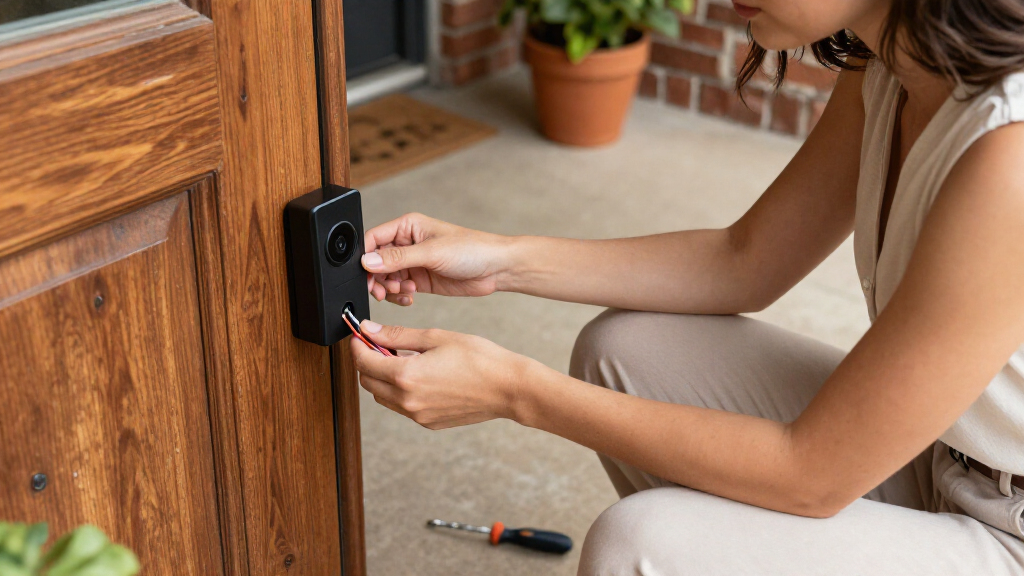
Wired models avoid routine battery recharging, but the setup can still involve electrical work, app configuration, and tuning motion settings. Measure the mounting area and check the camera’s field of view against the approach to your door; a narrow or obstructed entry can limit what any camera captures. Wi-Fi strength at the front entrance matters for timely alerts and smooth video, so test the signal there before blaming the doorbell for connection problems. Consider whether you can safely install the unit yourself or would rather budget for professional help. A small amount of planning can prevent a poor viewing angle or unstable connection from undermining an otherwise suitable choice.
Frequently Asked Questions
Can I install a wired video doorbell if my home has no existing doorbell?
Possibly, but a wired model needs an appropriate power source and installation route, so it is not always a simple replacement job. You may need new low-voltage wiring, a compatible transformer, or help from an electrician, depending on the home. Check the exact power requirements and installation guide for the model before buying. If adding wiring is impractical, compare battery-powered alternatives rather than assuming a wired unit can run from a nearby outlet. The right choice depends on whether you want a permanent wired setup enough to justify the installation work.
Will a wired video doorbell work with my existing indoor chime?
Compatibility varies by doorbell and chime type, so having an existing chime does not guarantee it will ring after installation. Check the model’s compatibility list and wiring instructions, including any requirements for a chime connector or bypass. Digital chimes can have different needs from mechanical chimes, and some homes have no indoor chime at all. If the doorbell includes a separate chime, that may offer another alert option, but confirm what is included with the exact listing. When the wiring is unclear, a qualified installer can identify the chime and transformer before you commit.
Is 4K worth choosing over a 2K wired doorbell?
It can be worthwhile if you regularly review recorded footage and need more image detail, but resolution is only one part of usable video. Strong Wi-Fi, suitable lighting, camera placement, and recording access all affect what you can actually see later. A 2K HDR model may be a better fit when balancing detail with a familiar smart-home setup matters more than maximum resolution. Consider the distance from the camera to visitors and the screen where you usually view clips. I would pay extra for 4K only when the added detail solves a real monitoring need.
Do I need a subscription to use a wired video doorbell?
Not necessarily for basic functions such as live viewing or some motion alerts, but access to recorded clips and advanced features can depend on a service plan. The exact limits differ by brand and can change, so check the current terms for the specific model. Ask how long event footage is retained, whether recordings can be stored locally, and what happens when a trial ends. If you mainly want to answer the door live, subscription limits may matter less than they would for reviewing missed deliveries. Include any recurring plan in your decision rather than judging the camera by hardware alone.
Should I choose the Google Nest model in Linen or Hazel?
The two listings name the same wired Nest generation and core 2K HDR feature set, so the color is the main distinction presented here. Choose the finish that suits the trim and exterior around your door, while checking the exact listing to confirm the included accessories and product details. Do not expect a different image or smart-home experience from the color variant alone. If you are comparing Nest with Ring or Tapo, focus on platform fit, recording terms, and installation compatibility instead. Those factors are more likely to affect daily use than Linen versus Hazel.
Conclusion
For most households, I’d choose the Tapo D225 as the best overall because it combines 2K QHD video with an included chime in a balanced package. The best premium pick is Ring Wired Doorbell Pro (3rd Gen) for buyers who put 4K detail first, while the basic Ring Video Doorbell Wired is the value-minded option for shoppers who want a simpler Ring setup. For beginners, the Tapo’s included chime can make the route from installation to indoor alerts more straightforward, though wiring compatibility still needs checking. Google Nest is the better fit for households already centered on Google Home, and Blink Wired Doorbell 2K+ suits buyers who prefer its particular feature and ecosystem mix. My final advice: verify transformer and chime compatibility, then choose by the platform and recording features you will actually use.