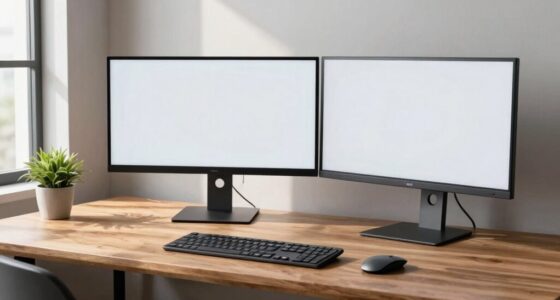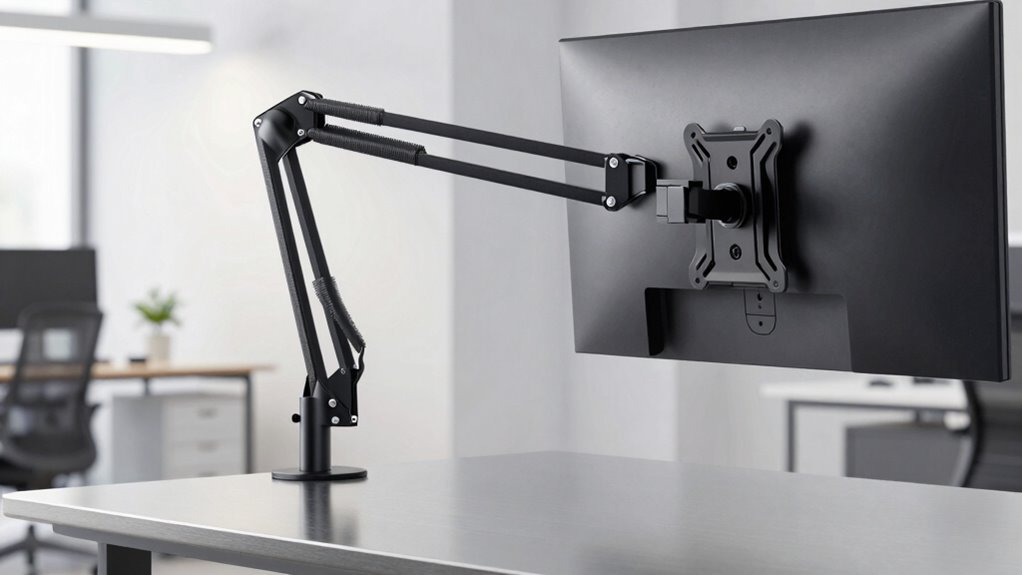

When choosing a monitor arm, you need to check its weight limit to make certain it can support your monitor without sagging or becoming unstable. Confirm that your monitor’s weight fits within that range and that it has VESA-compatible mounting holes, typically 75×75 or 100×100 mm. Proper VESA compatibility guarantees a secure attachment, while ergonomic adjustments and good cable management improve comfort and workspace organization. Keep these basics in mind to make a safe, stable setup; exploring further will help you optimize your workspace even more.

Get the little things that make your day delivered free with Prime
- Fast, free delivery on millions of items
- Prime Video, Amazon Music and more included
- Member-only deals all year
Key Takeaways
- Check the monitor arm’s maximum weight capacity to prevent sagging or damage.
- Verify VESA pattern compatibility (e.g., 75×75 or 100×100 mm) for secure monitor attachment.
- Ensure monitor weight falls within the arm’s supported load range for stability.
- Confirm VESA compatibility before mounting, using adapters if necessary.
- Proper weight support and VESA fit enhance monitor stability and extend equipment lifespan.
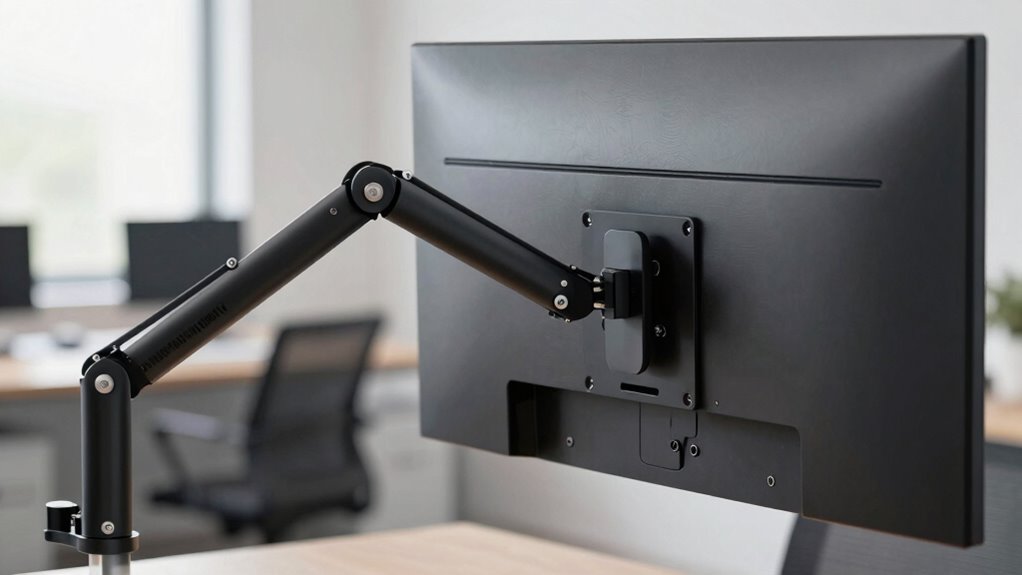
If you want your monitor arm to support your display safely and securely, understanding weight limits and VESA compatibility is vital. The weight limit of a monitor arm determines how much weight it can hold without sagging or risking failure. Exceeding this limit can cause instability, potential damage to your monitor, or even injury. To avoid this, always check the manufacturer’s specifications for maximum load capacity and confirm your monitor’s weight falls within that range. VESA compatibility is equally important because it confirms whether your monitor has the standardized mounting holes needed for the arm. VESA mounting patterns are measured in millimeters, typically 75×75 or 100×100, and your monitor must match these patterns to attach securely. If your monitor isn’t VESA-compatible, you’ll need an adapter or alternative mounting options, which could affect stability and support. Ensuring your monitor has the correct VESA mounting pattern is crucial for secure attachment and optimal support. Once you’ve confirmed your monitor’s weight and VESA fit, you can focus on ergonomic adjustments, which are essential for long-term comfort. A well-chosen monitor arm allows you to customize the height, tilt, swivel, and depth of your display. Proper ergonomic adjustments help reduce strain on your neck, shoulders, and eyes, especially during extended work sessions. Position your monitor so that the top of the screen is at or slightly below eye level, and ensure that the screen is directly in front of you to minimize twisting your neck. Adjust the height and tilt to avoid glare and reflections, which can cause eye fatigue. Additionally, ergonomic setup is important for maintaining overall health during prolonged use. Proper cable management is another key feature of a good monitor arm, helping you keep your workspace tidy and safe. Many monitor arms come with built-in clips or channels to route cables neatly along the arm, preventing tangles and accidental pulls that could destabilize your setup. Good cable management also helps protect your cables from damage and wear over time. Proper cable management not only improves aesthetics but also reduces the risk of cables snagging or pulling on your monitor, which could compromise weight support or VESA connections. Being mindful of the monitor weight limits can extend the lifespan of your setup and prevent costly replacements. Additionally, understanding the VESA compatibility of your monitor ensures that you select the right mount for a secure and stable connection.
As an affiliate, we earn on qualifying purchases.
Frequently Asked Questions
Can I Upgrade My Monitor Arm to Support Heavier Screens Later?
Yes, you can upgrade your monitor arm later if you choose one with adjustable compatibility. Look for a monitor arm with a higher weight limit and VESA compatibility that matches your new screen. Consider upgrade considerations, like whether the arm’s mounting system can handle larger weights or VESA sizes. Always verify compatibility before purchasing, ensuring your new monitor will fit securely and function smoothly with your existing setup.
How Do I Determine the VESA Pattern on My Monitor?
To determine your monitor’s VESA pattern, check the back for four mounting holes arranged in a square or rectangle. Measure the distance between the holes horizontally and vertically in millimeters. This measurement indicates the VESA standard, such as 75x75mm or 100x100mm. Ensuring your monitor’s VESA pattern matches your monitor arm’s compatibility guarantees proper support and stability according to VESA standards.
Are There Monitor Arms Compatible With Curved or Ultrawide Monitors?
Yes, there are monitor arms compatible with curved and ultrawide monitors. Look for curved monitor compatibility or ultrawide arm options when shopping. Many adjustable arms are designed to support larger screens, offering flexible positioning and stability. Make certain the arm’s VESA compatibility matches your monitor’s pattern, and check weight limits. This way, you’ll find a suitable, sturdy solution that enhances your workspace with your curved or ultrawide monitor.
What Is the Lifespan of a Typical Monitor Arm?
A typical monitor arm lasts around 5 to 10 years, depending on usage and build quality. To maximize its lifespan and ergonomic benefits, follow installation tips like ensuring proper weight limits and VESA compatibility. Regularly check for wear and tear, tighten joints, and avoid overloading. Proper maintenance keeps your monitor arm stable, ergonomic, and functional, supporting your workspace comfort and productivity over many years.
How Do I Troubleshoot Stability Issues With a Monitor Arm?
Think of your monitor arm as a tightrope walker—balance is everything. To troubleshoot stability issues, first check if it’s securely mounted and that the weight falls within the VESA and weight limits. Adjust tension if possible, ensuring ergonomic positioning. Keep cables organized with proper management to prevent unnecessary strain, which can cause wobbling. Regularly inspect joints and screws, tightening where needed, to keep your workspace steady and your focus sharp.
As an affiliate, we earn on qualifying purchases.
Conclusion
Now that you know the ins and outs of monitor arm weight limits and VESA standards, you’re equipped to make smarter choices. Think of your monitor setup as a well-balanced tightrope walk—each component needs to work in harmony to keep everything steady. By understanding these basics, you can avoid costly mistakes and create a workspace that’s both safe and efficient. With the right knowledge, your perfect monitor setup is just within reach, ready to support you like a trusty sidekick.
ergonomic monitor arm with cable management
As an affiliate, we earn on qualifying purchases.
As an affiliate, we earn on qualifying purchases.
As an affiliate, we earn on qualifying purchases.
Fall Picks
fall essentials
As an affiliate, we earn on qualifying purchases.