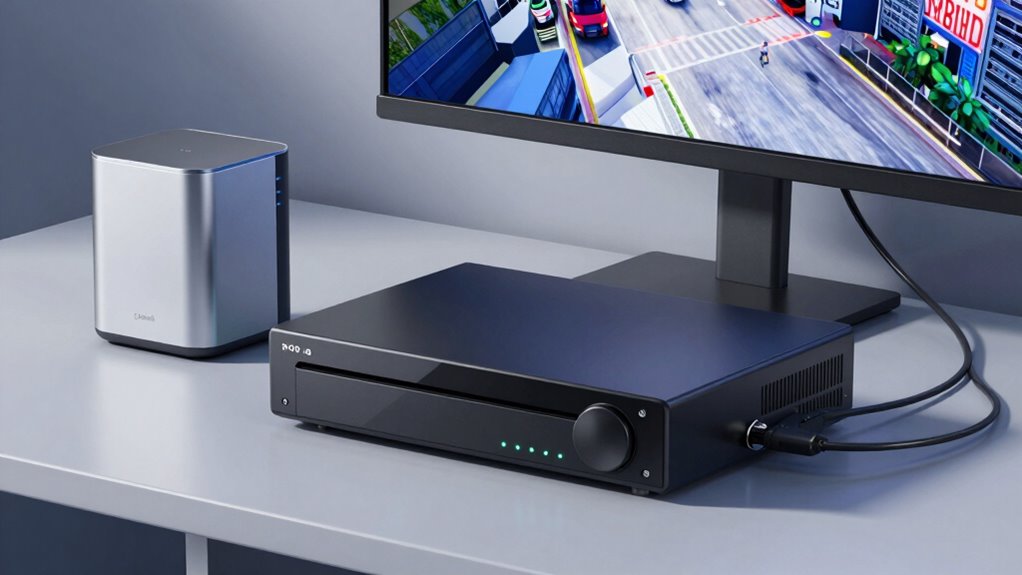

If you’re choosing between cloud storage and a local NVR for your security footage, consider your priorities. Cloud storage offers remote access, easy scalability, and less energy use, but it comes with ongoing subscription costs and security concerns. A local NVR provides full control and potentially lower long-term costs, but requires physical setup and more power. Balancing convenience, security, and budget is key—keep exploring to find the best fit for your needs.

Get the little things that make your day delivered free — and shop member deals
- Fast, free delivery on millions of items
- Access to Prime Big Deal Days deals on October 6–7
- Prime Video, Amazon Music and more included
Key Takeaways
- Cloud storage offers remote access and scalability but depends on reliable internet and ongoing subscription costs.
- Local NVRs provide full control over footage, with expandable storage, but require physical access and maintenance.
- High-resolution footage demands more storage space, influencing the choice between cloud and local options.
- Cloud storage tends to be more energy-efficient, relying on remote servers, while local NVRs consume power for hardware operation.
- Security risks exist for both, but proper encryption and physical safeguards are essential regardless of storage method.

Have you ever wondered where your security camera footage is stored and how to guarantee it’s safe? Understanding storage options is essential to ensure your footage remains accessible and secure. When choosing between cloud storage and a local NVR (Network Video Recorder), you should consider several factors, including video resolution and power consumption. High video resolution offers sharper, clearer footage, but it also requires more storage space and bandwidth. This means if you choose a cloud service, you’ll need a reliable internet connection with sufficient upload speeds to handle the larger files. On the other hand, a local NVR can be configured with larger drives to accommodate high-resolution footage, but it may demand more power to operate continuously. Power consumption is a vital aspect, especially if you want an energy-efficient setup. Cloud storage might seem less energy-intensive since it relies on remote servers, but the cameras themselves still consume power, especially if they’re high-definition or have features like night vision. Conversely, a local NVR setup requires power for both the recorder and the cameras, which can add up over time. Additionally, video resolution impacts not just storage needs but also the overall quality of your footage. It’s also important to consider data security, as storing footage either remotely or locally involves potential vulnerabilities that must be managed. Ensuring robust encryption protocols can help protect your footage from unauthorized access. Furthermore, understanding network security protocols is crucial to protect your footage from unauthorized access.
When it comes to security, both options have their strengths. Cloud storage often offers encrypted data transfer and remote access, making it easier to view footage from anywhere. However, it also introduces concerns about data breaches if the cloud service isn’t properly secured. Local NVRs keep your footage on-site, giving you full control over access, but they are vulnerable to physical theft or damage unless you implement proper security measures. A security breach could compromise your footage and compromise your privacy, so choosing a secure storage method is crucial. Accessibility plays a big role too. Cloud storage allows you to access your footage anywhere with an internet connection, which is convenient if you’re away or want to review footage quickly. With a local NVR, you need to be physically near the device or set up remote access, which might involve additional configuration.
Ultimately, your choice depends on your priorities: if you value convenience, remote access, and don’t mind ongoing subscription costs, cloud storage could be the way to go. If you prefer more control, lower recurring costs, and are willing to manage the hardware, a local NVR might suit you better. Just remember, whichever option you choose, ensure it aligns with your needs for video resolution, power consumption, and security so your footage remains safe, clear, and accessible whenever you need it.
security camera NVR storage system
As an affiliate, we earn on qualifying purchases.
As an affiliate, we earn on qualifying purchases.
Frequently Asked Questions
How Secure Is Cloud Storage Against Hacking Attempts?
Cloud storage can be quite secure against hacking if providers use strong encryption protocols to protect your data. They often implement advanced security measures like multi-factor authentication and regular security updates. However, your data’s security also depends on data sovereignty laws, which govern where your data is stored and how it’s protected. While no system is completely hack-proof, reputable cloud providers make significant efforts to keep your footage safe from unauthorized access.
Can Local NVRS Operate Without Internet Access?
Think of your local NVR as a sturdy fortress—you can operate it offline, like a lighthouse shining bright without needing to connect to the internet. It’s designed for offline functionality, ensuring your security system stays active during internet outages. Regular local maintenance keeps it running smoothly, so you won’t miss a beat. With a local NVR, your surveillance remains reliable, independent of the digital world’s chaos, providing peace of mind.
What Are the Ongoing Costs of Cloud Storage Subscriptions?
Cloud storage subscriptions typically involve ongoing costs, which include monthly or yearly fees based on storage capacity and features. This cost comparison helps you weigh expenses against the convenience of remote access, easy scalability, and automatic backups. While cloud storage offers user convenience, it can become costly over time, especially with large footage volumes. You should consider your budget and security needs to determine if the ongoing subscription costs align with your surveillance priorities.
How Easy Is It to Upgrade Storage Capacity?
Upgrading storage capacity is a breeze, like adding another brick to your wall. With cloud storage, scalability is seamless—just adjust your plan, and you’re set. For local NVRs, guarantee hardware compatibility; you might need to swap out drives or upgrade your system. Either way, expanding your storage is straightforward, giving you peace of mind that your security footage is always well-covered without breaking a sweat.
Are There Data Privacy Concerns With Cloud Storage Providers?
Yes, data privacy concerns exist with cloud storage providers. You should check if they use data encryption to protect your footage and review their privacy policies to understand how your data is handled. Some providers may share or sell data, so it’s essential to choose a reputable service that prioritizes your privacy. Being aware of these factors helps you make an informed decision about storing your security footage in the cloud.
cloud security camera storage subscription
As an affiliate, we earn on qualifying purchases.
As an affiliate, we earn on qualifying purchases.
Conclusion
Ultimately, whether you choose cloud or local NVR storage, consider your needs, your budget, and your security concerns. Weigh the convenience against the control, the accessibility against the reliability, the scalability against the simplicity. Both options offer advantages and drawbacks, so decide what aligns best with your priorities. By understanding the differences, you can select the storage that protects your property, preserves your peace of mind, and fits your lifestyle—because security isn’t just about footage; it’s about confidence.
high resolution security camera with local storage
As an affiliate, we earn on qualifying purchases.
As an affiliate, we earn on qualifying purchases.
network video recorder for home security
As an affiliate, we earn on qualifying purchases.
As an affiliate, we earn on qualifying purchases.
Halloween Picks
halloween
As an affiliate, we earn on qualifying purchases.