
Password rotation is a security myth that often leads to weaker passwords and user frustration. Instead of constantly changing passwords, focus on creating strong, complex passwords that combine letters, numbers, and symbols. Implementing multi-factor authentication adds an extra layer of security, making accounts safer even if your password is compromised. Prioritize these strategies over forced changes, and you’ll enhance your security measures considerably. Discover more effective practices to keep your accounts secure.

Get the little things that make your day delivered free with Prime
- Fast, free delivery on millions of items
- Prime Video, Amazon Music and more included
- Member-only deals all year
Key Takeaways
- Focus on creating strong, complex passwords instead of frequently rotating them.
- Use unique passwords for each account to enhance security.
- Implement multi-factor authentication (MFA) for an additional layer of protection.
- Educate users on security threats and best practices to maintain awareness.
- Consider passwordless solutions and biometrics for improved security and user experience.
multi-factor authentication security key
As an affiliate, we earn on qualifying purchases.
As an affiliate, we earn on qualifying purchases.
Why Password Rotation Is a Security Myth
Although many believe that regularly changing passwords enhances security, research shows that this practice can actually do more harm than good. When you’re forced to create new passwords frequently, you might opt for simpler ones, sacrificing password complexity for convenience. This can lead to weaker security overall, as predictable patterns emerge. Instead of focusing solely on rotation, you should prioritize creating strong, complex passwords that are hard to guess. Coupled with security awareness, this approach can markedly improve your protection against breaches. Educating yourself about phishing attacks and employing two-factor authentication are also vital steps. By shifting your focus away from mandatory password changes, you’ll build a more robust defense against potential threats.
As an affiliate, we earn on qualifying purchases.
The Rise of Alternative Authentication Methods

As traditional password systems face criticism for their inefficiencies, many organizations are turning to alternative authentication methods to enhance security. You might be surprised by the innovative approaches gaining traction, such as behavioral biometrics, which analyze user patterns for unique identification. Social authentication leverages your existing social media profiles, while device-based security ties access to specific devices you own. Contextual authentication adds another layer, considering factors like location and time.
| Method | Benefits | Drawbacks |
|---|---|---|
| Behavioral Biometrics | Seamless user experience | Privacy concerns |
| Social Authentication | Easy setup | Risk of account compromise |
| Device-Based Security | Strong access control | Device loss can be problematic |
| Contextual Authentication | Enhanced security | Increased complexity |
These methods provide a promising path forward.
password manager with strong encryption
As an affiliate, we earn on qualifying purchases.
As an affiliate, we earn on qualifying purchases.
The Impact of User Fatigue on Security
When users are overwhelmed by the constant demand for password changes and multi-factor authentication, their vigilance often wanes, leading to potential security breaches. You might find yourself feeling user frustration, as these demands pile up, making it harder to remember complex passwords and stay alert. This fatigue can create an environment ripe for security complacency, where users begin to overlook best practices. They may resort to unsafe habits, such as reusing passwords or choosing easily guessable ones. As your security protocol becomes a burden, it’s essential to find a balance that doesn’t sacrifice security for convenience. By addressing user fatigue, you can foster a culture of mindfulness around security and ultimately reduce risks without overwhelming your users. Implementing security awareness training can help reinforce best practices and mitigate complacency.
behavioral biometrics authentication device
As an affiliate, we earn on qualifying purchases.
As an affiliate, we earn on qualifying purchases.
How to Create Strong, Memorable Passwords
How can you create strong yet memorable passwords that keep your accounts secure? Start by focusing on password length; aim for at least 12 characters. Longer passwords are harder to crack. Next, think about password complexity. Combine uppercase and lowercase letters, numbers, and special characters. To make your passwords memorable, use a passphrase made up of random words or phrases that relate to you. For example, “BlueSky!Dance4Fun” mixes complexity with a personal touch. Alternatively, consider using a mnemonic technique, turning a sentence into a password, like “My dog Max is 4 years old!” becomes “MdM4y0!” Finally, avoid using easily guessed information like your name or birthdate, and guarantee each password is unique for different accounts.
How to Implement Multi-Factor Authentication Effectively
To implement multi-factor authentication effectively, you need to choose the right methods that suit your users’ needs. Regularly educating users about these methods guarantees they understand the importance of security and how to use the tools correctly. By focusing on these aspects, you’ll strengthen your overall security posture.
Choose Appropriate Methods
While you might think adding another layer of security is complicated, implementing multi-factor authentication (MFA) can actually be straightforward and highly effective. Start by evaluating your existing security protocols to identify where MFA can enhance protection. Choose methods that suit your users’ needs, such as SMS codes, authenticator apps, or biometric verification. Make sure you provide clear instructions for each method, ensuring users understand how to set them up and use them effectively. This user education will not only improve adoption rates but also reinforce the importance of MFA in safeguarding sensitive information. Remember, the goal is to create a seamless experience while enhancing security, so select options that balance security with usability for your organization.
Educate Users Regularly
User education is essential for successful multi-factor authentication (MFA) implementation. To guarantee user awareness, you should provide regular security training that highlights the importance of MFA and how it protects sensitive information. Start by explaining the various methods of MFA, such as SMS codes or authentication apps, and how they add an extra layer of security. Encourage users to ask questions and share concerns during training sessions. Real-life examples of security breaches can make the training more relatable and impactful. Additionally, create quick reference guides or videos that users can easily access when they need help. Regularly reinforcing these concepts will help foster a culture of security and guarantee that users are comfortable with MFA practices.
How Password Managers Can Boost Your Security
As cyber threats continue to evolve, adopting a password manager can greatly enhance your security posture. With a password manager, you’ll enjoy various password manager benefits, including the ability to generate complex passwords that are hard to crack. Instead of relying on memory, you can securely store all your passwords in one encrypted location, ensuring that you’re not using weak or repeated passwords across different sites.
Additionally, a password manager can help you quickly fill in login details, saving you time and reducing the risk of phishing attacks. By managing your passwords effectively, you can focus on more important tasks, knowing that your secure password storage is protecting your sensitive information from cybercriminals.
Best Practices for Password Security
When it comes to password security, using unique passwords for each account is essential. You should also enable two-factor authentication to add an extra layer of protection. Let’s explore how these practices can markedly enhance your online safety.
Use Unique Passwords
To enhance your online security, using unique passwords for each of your accounts is essential. Implementing unique password strategies helps protect your sensitive information. Here are three tips to help you create and manage unique passwords:
- Use a Password Manager: These tools can generate and store complex passwords, ensuring each one is unique.
- Create Passphrases: Combine random words or phrases that are easy for you to remember but hard for others to guess.
- Avoid Reusing Passwords: Even if it’s tempting, don’t use the same password across multiple sites; if one gets compromised, others are at risk.
Enable Two-Factor Authentication
Why settle for just a password when you can add an extra layer of security? Enabling two-factor authentication (2FA) greatly boosts your account’s protection by requiring a second verification step, like a text message or authentication app code. The two-factor benefits are clear: even if someone steals your password, they can’t access your account without that second factor. However, you may face implementation challenges, such as compatibility issues with certain services or the risk of losing access if your second factor is unavailable. Despite these hurdles, the enhanced security 2FA provides is worth it. Take the time to set it up; your accounts will be much safer, and you’ll have peace of mind knowing you’re taking proactive steps to protect your information.
When Should You Change Passwords for Maximum Security?

As you navigate the complexities of digital security, knowing when to change your passwords can greatly enhance your protection. Instead of sticking to a rigid password change frequency, focus on these security best practices:
- After a Breach: If you suspect your account has been compromised, change your password immediately to prevent unauthorized access.
- Regular Intervals: Make it a habit to change passwords every 3 to 6 months, especially for sensitive accounts, to minimize risk.
- When You Notice Unusual Activity: If you see signs of suspicious behavior, such as unrecognized logins or notifications, update your password right away.
Future Trends in Authentication: What to Expect
As we look ahead, you’ll notice exciting shifts in authentication methods that could change how you secure your accounts. Passwordless solutions, biometric advancements, and decentralized identity systems are just a few trends on the horizon. These innovations promise to make your online experiences both safer and more convenient. Additionally, the integration of ethical considerations into AI-driven authentication processes will be crucial to ensure user trust and privacy are maintained as these technologies evolve.
Passwordless Authentication Solutions
While many organizations still rely on traditional passwords to secure their systems, the future of authentication is shifting toward passwordless solutions that enhance both security and user experience. By adopting these innovative methods, you can access several passwordless benefits:
- Increased Security: Without passwords, the risk of phishing and credential theft diminishes considerably.
- Streamlined Access: Users can quickly log in using biometrics or authentication apps, reducing frustration and login time.
- Reduced IT Costs: Fewer password-related support tickets mean lower operational costs for your IT team.
These passwordless solutions not only simplify the login process but also create a more secure environment, ultimately improving your overall user experience. Embracing this trend can set your organization up for success in the digital age.
Biometric Security Advances
With technology evolving rapidly, biometric security advances are reshaping how you think about authentication. You’re likely noticing the rise of biometric authentication trends that leverage unique physical traits. Facial recognition technology, for instance, is becoming a standard in securing devices and accessing sensitive data. It’s more than just a convenience; it greatly enhances security by reducing the risk of unauthorized access. As you embrace these innovations, consider how they can streamline your daily interactions while providing robust protection against cyber threats. With advances in accuracy and speed, you’ll find that your identity verification processes become smoother and more reliable. Additionally, integration with smart home technology allows for seamless security across your devices and systems, making your environment safer and more responsive. The increasing use of biometric data in security systems also raises important privacy considerations, which are essential to understand as these technologies become more prevalent. Moreover, ongoing regulatory developments aim to address privacy concerns and establish standards for responsible biometric data use. Understanding the cost implications of adopting biometric security solutions can help you plan your investments better. As biometric systems become more widespread, the potential for identity theft prevention improves, providing an extra layer of security. So, get ready to adapt as biometric solutions continue to redefine security standards in our digital world.
Decentralized Identity Systems
Decentralized identity systems are poised to revolutionize how you manage your personal information online. By leveraging blockchain authentication, these systems provide a secure and user-centric approach to identity verification. Here’s what you can expect:
- Enhanced Privacy: You’ll control your data, sharing only what’s necessary, reducing the risk of data breaches.
- Streamlined Access: Forget juggling multiple usernames and passwords. A single decentralized identity can grant you access across various platforms.
- Increased Security: With blockchain technology, your identity is protected against fraud and hacking, ensuring that only you can authorize access.
Embracing decentralized identity systems will empower you to navigate the digital landscape with confidence, knowing your information is secure and under your control.
Conclusion: Moving Beyond Password Rotation
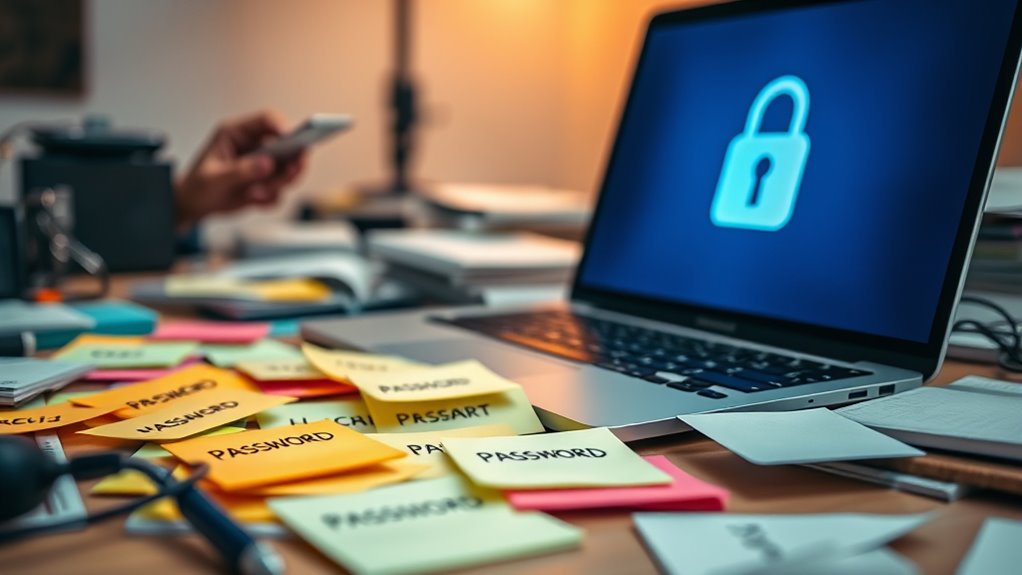
As organizations reassess their security strategies, it’s clear that moving beyond traditional password rotation is essential for creating a more effective defense. Instead of focusing on frequent changes, emphasize robust password policies that promote strong, unique passwords and user awareness. Educating users about phishing attacks and secure practices can notably reduce risks.
Here’s a quick comparison of approaches:
| Approach | Benefits | Drawbacks |
|---|---|---|
| Frequent Rotation | Reduces risk of compromised passwords | Increases user frustration |
| Strong Passwords | Enhances security notably | Requires user discipline |
| User Awareness Training | Empowers users to recognize threats | Ongoing commitment needed |
Frequently Asked Questions
Are There Specific Industries That Should Prioritize Password Rotation?
Yes, you should prioritize password rotation in industries like financial services and healthcare. These sectors face strict regulations and compliance standards that demand high levels of security. By implementing regular password updates, you can better align with cybersecurity frameworks and protect sensitive data. Keeping your passwords fresh helps mitigate risks associated with breaches, ensuring your organization stays compliant while safeguarding client information. Don’t overlook the importance of maintaining strong password practices in these critical fields.
How Often Should I Change Passwords if Not Rotating Them?
You should change your passwords every three to six months, depending on your password management strategies and security needs. Regularly updating your passwords can help protect against breaches and unauthorized access. Always use unique passwords for different accounts, and consider using a password manager to simplify your password change frequency. Remember, it’s not just about changing passwords; it’s about creating a secure environment that safeguards your personal information effectively.
What Are the Risks of Reusing Passwords Across Sites?
Reusing passwords across sites greatly increases your risk of falling victim to password hacks and credential stuffing attacks. If one site gets compromised, hackers can easily use those credentials to access your accounts on other platforms. This can lead to unauthorized access, identity theft, and data breaches. To protect yourself, always use unique passwords for different accounts and consider employing a password manager to keep track of them securely.
Can Biometrics Fully Replace Traditional Passwords?
Biometrics can’t fully replace traditional passwords, but they’re great password alternatives. While biometric authentication, like fingerprints or facial recognition, adds a layer of convenience and security, it’s not infallible. If someone gains access to your biometric data, it’s harder to change than a password. So, you should consider using biometrics alongside strong passwords for a more robust security approach. Don’t rely solely on one method for protecting your accounts.
How Do I Educate My Team About Password Security?
Think of your team like a group of knights guarding a castle; they need the right armor to defend against threats. Start by implementing clear password policies that everyone understands. Host regular security training sessions to keep everyone informed about the latest threats and best practices. Encourage discussions about password hygiene and demonstrate how strong passwords protect sensitive information. By engaging them, you’ll strengthen your team’s defenses and foster a security-first culture.
Conclusion
So, let’s retire the myth of password rotation like that old office chair no one wants to sit in. Instead of endlessly changing passwords and battling user fatigue, why not embrace strong, memorable passwords and multi-factor authentication? Think of it as giving your digital life a spa day, not a treadmill workout. As we ditch outdated practices, let’s look forward to a future where securing our info is as easy as a click—no more password gymnastics required!
Fall Picks
fall essentials
As an affiliate, we earn on qualifying purchases.