
Bluetooth audio can sound worse mainly because of interference from other wireless devices, like Wi-Fi or microwaves, which weaken the signal and cause dropouts or poor sound quality. Codec mismatches between your device and Bluetooth headphones can also reduce clarity. Environmental factors like walls or moving further away from your device further degrade the connection. To fix these issues, you need to understand how interference, device compatibility, and environment affect your Bluetooth experience. Keep exploring to learn more solutions.

Get the little things that make your day delivered free with Prime
- Fast, free delivery on millions of items
- Prime Video, Amazon Music and more included
- Member-only deals all year
Key Takeaways
- Wireless interference from Wi-Fi, microwaves, or obstacles disrupts Bluetooth signals, causing audio dropouts and reduced quality.
- Codec mismatches between devices can compress audio, leading to less clear sound.
- Outdated firmware or low battery levels impair device performance and audio stability.
- Moving out of optimal range weakens the Bluetooth connection and degrades sound quality.
- Using older Bluetooth versions or congested channels increases interference, worsening audio performance.
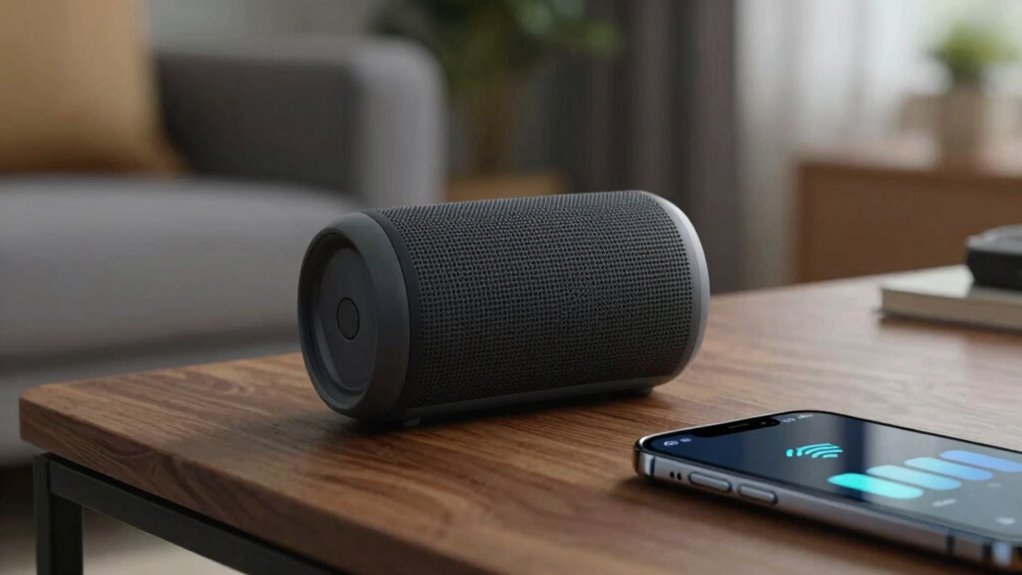
Bluetooth audio issues can be frustrating, especially when you’re trying to enjoy your favorite music or an essential call. Often, the problem isn’t just about your device or connection but involves underlying factors like wireless interference and codec compatibility. These issues can cause interruptions, distorted sound, or a drop in audio quality that leaves you puzzled and annoyed.
Wireless interference is a common culprit that degrades Bluetooth audio performance. Since Bluetooth operates on the 2.4 GHz frequency, it shares this space with Wi-Fi networks, microwave ovens, and other wireless devices. When multiple devices compete for the same bandwidth, interference can occur, resulting in choppy sound or sudden dropouts. You might notice your music stuttering or your calls cutting out at inconvenient moments. To reduce this, try moving closer to your device or turning off other wireless gadgets that could be causing interference. Sometimes, simply switching to a less congested Wi-Fi channel or using a Bluetooth device that supports newer, less crowded frequencies can help. Additionally, understanding wireless interference can help you better troubleshoot and optimize your audio experience. Ensuring your devices are within optimal range can also prevent signal degradation caused by physical obstacles. Making sure your device firmware is up to date can also address known interference issues and improve overall stability. Being aware of wireless environment factors, such as other electronic devices, can further aid in maintaining a stable connection.
Another significant factor influencing sound quality is codec compatibility. Bluetooth devices use codecs to encode and decode audio signals, and not all codecs are created equal. If your headphones or speakers support advanced codecs like aptX or LDAC but your phone only transmits using the basic SBC codec, you’ll experience a noticeable decline in audio fidelity. Compatibility issues happen when both devices aren’t aligned on the same codec, leading to compressed audio that sounds less clear or detailed. Ensuring your device supports higher-quality codecs and that both your source device and output device are set to use the same codec can improve sound clarity significantly. Sometimes, you need to dive into your device settings to manually select or enable the best available codec.
Additionally, other factors like outdated firmware, low battery levels, or even physical obstructions can further degrade Bluetooth audio quality. Firmware updates often include bug fixes and improvements that address known issues, so keeping your devices current is essential. Also, a low battery can cause your device to reduce performance to conserve power, which might impact audio quality or stability. Physical obstructions like walls or furniture can weaken the Bluetooth signal, so maintaining a clear line of sight between your devices can help. Regularly checking for firmware updates can enhance device performance and ensure optimal audio quality. Being aware of your environment and reducing wireless congestion can also make a noticeable difference in audio consistency.
Products Worth Considering

Bose SoundLink Flex Bluetooth Speaker (2nd Gen), Black

Ring Alarm 5-Piece Wireless Security System
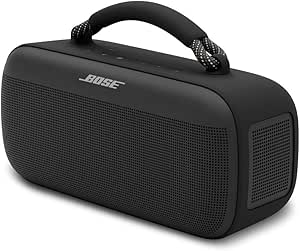
Bose SoundLink Max Bluetooth Speaker
As an affiliate, we earn on qualifying purchases.
Frequently Asked Questions
Can Updating Bluetooth Drivers Improve Audio Quality?
Updating your Bluetooth drivers can improve audio quality by reducing issues caused by wireless interference and enhancing connection stability. When drivers are outdated, they might not handle new wireless standards efficiently, leading to poorer sound. Also, updated drivers often include battery optimization features, which help maintain a strong, consistent connection. So, keeping your drivers current can substantially enhance your Bluetooth audio experience, making your music sound clearer and more reliable.
Do Different Bluetooth Codecs Affect Sound Quality?
Different Bluetooth codecs drastically impact sound quality, and you’re missing out if you’re not using the best one. Imagine listening through a tin can—poor codecs like SBC cause that. Codec compatibility and wireless interference can make or break your experience. Upgrading to aptX or AAC often provides clearer, richer audio, but only if your device and headphones support them. So, check your device’s codec support to truly enjoy premium sound.
How Does Device Placement Influence Bluetooth Audio?
Device placement greatly impacts Bluetooth audio quality. Keep your device close to your headphones or speakers, as proper device positioning reduces signal loss and maintains a strong connection. Avoid obstacles like walls or metal objects that cause interference, and stay away from other electronic devices that can disrupt the signal. Effective interference mitigation through strategic device placement helps guarantee clearer sound and consistent playback, enhancing your overall listening experience.
Is There a Way to Test Bluetooth Audio Quality?
Yes, you can test Bluetooth audio quality by listening to familiar songs or spoken content at different volumes and distances. Pay attention to wireless interference, which can cause static or dropouts, and monitor battery performance, as low power can reduce audio quality. Using dedicated audio testing apps or tools helps measure sound clarity, latency, and stability, giving you a clearer idea of your Bluetooth device’s performance.
Do Bluetooth Versions Impact Sound Performance?
Think of Bluetooth versions as different highway lanes for your audio journey. Higher versions, like 5.0, offer smoother, faster rides with fewer interference issues, so your sound stays clear and vibrant. But beware—the battery impact can act like a weight, draining faster as you enjoy better quality. Choosing the right Bluetooth version balances speed and efficiency, ensuring your sound performance stays sharp without draining your device’s energy.
Conclusion
Think of your Bluetooth connection as a delicate bridge, carrying the melody from device to ear. When the bridge weakens or gets crowded, the music stumbles and distorts. To keep your audio clear, you must preserve that bridge—update your devices, keep them close, and avoid interference. Remember, a strong, well-maintained bridge ensures your sound travels smoothly, letting you enjoy the harmony without interruption. In the end, it’s about tending to the connections that bring your world to life.