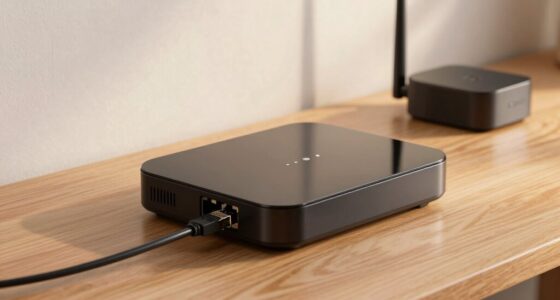

Mesh Wi-Fi backhaul links multiple nodes or routers to create a single, seamless network. It spreads your internet connection across large spaces, improving coverage and reliability. You can connect the nodes using wired Ethernet cables or wirelessly, depending on your setup. Proper placement and configuration guarantee better speed, less interference, and stable performance. If you want to understand how to optimize your mesh system further, there’s plenty more to discover about its technology and setup options.

Get the little things that make your day delivered free with Prime
- Fast, free delivery on millions of items
- Prime Video, Amazon Music and more included
- Member-only deals all year
Key Takeaways
- Mesh Wi-Fi backhaul connects multiple routers to create a unified, seamless network covering larger areas.
- It can use wired Ethernet or wireless channels to link nodes effectively.
- Proper placement and design improve network stability, speed, and coverage.
- Security features and management tools protect and simplify network control.
- Advances in technology enhance performance and reliability in complex environments.
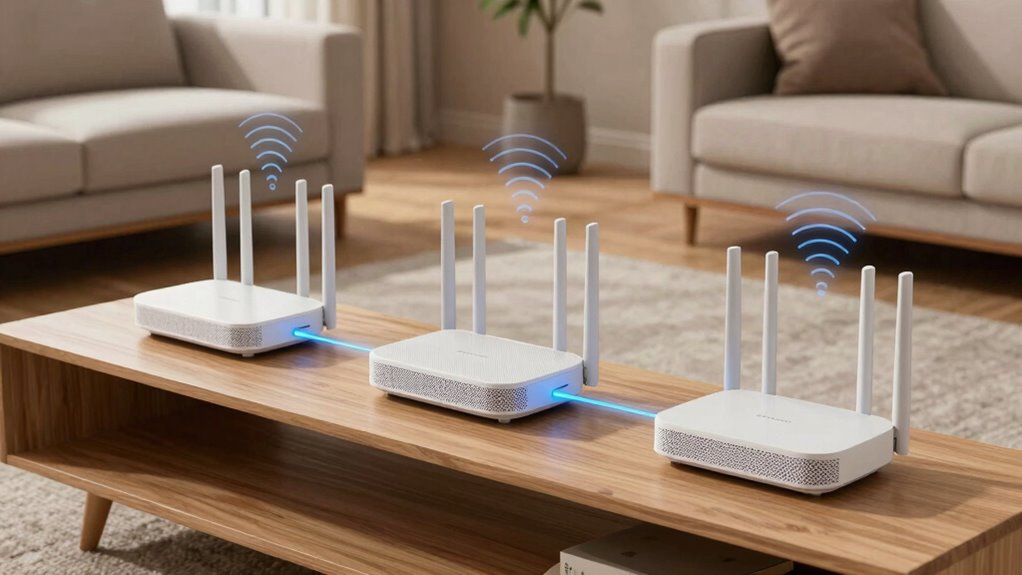
A reliable internet connection is essential, especially when multiple devices are streaming, gaming, or working from home. When your Wi-Fi network is spread across a large space, a standard router might struggle to deliver consistent speed and coverage. That’s where mesh Wi-Fi backhaul comes into play, helping you create a seamless, strong network throughout your home or office. In simple terms, mesh Wi-Fi backhaul is the technology that links multiple routers or nodes together to form a unified network. Instead of relying on a single router that might have limited range, mesh systems distribute the connection across several points, ensuring better coverage and more reliable performance.
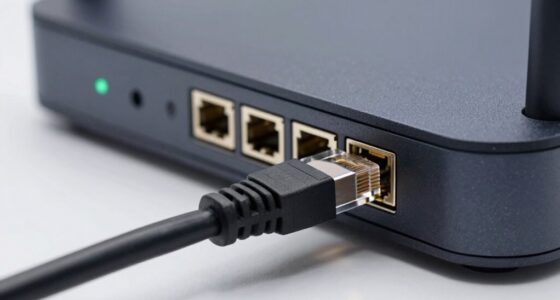
The backhaul is the communication pathway that connects these nodes. It can be either wired, using Ethernet cables, or wireless, using the same Wi-Fi frequencies. Wired backhaul generally offers the most stable connection because it’s immune to signal interference, which can otherwise weaken wireless signals. Wireless backhaul, on the other hand, uses dedicated channels or bands to link nodes, reducing congestion and maintaining fast speeds even when you’re far from the main router. When set up correctly, the mesh system intelligently routes data through the best available path, optimizing network efficiency and reducing latency. Additionally, network topology plays a vital role in how effectively your mesh system performs. Properly configuring your network topology can significantly improve overall performance and reliability. Implementing a well-planned network design can further enhance overall network stability.
Security is a critical aspect of any home network, and mesh Wi-Fi backhaul can enhance security features as well. Many mesh systems come with built-in security enhancements, such as automatic firmware updates, encryption protocols, and parental controls, which protect your network from threats. Since the nodes communicate through a dedicated backhaul channel, the risk of signal interference affecting security measures is minimized, making your entire network safer. This setup also simplifies network management, allowing you to control settings easily from a single app or dashboard, giving you peace of mind knowing your network is protected. Additionally, understanding network security can help you better safeguard your digital environment. Proper placement of nodes and understanding wireless frequencies can further enhance your network’s robustness. Moreover, advancements in mesh technology continue to improve how effectively these systems handle many devices and complex environments.
Products Worth Considering

Google Nest Doorbell (Wired, 2nd Gen) – Snow

Philips Hue Secure Wired Video Doorbell, 2K, Black

Levoit Core 400S-P Smart Air Purifier for Large Rooms
As an affiliate, we earn on qualifying purchases.
Frequently Asked Questions
Can Mesh Wi-Fi Backhaul Work With Existing Routers?
Yes, mesh Wi-Fi backhaul can work with existing routers if they support mesh compatibility. You’ll need to guarantee your current router allows router integration with mesh systems or has compatible features. Often, you can add a mesh node that connects seamlessly, extending your network without replacing your entire setup. Just check the specifications for mesh compatibility before integrating new mesh nodes with your existing router.
How Does Backhaul Affect Overall Internet Speed?
Backhaul boosts bandwidth, but it can also bottleneck your broadband if not optimized. When backhaul is strong, your internet speed soars, but weak backhaul drags down data delivery, causing sluggish streams and slow downloads. Signal interference and network security issues can sabotage this setup, making your connection less reliable. To keep your connection crisp and consistent, make sure your backhaul is robust, secure, and free from interference.
What Are the Costs Associated With Upgrading to Mesh Wi-Fi?
Upgrading to mesh Wi-Fi involves costs like purchasing new routers or nodes, which can range from moderate to high depending on the brand and features. You might also face installation fees or need to make sure mesh compatibility with your existing devices. Be aware that signal interference can affect performance, so investing in a system with strong backhaul options helps maintain fast speeds. Overall, plan for upfront expenses and consider long-term benefits.
Is Wired Backhaul Better Than Wireless?
A chain is only as strong as its weakest link, and wired backhaul generally beats wireless for mesh networks. You’ll get better network security and less signal interference with a wired connection, ensuring a more stable and faster internet experience. Wireless backhaul can be convenient but might be affected by interference and security vulnerabilities. If you want reliability, go wired—because in networking, a solid connection makes all the difference.
How Many Nodes Are Ideal for a Large Home?
For a large home, 3 to 5 nodes usually work best, but it depends on your space. You should focus on reliable device placement, spacing nodes evenly, and avoiding signal interference from thick walls or appliances. Proper placement ensures each node communicates effectively with others, creating a seamless network. If needed, add more nodes to cover distant areas, but monitor signal strength to maintain dependable coverage throughout your home.
Conclusion
Now that you understand mesh Wi-Fi backhaul, it’s clear that it’s the backbone supporting seamless connectivity in your home. Think of it as the invisible thread weaving your devices into a unified network, making dead zones a thing of the past. With the right setup, your Wi-Fi experience becomes as smooth as silk. So, don’t let complexity scare you—embrace the power of mesh backhaul and enjoy a truly connected home.